
Blackra1n iPhone 3.1.2 Jailbreak Tutorial
Thanks to bigboss for this useful post over at thebigboss.org.
To use: load the app and follow the prompts. It’s pretty simple. If you have problems, see troubleshooting section below the last step of the tutorial.
Step 1) Install blackra1n and iTunes 9 or newer.
Step 2) Close itunes and kill iTunesHelper.exe in taskmanager.
Step 3) Attach your device to your computer using the cable, and run blackra1n. You see this:
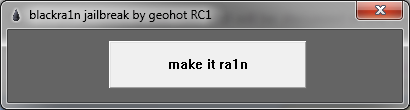
Step 4a) Hit the “make it ra1n” button. You will see this:
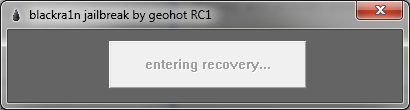
and this
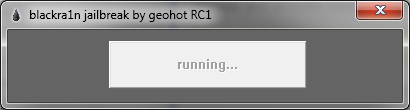
and finally this. This step should only take a couple seconds. If it hangs on running you have itunes helper still running.
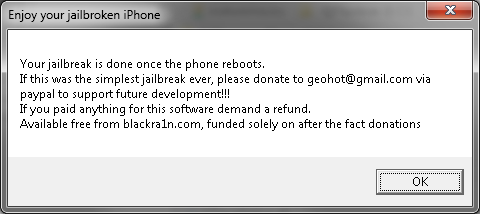
Step 4b) Now, watch your iPhone. It will soon show this. When it reboots it is done:
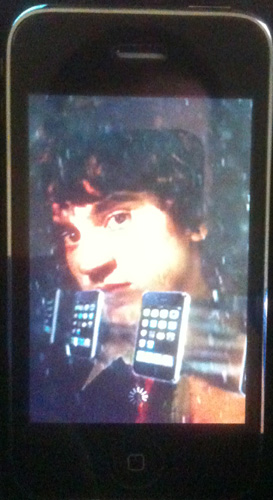
Step 5) Now the jailbreak is done, it’s time to install cydia.
Note: There is plenty of discussion on whats better between cydia, icy, and rock app. I can tell you that Cydia is the only one I can recommend at this time. It does everything right. Rock app is flashy and cool, but it forces rock extensions onto your device. Until rock app migrates to using mobile substrate and plays nicely with the rest of the community, I cannot recommend installing rock app. You have been warned! The icy install is broken on this jailbreak (version RC1). At this time, I recommend not installing it. It does not get installed with super user permissions and cannot install software properly.
On your device you now have a new icon:
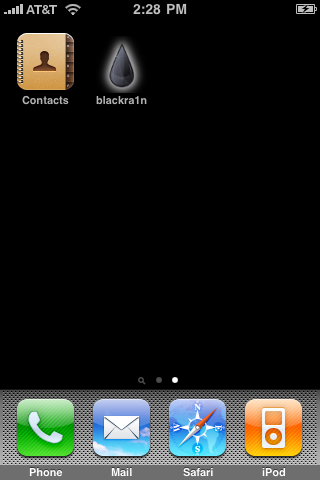
Load this app and select your installer preferences. Remember, we are not skipping cydia, icy doesnt work in RC1, and Rock app installs rock extensions 
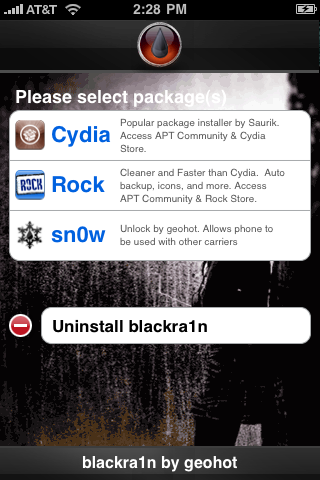
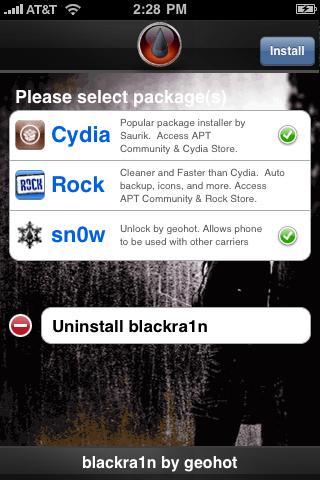
Your selections will now install:
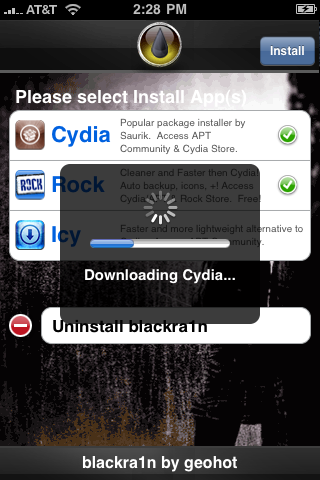
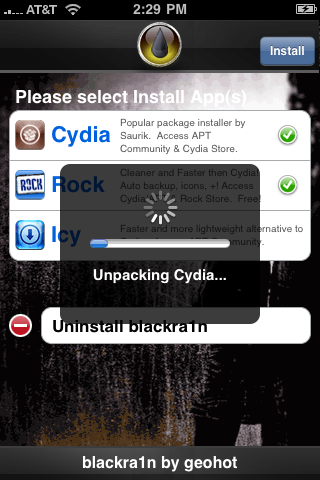
Step 6) When you are all done, load up blackr1n again and use the uninstall blackra1n to remove the blackra1n icon. It’s not needed any longer.
Step 7) Load Cydia, let it reorganize your apps, do the upgrades, and install your software!
Troubleshooting:
1) Blackra1n just crashes – You don’t have itunes 9 installed or your apple mobile device service is not running. Install itunes 9 or reboot to solve.
2) Blackra1n says it’s missing QTCF.dll. Put QTCF.dll into the same folder with blackra1n.exe and run it again.
3) Blackra1n hangs on running… – You need to kill iTunes and iTunesHelper.exe. This step should only take a couple seconds and something should happen.
Tags: App, apple mobile device service, Blackra, couple seconds, devic, Rock, software troubleshooting, Step
October 12th, 2009 at 9:06 am
[...] the original post: The Iphone Spot» Blog Archive » Blackra1n iPhone 3.1.2 Jailbreak … This entry was posted on Sunday, October 11th, 2009 at 7:49 pm and is filed under Cydia Apps. You [...]
December 21st, 2009 at 11:34 am
the iphone does not start when turning it off?
December 21st, 2009 at 3:08 pm
that means you have a tethered jailbreak since you got the new iphone 3gs with the new bootrom. So in turn everytime you turn your phone off to turn it on you have to connect it to a computer and run blackra1n for it to fully boot. If you need help contact me through the contact page
January 9th, 2010 at 3:03 am
This a really nice post!! Workt immidiately!
Thank you..