
Latest BiteSmS Crack
February 11, 2009 :: Posted by - SoSly :: Category - Cracks
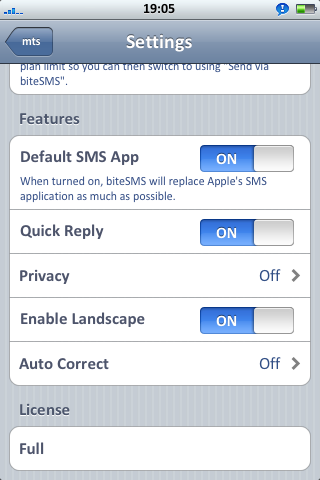
UPDATE: Latest Crack, BiteSmS is out of beta and so is the crack!!
Here are the latest cracks for Bitesms. You guyes should know what to do by now, and if you don’t just comment for help.
========================================================
BiteSmS Zip
========================================================
BiteSmS .deb for cydia
========================================================
February 15th, 2009 at 1:12 am
Ok, newb to this.. what do you do with the zip file? On OSX…
February 15th, 2009 at 8:31 am
your gonna open it and then drag and drop those files that were in the zip folder onto yor iphone.
February 15th, 2009 at 1:25 pm
Don’t Work , BiteSMS Crashed :’(
February 15th, 2009 at 2:51 pm
It should not crash. Do not forget to set permissions to 777 after copying any file to your phone from any computer.
February 15th, 2009 at 3:04 pm
Oh Yeah ! Work
Thx
February 15th, 2009 at 4:23 pm
im sry if i sound like a retard,but how do i set the permissions ? ?frm the iphone or winscp ? ?
February 15th, 2009 at 10:16 pm
If you have winscp. You log in ad the right click on the .app folder and set permissions to 777 and then go into the .app folder and push ctrl-a to highlight all of the files in the folder and the right click and you should see properties in the list so click on that and check all the little boxes until you see the number say 777
February 15th, 2009 at 10:18 pm
If using mobilefinder on your iphone go to the containing folder of the files permissions you want to set and lick on modify and just tap on all of the boxes. Make sure to have executable and the other app launch turned off in the mobilefinder settings.
February 16th, 2009 at 2:32 am
heyy i tried but bitesms crashed. can somebody post step by step how to install this crack.
February 16th, 2009 at 10:35 am
Don’t forget to set the permissions. If you already copied the folder and the app icon is on your springboard it has to be a persmissions error.
To do that just ssh into your phone and go into the bitesms folder and open it, after your inside hold ctrl-a and right click. You should see properties somewhere, click that and fill in the rest of the squares until you see 777.
February 16th, 2009 at 10:43 am
Rapidshare just dun work for me most of the time
can anyone share the biteSMS 3.0 crack file/s somewhere else pls…? thanks!!!
February 16th, 2009 at 10:47 am
forgot to add… pls help me with some easy instructions as well. thanks so much!
*I tried the crack by HunterX and followed the instructions from the readme.txt but it didnt work… the license thingy doesnt change plus many error msgs appear on MobileTerminal…
February 16th, 2009 at 1:10 pm
Alright just download the first crack file ******http://www.2shared.com/file/4892242/1d0b43e5/biteSMS.html****** not the deb package and install bitesms through cydia and then drag and drop the fie to applications/bitesms/ and overwrite the original with this one you downloaded. After all of that don’t forget to set the permissions to 777
February 16th, 2009 at 11:30 pm
hi i just downloaded from *http://www.2shared.com/file/4892242/1d0b43e5/biteSMS.html* but i get a biteSMS.dat file… supposed to be a UNIX file right?
February 16th, 2009 at 11:42 pm
Just drag and drop that into the bitesms folder on your iphone
February 16th, 2009 at 11:56 pm
Thanks admin. I just kept trying the rapidshare thingy and my friend too. he managed to download and send me the two files.
here’s what I did:
1) At private/var/root, REPLACE “biteSMS.deb” with the new “biteSMS.v.3.0.deb”, set permissions to 777
2) At /Applications/biteSMS.app, OVERWRITE “biteSMS” with the new “biteSMS”, set permissions to 777
Then i go to biteSMS on my iPhone and it shows my license is “Full”.
Is this correct? thanks so much!
**by the way, just wanna ask… according to your last reply on the drag and drop method, how does the biteSMS.dat file work? it seems so different from the two steps method i used.
Kindly advise. These things are so interesting to learn. Sorry for being long-winded.
February 17th, 2009 at 10:29 am
a dat file is part of a program such as the one you have would be for bitesms telling it to be activated and its just a file that tells it what to do, such as script commands telling it to run this when you push the send button or go back when you tap the back button. This is a random dat file opened up for programming ========================================= NSString *path = [[NSBundle mainBundle] pathForResource: @”level” ofType: @”dat”]
NSError *error = nil;
NSString *data = [NSString stringWithContentsOfFile: path
encoding: NSUTF8StringEncoding
error: &error];
=========================================
its a bit more complex but you get the picture
May 16th, 2009 at 3:17 am
Oh haha, I'm here? Googled myself, and found this oooold crack here haha. Nice