
SwirlyMMS Crack By BRX (Based on the d112 time cheat)
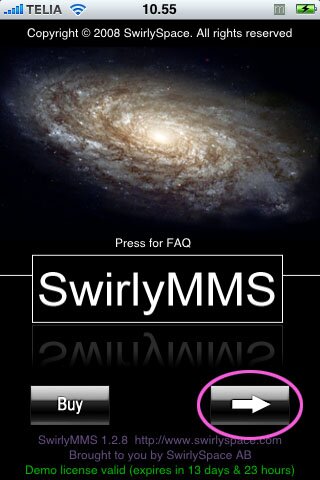
1. Install Swirly,
2. open sftp connection or however you get into your phone and go to /Apps/SwirlyMMS
3. download or directly edit swirlyMMS file with any text editor,
4. paste the code -
#!/bin/bash
SwirlyMMS=$(dirname “$0″)
ddd=$(exec “date” “+%Y-%m-%d %T”)
x=exec “date” “-s 2009-02-01″
{ sleep 5; exec “date” “-s $ddd”; } &
exec “${SwirlyMMS}”/SwirlyMMS_
5. edit the date, put a day when your trial still works, remember – put date in YYYY-MM-DD format,
6. save or/and put on your phone edited file,
7. Tadaaa! Swirly really works 
Step Number 4 has to be in one whole text line, that whole pasting the code has to be ONE LINE NO ENTERS….
Or you can just download this file HERE that is already edited and Just unzip the file, open it with any text editor and just change the date to whatever day you downloaded swirly and drag it back to root/apps/swirly and change the permissions to 777. Viola it should work.
Comment if you have any problems or let us know if it works for you.
March 11th, 2009 at 8:25 am
Hi, i kept on trying to follow your instructions above but it does not work, I found the SwirlyMMS file in
/private/var/stash/Applications.ffHOZQ/SwirlyMMS.app
I deleted the original codes which was:
#!/bin/bash
SwirlyMMS=$(dirname “$0″)
exec “${SwirlyMMS}”/SwirlyMMS_
and replaced it with
#!/bin/bash
SwirlyMMS=$(dirname “$0″)
ddd=$(exec “date” “+%Y-%m-%d %T”)
x=exec “date” “-s 2009-03-01”
{ sleep 5; exec “date” “-s $ddd”; } &
exec “${SwirlyMMS}”/SwirlyMMS_
All in one line with only a space between each seperate line shown above.
The only thing I changed was 2009-02-01 into 2009-03-01, a date when my trial still works
However, after I saved the file, whenever I open MMS, it will simply shut down itself, can you tell me what I’m doing wrong please?
Thank you,
Caithy
March 11th, 2009 at 9:28 am
don’t forget to set permissions to 777
March 11th, 2009 at 10:58 am
I have changed the permissions but i still get licence expired. Any ideas?
I have tried different dates.
March 11th, 2009 at 11:40 am
I see, I am working on getting a working crack. I will update asap
March 11th, 2009 at 11:47 am
Cheers SoSly.
Any testing you need let me know.
March 11th, 2009 at 10:28 pm
Does anybody know how to reset the trial license? Please tell me Thanks.
March 12th, 2009 at 10:16 pm
D0wnl0ad the c0de he has then m0dify it. d0 the same thing th0ugh
March 12th, 2009 at 11:30 pm
Having the same problem as Caithy ^–
March 13th, 2009 at 12:04 am
The same happened to me.
After I`ve changed the code the app simply open and then shut down itself.
March 13th, 2009 at 12:45 pm
He has to upload the file again. The download limit has reached.
Rapidshare:
"This file is neither allocated to a Premium Account, or a Collector's Account, and can therefore only be downloaded 10 times…To download this file, the uploader either needs to transfer this file into his/her Collector's Account, or upload the file again."
April 29th, 2009 at 6:22 am
hey caithy i had the same issue the fix is this :
1. GO TO CYDIA and download any TWEAK app meaning the ones with the electric screwdriver ( im being that specific because thats what worked for me) and then even if it fails to restart regardless it will ask for a full restart of springboard and after clicking on the springboard refresh i finally saw the app.
2. Dont do a refresh with bosspref u will only get more frustrated becasue that does not work!
3. Enjoy!