I DO NOT CRACK SOFTWARE, I DO NOT HOST THESE FILES, AND I AM NOT RESPONSIBLE FOR ANY DAMAGE DONE TO YOUR IPHONE WITH ANY FILE YOU DOWNLOAD FROM THIS SITE. YOU USE ALL CRACKS AND OTHER DOWNLOADS FROM HERE AT YOUR OWN DISCRETION. Note: If you are a developer and I have posted a crack for your app, I will gladly remove it and all will be done. Just type in a quick message in the shoutbox
February 07, 2009 :: Posted by - SoSly :: Category - Cracks
So i found this after a weeks worth of searching…. Finally 8-)… So most of you guys should know the deal, download the file below and copy the file to root/applications/, and for the people who can’t get into that using ssh because of some error you can just go to this directory private/var/stash/applications which is the same directory and copy the file there. Either one should work.
Go to http://www.zodttd.com/wiki/index.php/Snes4iphone for more info.
Get ========== SNES4IPHONE v3.0 ==========
****IMPORTANT**** After copying the snes4iphone folder to your phone go into the folder and set the following files permissions that are inside the snes4iphone.app folder to 777
PkgInfo (777)
Snes4iphone (777)
_recent.bin (777)
snesadvance.dat (777)
MainWindow.nib (777)
RootViewController.nid (777)
Do not forget to change the SNES ROMs folder permissions to 777 so that you can save your games.
You should go to this directory var/mobile/media/ROMs/and whatever folders are in the roms folder set the permissions to 777 using ssh or finder from cydia.
Just some extra advice to some people. I would advise if you guys want to, to ===use iphonebowser for pc or diskaid for mac to transfer files to your iphone and then install finder from cydia so that you can set your permissions to any folder or file ( go to settings in finder if you do download it and change the application launch and executable launch switches to off so that you can get into .app folders) ===. This helps so that you don’t have to install the ssh daemon on your iphone. The ssh daemon is the best one out there I would say but for those of you trying to save the little ram you have left and battery life if your phone dies quickly this should help out.
February 05, 2009 :: Posted by - SoSly :: Category - Cracks
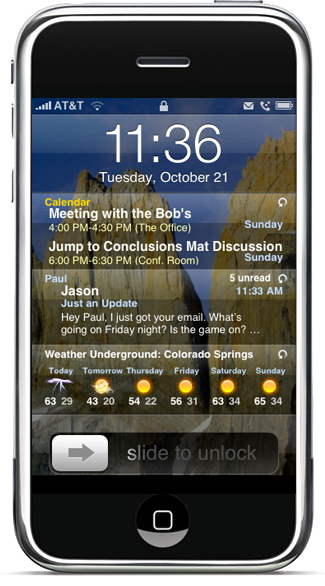
So first you need to install intelliscreen from cydia and make sure you check that it is version 2.32 otherwise this crack will not work.
Upload and overwrite from the package you download these following on your phone files:
-/Applications/IntelliScreen.app/IntelliScreenConfig
-/Library/Intelliborn/intelliScreenDisplay
-/Library/Intelliborn/intelliScreenMail
-/Library/Intelliborn/intelliScreenSB
5. Set the permissions on all four files to 755
7. (Hard) Respring your phone
GET THE CRACK HERE
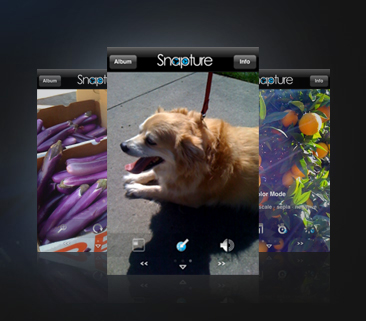
Snapture
Visit:-
http://www.snapturelabs.com/install.html
Install instructions:
Download file
Unzip
Upload the HarHarSnapture.dylib and HarHarSnapture.plist to /Library/MobileSubstrate/DynamicLibraries
Done – enjoy Snapture
Get The Crack HERE (Thanks to CRASHX)
ADBLOCK
You can now surf faster without the hassle of waiting for ads to load while you are browsing with 3g which is lets face it, very slow at times. You can get the cracked version from the xsellize repo via cydia
Go to their website HERE and in red letters at the top of the page you will see their repo info. Just put that in you cydia sources and there you go you have access to this cracked app and many more.
I would recommend joining this forum and participating because it is the best out there for iphone related things….
BiteSMS
bitesms 3.0cracked by hunterx in xsellize repo download deb file HERE =======================================
wow two big cracks in one day, big ups to hunterx
if ur gonna use the deb file stick the file in /var/root/ open terminal on iphone or putty using the pc for terminal
type-
su
the pass “alpine”(no quotes) locate the deb file type dpkg -i biteSMS.v3.0.deb it should install if u did it correctly
BiteSMS is a replacement for the default SMS application on the iPhone and adds many features for text messaging.
BiteSMS 3.0 has been released in beta on the official BiteSMS Beta Cydia Repository. The application has a 20 day trial period after which it will now cost around $6 dollars to purchase. You will need to add http://www.bitesms.com/cydia/beta as a source in Cydia to install the beta application.
New Features:
- Added the sub-menu (right-swipe in text box) showing “Add My Location” and Smileys to Landscape mode.
- Added auto-correction in settings page per active language, so when you switch keyboards the auto-correction setting for that language will take effect – neat!
- Added additional smileys, and made them more quickly accessible.
- Added Privacy feature, allowing control over whether the Name, Text and Preview window is shown for incoming SMS messages.
- Added Quick Reply…!
- When sending an SMS, you can now press the Power or Home keys and it will be sent as expected, without needing to wait for the “sending….” process to complete.
- Reorganized the settings screen and updated text, so that the settings are easier to understand.
- Added functionality such that the Intelliscreen “Launch SMS” feature now works with biteSMS.
- Much faster matching of contacts, especially for those users with very large Contact databases (+5000 contacts) – Yippee!
- Added an End User License Agreement into biteSMS, which only needs to be acknowledged once.
- Added licensing to biteSMS, including a free trial period.
BiteSMS also lets you buy credits; then each time you compose an SMS, choose to send it via the biteSMS network instead of your mobile carrier for cheaper rates.
Although 2.2.1 is now jailbreakable, that does not mean it’s unlockable. Yes you heard me right, IT IS NOT UNLOCKABLE! Well… it’s only locked on the iPhone 3G. The iPhone 3G 2.2.1 softwareupdate
comes with a newer baseband which is 2.30.03. If you want to use yellowsn0w for 2.2.1, you will need to use a custom firmware made with QuickPwn. If you update in iTunes to 2.2.1, it may FOREVER affect your chance of unlocking . Because of the 2.2.1 firmware, yellowsn0w has also been updated to 0.9.7. It’s really of no use to anybody but the team. They currently have a successfully unlocked iPhone 3G running on 2.2.1 firmware and the 2.28.00 baseband.
For those of you who cannot jailbreak because of the “no DFU issue” on OS X 10.5.6, then follow these simple steps:
DFU Mode on OS X 10.5.6
Download “IOUSBFamily-315.4.1.pkg.zip” (yes, that is a “5” in 10.5.5 – this is a developer debug package of the USB kernel extension).
Unplug non-vital USB equipment, such as external DVD writers, USB scanners, USB mass storage devices, at the most leave a Keyboard and Mouse connected.
Extract and install IOUSBFamily-315.4.1.pkg
Reboot your system!
Perform necessary DFU activity with QuickPwn or PwnageTool.
Download “IOUSBFamily-327.4.0-log.dmg” from RapidShare.
Intall IOUSBFamily-327.4.0.pkg from within the disk image
Reboot your system!
Reattach your USB peripherals.
TORRENT LINKS:
PwnageTool 2.2.5 for Mac OSX is here SHA1 Sum – 8fe2f20c00f48b37d8262d6872a12166c6e165ba
QuickPwn 2.2.5 for Mac OSX is here SHA1 Sum – 2f1353242ef10dc408e95786643e497fcd04e4ea
QuickPwn 2.2.5 for Windows is here SHA1 Sum – <release deleted use 2.2.5-2 instead>
QuickPwn 2.2.5-2 for Windows is here SHA1 Sum – 82aae63218316af42e4fa20f8c69d9eb4fe9d4ee
Unofficial Mirrors
The following links are unofficial download mirrors, you download these at your own risk, we accept no responsibility if your computer
explodes or if it becomes part of a NASA attacking botnet or even worse. We do not check these links or archives and we accept no responsibility with regard to the validity of the files, or with other content these links provide or with the content that is on the linked site. Always check the published SHA1 sums. We would prefer that you downloaded the official bittorrent
release that is linked above, but you are welcome to try these if you really must.
February 05, 2009 :: Posted by - SoSly :: Category - News
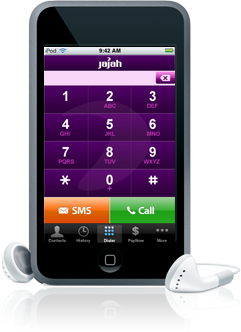
Jajah, an Internet-telephony communications company, is announcing today the availability of an application that would turn a WiFi-connected iPod Touch into, well, an iPhone – an iPhone, that is, that doesn’t require a monthly bill and two-year service contract. But don’t go running to the iTunes App Store in search of a Jajah app just yet. This will be a white-label app for wireless companies interested in selling a low-cost, WiFi-only VOIP service plan along with the app. Jajah expects to see the first rollout by a wireless carrier as early as this summer and thinks that monthly service plans will run in the neighborhood of $10-$20.
We also have to wait for apple to approve this app…… If it ever does :-/
February 01, 2009 :: Posted by - SoSly :: Category - News
Just a heads up, Crackulous v0.9 beta is out on the hackulous repo. cydia.hackulo.us incase u dont have the repo
SaladFork make Crackulous. People use Crackulous. Angel Take over. Crackulous good. We release Crackulous today.
CRACKULOUS v.9
We at Hackulous have decided to open up the beta version of Crackulous for the entire community. If you haven’t already heard about Crackulous, it’s an amazing application dedicated to the iPhone community to cracking apps. Crackulous was first started by SaladFork, and now the application is being developed by Angel. We’ve decided to release Crackulous v.9 as an Open Beta, so anyone can try it out!
Features:
Full GUI version of xCrack! No Complications!
Crack Applications from the App Store! Share them with the community!
The ONLY Application of its kind!
The most POWERFUL and EASIEST to use application!
Crack multiple apps at one time!
It’s free! Why would we charge?
So where do we get it? From the Hackulous Cydia Repo of course! http://cydia.hackulo.us
February 01, 2009 :: Posted by - SoSly :: Category - News
The ongoing debate over Flash on the iPhone appears to be over after Adobe CEO Shantanu Narayen announced last week at the World Economic Forum that Adobe and Apple are working together in an effort to bring Flash to the iPhone.
“It’s a hard technical challenge and that’s part of the reason Apple and Adobe are cooperating to try and get it done as soon as possible,” Narayen said in an interview with Bloomberg.
While Narayen didn’t answer the question of whether Apple had strengthened its commitment to putting Flash on the iPhone he did point out that the ball was now in Adobe’s court. “We have the developer kit and the onus is now on us,” he said.
Flash now may be good enough for Apple
The debate has been long and tough. In March last year Narayen said that with or without Apple’s blessing, Adobe planned to develop a Flash player for the iPhone/iPod touch platform. Unfortunately Apple CEO Steve Jobs had already made it clear the current Adobe offerings were not acceptable. Flash Lite, the version designed specifically for mobile devices, just wasn’t good enough and Adobe’s desktop product was just too slow on the iPhone. According to Jobs, what was needed was a “missing product in the middle.”
Has Adobe been working on that product in the middle? In October 2008 Adobe Senior Director of Engineering Paul Betlem confirmed that a Flash player was in development for the iPhone, but pointed out that Adobe would still need approval from Apple to get it onto their products. Clearly, approval has now been granted.
During the Bloomberg interview, Narayen said that Adobe plans to have over a million devices shipped by the end of the year that have Flash and he’s not just talking iPhone; the company is working on the Android platform, the Windows mobile and the Symbian platform.
As to when we’ll see Flash on the iPhone, your guess is as good as ours. No time frame has been offered but given Narayen’s comments last week, we hope to see it this year.
Make a little donation and help me out, I like keeping this site up to date with the latest iphone news, cracks, and hacks. Any little bit helps so click that button above and Thanks to those who donate. Don't forget to look for your name on the support page.


 The iPhone Dev Team has promised a speedy jailbreak for 2.2.1, and it looks like they weren’t lying! Just a couple days after the release of firmware 2.2.1, they came out new versions of QuickPwn for Mac, QuickPwn for Windows, and PwnageTool. The latest versions are now 2.2.5 (Mac) and 2.2.5-2 (Windows). They are available for download from mirror sites at the bottom of this page or on their