
iBluetooth Cracked 1.0.7
======================================================
 Well here it is guys the crack for ibluetooth thanks to oronav.
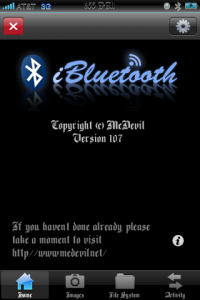
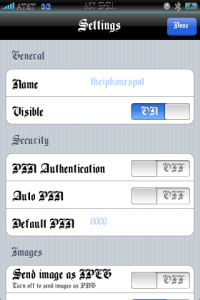
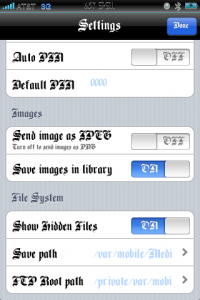
If you like the app buy it guys so the dev will add more features. As of right now the app only supports the obex file transfer which is the one everyone uses to send pics ringtones and such. The developer medevil is working on adding 27 more profiles to the bluetooth stack but needs to make money so support him if you want to receive updates and more features for iBluetooth.
Go to the site www.medevil.net for more info
Get The Crack *****HERE*****
Update: You Can Get The .DEB iBluetooth App HERE
How to install .deb instructions HERE
Here are the steps to get the app to work
1. Remove the iBluetooth App
2. Install it again
3. Rename the original iBluetooth_ to OLDiBluetooth_ by using an SFTP client like transmit for mac or winscp for windows
4. Copy the cracked iBluetooth_ to /var/stash/Applications/iBluetooth.app using the sftp client
5. Here is the important step: Don’t change permission using the sftp client (winscp or transmit) use Terminal or putty and ssh to your device
6. SSh to your device as root password is alpine
7. go to directory /var/stash/Applications/iBluetooth.app
8. type chmod 7777 iBluetooth_
9. Reboot your device
again this is only the way I got it to work with no bluetooth stack error.
Guide on how to use winscp HERE
How to use putty on iphone guide HERE
===============================================
All you have to do is go into the folders and ssh the ibluetooth_ file into root/applications/iBluetooth.app folder and leave the permissions the way they are
Edit: For those of you still having problems with ibluetooth there is one last fix I have. What you do is re-install ibluetooth and open the app and tap on get license. you should get a demo license which says your trial is over in 5 or 7 days I don’t remember. After you have activated the demo license apply the crack and see if it works. If it still cannot activate the bluetooth stack I guess we have to wait for an update and hope the dev fixes it. By the way I already bought it so we can get more features ” I want to use my bluetooth stereo headphones  “
“
March 11th, 2009 at 5:51 pm
HOLY NICE ! THANKS A LOT !
  I WILL TEST IT !
March 11th, 2009 at 5:53 pm
thanks…
trying it, right now!
March 11th, 2009 at 5:57 pm
doesn’t works for me…!
I get the error:
Unable to start the stack, please try restarting the application. if the problem persist, try rebooting the device.
March 11th, 2009 at 5:57 pm
THANKS ITS WORKING GREAT !
THANKS A LOT !
iPodTouchisapro
March 11th, 2009 at 6:00 pm
@ elboby thats nothing with the crack just reboot your iphone and turn your bluetooth on and start the app. It will say deactivating system bluetooth and then it will work
March 11th, 2009 at 6:00 pm
getting an error message too.
March 11th, 2009 at 6:13 pm
Reboot iphone for the error message to disappear. let me know if it works or not so I can try to reproduce the errors myself so i can look at the ibluetooth system logs for errors. Also just a note to everyone you will sometimes get the “unable to activate bluetooth stack error” it is not a big deal just restart the program or reboot your phone and try again. It may be a bug but it works.
March 11th, 2009 at 6:37 pm
Why did he change the font? Not complaining… thanx and all but is there and option to change the font?
March 11th, 2009 at 7:30 pm
ive done all the steps but still same error..cant open the stack
March 11th, 2009 at 7:37 pm
ive done all the steps but still same error..cant open the stack…whats the ignore file in the crack?
March 11th, 2009 at 7:41 pm
Thanks!
March 11th, 2009 at 8:13 pm
i have the same problem as well.. i have tried rebooting an it still is not working.. i tried openin it with my bluetooth on as well an still no luck..
March 11th, 2009 at 8:20 pm
i think that crack dosent work on the firmware 2.2.1
March 11th, 2009 at 8:25 pm
Sorry if it is not working for you guys, the only reason it wouldn’t work is that it is a bug. Some people seem to have no problem with it and some do. Also @ Demon there is no way to change your font in the ibluetooth app, I have the bone thugs & harmony font installed on my phone so it shows all over the system not just the app. Don’t worry guys I would recommend to keep trying, and there is one more thing I have to say. If your getting frustrated look at the edit above on the post
March 11th, 2009 at 8:25 pm
WOOT! It works!! Thanks!!
I managed to send a file to a Sony Ericsson phone and vice versa! Once I confirm it’s stable I’ll pay for the real version.
March 11th, 2009 at 8:33 pm
@SoSly ..hey i jus reinstalled the app in cydia an tried it all over… an it works… i sugest not changin the permissions to 777.. it is be default from the download link u have here set to permission 7777.. yes 4 7′s not 3.. an it worked great for me…
March 11th, 2009 at 8:33 pm
I am actually running on firmware 2.2.1 and it has worked so far. I have successfully transferred a picture, although every now and then I get the stacks error but i just respring my phone, put it in airplane mode and back on then try it and it works
March 11th, 2009 at 9:54 pm
*****WARNING***** I have purchased the app and i still keep getting errors fetching my license so wait until I confirm they fixed this.
March 11th, 2009 at 10:11 pm
after many tries only get ‘Unable to start the stack, please try restarting the application. if the problem persist, try rebooting the device.’ error.
now I used cydia to uninstall but still have bluetooth icon next to battery and turning on off system bluetooth gives two bluetooth icons!!
must respring-that worked to remove icon after uninstall but what about my original system bluetooth stack, will a sync with itunes or rebbot fix that?
March 11th, 2009 at 11:18 pm
i can’t find the freakn’ ibluetooth on cydia.i searched for i bluetooth and what came up was an app called sweettooth from modmyi repository .any HELP PLEASE .
March 11th, 2009 at 11:25 pm
everytime i send a pic it sends as img_ooo.jpg and if i send another its the same name and overwrites the previous, does anyone kno how to fix
March 11th, 2009 at 11:41 pm
YEAH it worked for me and I tested it 100% working I sent files through my mobile to my laptop then back from laptop to my mobile it works great Great Work Well Done SoSly…
March 12th, 2009 at 12:00 am
@ daniel you have to put the name together ibluetooth
March 12th, 2009 at 12:13 am
THANK YOU A LOT!!! IT WORKS!
March 12th, 2009 at 12:15 am
@ bobbydigital I may have a solution. When it asks you to save an image file don’t tap on import to library tap on save as and name the file whatever you want. It should save without deleting your other picture
March 12th, 2009 at 12:51 am
best guide yet, thanks. for my noob brain could u clarify step 6 I usually use cyberduck sftp client and I couldn’t figure out how to keep permissions 7777. I have also ssh’d from terminal on mac to iphone but was not clear on these instructions.
March 12th, 2009 at 1:01 am
cd /var/stash/Applications/iBluetooth.app
chmod 7777 iBluetooth_
something like this?
March 12th, 2009 at 2:07 am
How can I connect with Terminal to my iPhone ?
March 12th, 2009 at 2:53 am
whats that IGNORE file in crack ?!
March 12th, 2009 at 4:04 am
hi,
please i want the default path Saving & FTP root path,, because i changed these paths :S
thnx
March 12th, 2009 at 4:12 am
how do you use the WinSCP for the file transfer and the renaming?
March 12th, 2009 at 4:32 am
hi
i sent file via my iphone to antoher device and it’s work
but i can’t send file from antoher device to my iphone ( bluetooth connection faild )
anybody help ?
March 12th, 2009 at 4:42 am
@ odds: yes
4 sevens did the trick, works great, no error messages :p
March 12th, 2009 at 5:01 am
I have a problem ..I’ve installed iBlueetoth and connect thru Putty….. I type /var/stash/Applications/iBluetooth.app and says No such file or directory but I have this directory
March 12th, 2009 at 5:19 am
Don’t change permission using the sftp client (winscp or transmit) use Terminal or putty and ssh to your device
how i do it ???
March 12th, 2009 at 7:53 am
Nice!
Working Perfectly
U big guys
March 12th, 2009 at 8:12 am
Great Guys THx works good
March 12th, 2009 at 8:53 am
at last it worked for me…
reinstall,
copy the file,
respring,
activate bluetooth
open ibluetooth
worked!
thanks you!
March 12th, 2009 at 9:00 am
@SoSly im not talking about coming in i mean going out if i send mutiple pics to some one they just keep overwriting with the same name.
March 12th, 2009 at 9:30 am
Also avalible cracked version on Xsellize repository xD Enjoy!
March 12th, 2009 at 9:31 am
@bobby digital. I haven’t tried that, I will soon look into it. After I get off of work.
March 12th, 2009 at 11:13 am
in putty I get to the Applications directory but not into iBluetooth.app It says: No such file or directory. Does someone know how to fix this?
Thanks
March 12th, 2009 at 11:27 am
can you give an adress of this repository?
March 12th, 2009 at 11:29 am
Well!
I Done it from the mobile terminal of my iphone. I wrote “login” after that “root” and password “alpine” . After that “cd /” .
Then I Founded that my folder in /var/stash/Applications was something like this ” /var/stash/Applications.UZXUnp ” .
So I wrote in Terminal ” cd /var/stash/Applications.UZXUnp/iBluethooth.app ” and worked!
Then I ” chmod 7777 iBluetooth_ ” like the guide above says!
I Can now receive any file `BUT` I am unable too send a file bigger than 802 KB . When I start a transfer from my iphone either to a phone or a computer it sends the first 802 KB and then stops… Does anyone know what happenes?
March 12th, 2009 at 11:57 am
I have followed the instructions and it works perfectly!!!!
March 12th, 2009 at 7:33 pm
Add this repo and forget about problems: http://clubifone.org/repo/
original topic:
http://imods.ru/index.php?s=e7a13f395c6d6544e6831...
March 12th, 2009 at 7:48 pm
Thanks.
March 12th, 2009 at 1:59 pm
hey..is this app compatible with 2.1 ?
i have installed the app and when i click the icon it gives me The application Ibluetooth cannot be opened….
?
March 13th, 2009 at 8:58 am
works for me! thanks.
March 13th, 2009 at 1:26 pm
Got some problem. I can send a file but i cant receive any. Any solution ??
March 13th, 2009 at 7:03 pm
@SoSly have you had time to test and see what im talking bout?
March 13th, 2009 at 8:59 pm
Bobby i have looked into it and my phone does the same with the picture problem, now I have also looked into all of the other things people are having with and all I can say is they are bugs, lets hope the next update is fixed and we can crack it.
March 13th, 2009 at 9:01 pm
To those of you having problems with ibluetooth the only thing I can recommend is to uninstall it and reinstall through cydia and apply the patch, or uninstall it through cydia and install it with the .deb file I provided in the post.
March 13th, 2009 at 9:10 pm
until it gets fix u can get around by navigating to dcim folder and sending like that, works flawlessly like that, only downside the is preview of the photo, but there is a date.
March 13th, 2009 at 9:11 pm
there is no preview
March 13th, 2009 at 10:01 pm
This version of iBluetooth is not very good. But it's cool, and i believe in the future versions.
March 14th, 2009 at 12:15 pm
i keep getting a cached failure with this repo… whats the problem?
March 15th, 2009 at 3:45 am
i cant seem to see the send image button and the arrows =S is this a bug?
March 16th, 2009 at 1:35 am
SoSly, bobbydigital -great suggest on sending photos(DCIM folder will be full res, from photo library option sends lowered res photos)
March 16th, 2009 at 10:34 am
I have the same problem!!! help me please
March 16th, 2009 at 10:36 am
connect your iPhone to computer using WiFi (google for usb version) then tell winscp to connect to your iPhone iP address using SFTP protocol(port22). you can see iPhone ip address in wifi setting
March 16th, 2009 at 10:37 am
@adriensmart, open cydia install MobileTerminal, now you have terminal in your springboard
March 16th, 2009 at 10:29 pm
I have the same problem as "blunoob"'s, I don't know what to do
March 17th, 2009 at 11:24 am
thanks,works great on iphone 3g. jailbreak 2.2.1… just copy file with winscp, and set permissions to 7777 (4 times number 7) and it 'll work!
March 18th, 2009 at 12:14 pm
Daniel!
I didn´t either have ibluetooth in Cydia ant the reason why was that I had a old adress for Ispazio
in Cydia (that one that you arent able to change yourself)
Just add this and all Ispazio apps willappear:
http://ispaziorepo.com/cydia/apt/
Regards
March 18th, 2009 at 12:16 pm
Se my post below!
Add http://ispaziorepo.com/cydia/apt/ to the list of repo´s
That will help you out!
March 19th, 2009 at 5:44 am
cool! it works great… thnx u so much =) 1.08 version
if someone of yours ve problems after use winscp to rename file and to paste the crack, then try with this on the terminal..
1. type: "ssh root@hereyourip" ex: "ssh "
2. type your default pass: "alpine" (alpine, if u dont ve changed it with the command passwd)
3. type: "cd /var/stash/Applications.YoW0Gm/iBluethooth.app" (if not works, try with "cd /var/stash" and then type: "dir" to find the extension of Applications.xxxxx)
4. finally type: "chmod 7777 iBluetooth_"
March 29th, 2009 at 11:30 pm
I am tired i have installed more than 20 times and I always get this message ( the application i bluetooth cannot be opened )
please help….
March 29th, 2009 at 11:37 pm
use ther 1.08 deb file in the newer post. Or add the xsellize repo after you join and install it through cydia
April 10th, 2009 at 1:41 am
Hi,
I have downloaded ibluetooth from xsellize repo. However I get an error message “The application iBluetooth Cannot be opened”
I tried:-
Upgrade from 2.0 to 2.1 and then 2.2
Restored and then installed firmware 2.2
Gave permission to iBluetooth to 7777
Uninstalled and Reinstall
Replace a cracked file iBluetooth_
Same Problem Still
If someboby could please help me.
Thank You
April 26th, 2009 at 8:21 pm
hi,
i am really frustrated with the ibluetooth aplication. It won't open!
Any suggestions please.
June 20th, 2009 at 4:25 pm
is there someone who can get ibluetooth on the ipod touch 2G? with iphone 3.0 software installed?
i keep getting the unable to load stack error…
thanks
June 21st, 2009 at 12:47 am
The new update to ibluetooth was said to be able to supprt the ipod touch 2g but im not for sure yet. Ill look stuff up on it and make a post if i find anything interesting
July 22nd, 2009 at 4:18 pm
i tried like 10times, but i still get the same unable to open stack error.
im using iPhone 3GS btw
can someone please help me, im really tired and frustrated………
August 16th, 2009 at 11:53 am
The links for the Crack and the bluetooth app dont work can you re-post them or send me a email pease, thx
September 22nd, 2009 at 10:12 pm
Cracked files:
http://www.badongo.com/de/cfile/13816842
OR
http://rapidshare.com/files/208324297/iBluetooth_Working.zip
December 2nd, 2009 at 12:06 am
[...] | The Iphone Spot Share and [...]
February 27th, 2010 at 10:24 pm
ADVICE
******************************************
.
.
iBluetooth only works for the 3G
.
.
*************************************
February 27th, 2010 at 10:24 pm
ADVICE
******************************************
.
.
iBluetooth DOES NOT WORK FOR IPHONE 3GS
.
.
*************************************
February 28th, 2010 at 3:47 am
Yeah we know, the updated version is called ibluenova search for that in the cracked debs section
March 12th, 2010 at 8:17 pm
Ya i have ipod touch 3g and firm 3.1.1 and jailbroken with blackrain … And it says cant stack the deck or something like that … Really wish when apple makes me pay $400 on a 64gb ipod touch with bluetooth.. U would think that the bluetooth will work !!
March 12th, 2010 at 8:51 pm
Add theiphonespotrepo.net/apt and install the new and updated bluetooth app called ibluenova