Wolfenstein Now In The Appstore

March 25, 2009 :: Posted by - SoSly :: Category - News

======================================================
Achtung! Play the legendary original game that launched the First Person Shooter genre. You are OSA super agent B.J. Blazkowicz and you must escape from Castle Wolfenstein and defeat the twisted Nazi regime!
Includes all six original episodes with 60 classic levels and unforgettable weapons like the brutal chain gun that still define action gaming today. Search levels for hidden secrets that reveal stolen Nazi treasure, health packs, ammo and weapons or even short cuts. Use the new topdown map to see where you have already explored.

Via Xsellize

The Latest iPhone News

March 24, 2009 :: Posted by - SoSly :: Category - News

======================================================


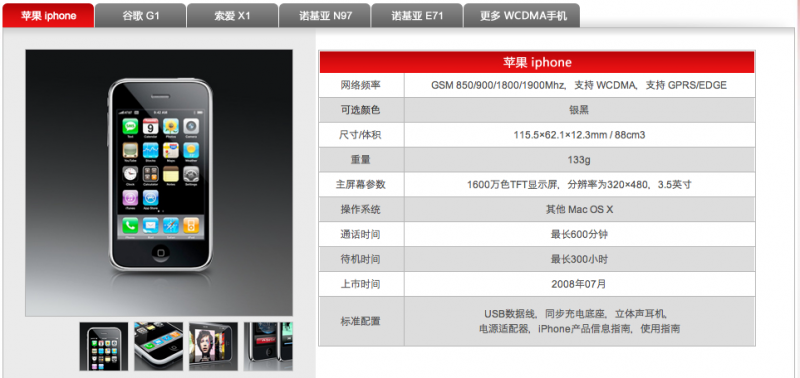
China Unicom Website Posts iPhone Info Coming Soon

Macworld reports that a regional branch of China Unicom has posted information [Google translation] related to the iPhone on their web site.

The information, which listed smartphones supported by the 3G network China Unicom is building, appeared only on the Web site of the company’s Shanghai branch and did not say whether the products would be offered in China.

The site’s changes follow media reports that a China Unicom delegation visiting Apple last week made a breakthrough in talks over offering the iPhone 3G on its network.

Apple has been trying to bring the iPhone to China, the world’s largest mobile phone market, but has struggled to come to agreements with the country’s largest carriers. Talks with China Mobile, the country’s largest provider, have broken down numerous times, although the company still claims to be in negotiations with Apple.

Apple’s efforts with China Unicom, the world’s third largest mobile provider with over 125 million GSM subscribers, have apparently proven more fruitful, with previous rumors pointing to a May launch of the iPhone on their network.

Via MacRumours

=====================================================

iPhone Competitor From Dell Considered Dull by Mobile Carriers!!!

Dell recently showed signs that it intends to start creating smartphones to contend with the likes of Apple’s globally successful iPhone and the G1 from HTC. While Dell is one of the most highly successful companies on the PC market, it seems that their first attempt at a smartphone has fallen by the wayside after being rejected by several carriers as simply being too dull to even come close to the leading devices.

Dell has stated that their first attempt would be capable of running both Windows Mobile and Android, but this wasn’t enough to convince the carriers who prefer either simple phones that they can sell for free on contracts, or unique devices that will make headlines, and entice new subscribers away from the leading carriers and their top handsets.

In a research note published by Kaufman Bros. analyst Shaw W, he said, “From our conversation with supply chain and industry sources, it appears that it ultimately came down to lack of carrier interest and small subsidies, making it difficult for Dell to make a profit. In our view, the last thing Dell needs is to enter another money losing business as it seeks to preserve it’s operating margins of 5%-6%”. Wu noted that those figures compare to HP’s 11% margins and Apple and IBM at 15%. Wu went on to say “Dell is going back to the drawing board to design a cellphone with more differentiation, that could likely involve vertical integration of some sort including software and/or services”.

This is the first time Dell has ever dipped it’s toes into the smartphone world so it is hardly surprising that they failed to come up with an instantly viable and attention grabbing device.

The same was said about Apple when they first entered the smartphone sector, but they had over 5 years experience with the iPod, and decades maintaining successful software platforms building highly customized hardware.

If Dell is to succeed in this highly competitive battleground, then they need to do some serious R&D, and who knows, we could see them buy their way into the smartphone market, Pre could be a viable target for takeover. But for now it is back to basics for Dell, and maybe, eventually, they may come out with something of interest.

via planet-iphones

Some Cool Apps

March 23, 2009 :: Posted by - SoSly :: Category - Cracks

=======================================================

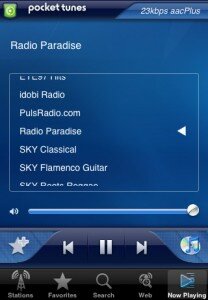
****Pocket Tunes Radio****

pocket-tunes

***Monster Trucks Nitro***

iRealSMS Update 2.0.8.2

March 21, 2009 :: Posted by - SoSly :: Category - News

========================================================

irealsmscropped iRealSMS and iRealQuickSMS have been updated once again and the updates add another cool feature called quicknotes. Yes, yes I know this has been around for quite a while now but it just got implemented into one of my favorite apps, quick notes lets you open up quicksend type in the message field whatever you want to save as a note and then tap save which automatically saves it to your notes app. Below is a list of updates:

  1. 1) Removal of upside down rotation of user interface
    2) Add a timestamp to the ghost image within the QuickReply
    3) Remove the popup that occurs when you receive a new SMS while within the iRealSMS app
    4) Add the ability to choose the AppleSMS application as default while still keeping use of QuickReply & QuickSend
    5) A toggle to choose to have the conversation view load up when SHOW is pressed in quickReply(while iRealSMS is set to default)
    6) QuickNotes – create a new note from any app(perfect for jotting down little pieces of information you want to remember without opening up the Notes application
    7) Fix custom tone bug
    8) User defined timer for lockscreen dim for QuickReply and QuickSend on Lockscreen

    iRealSMS Full App

  1. 1) Add a timestamp to the ghost image within the QuickReply
    2) QuickNotes – (see above)
    3) Improved compatibility with the Apple default SMS application: so when SHOW is selected it takes you to the correct conversation
    4) User defined timer for lockscreen dim for QuickReply and Quicksend on Lockscreen

    iRealQuickSMS App

Some Cool Apps

March 21, 2009 :: Posted by - SoSly :: Category - Cracks, News

====================================================
Download ****ColorSplash****

colorsplash

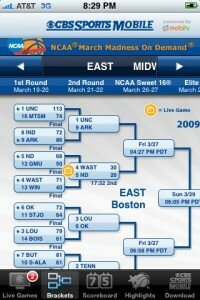
Download ****MarchMadness****

marchmadness

Download ****Ocarina****

QuickBoard 1.4.3 Cracked (QuickSMS/QuickBirthday) Keygen By Phoenix3200

March 20, 2009 :: Posted by - SoSly :: Category - Cracks

======================================================

Phoenix3200 has done it again here is the quickboard crack which is both quicksms and quickbirthday.

Download Mac Keygen

Download Windows Keygen

In Terminal/At the Command Prompt, navigate to the directory you downloaded the keygen into, and run
Windows:
quickboard IMEI-without-spaces
Mac:
chmod 755 quickboard
./quickboard IMEI-without-spaces

You should now have a file called license.dat in the same directory.

3. Install QuickBoard from iSoft’s beta repository (http://isoftru.ru/beta/), and when it asks to restart Springboard, WAIT.

4. Copy the license.dat file to /var/mobile/Library/QuickBoard on your phone, and set the permissions to 666.

5. Now click “Restart Springboard”

6. DISABLE UPDATE CHECKING. There is a backdoor available when the program checks for updates (daily). Currently, it does nothing, but they could execute any Unix command they wanted to on your iPhone.

Again thanks phoenix3200 over at xsellize forums, for the keygen/instructions and well umm sorry to the isoft devs lol. I’m guessing trying to implement anti piracy (kali that is rip dev) didn’t work. I’m not sure if thats what they used for the defense but again this shows us how good some crackers are at doing their thing.

Winterboard Update

March 20, 2009 :: Posted by - SoSly :: Category - News

==================================================

Within the last week Saurik introduced some updates for winterboard. The updates didn’t give us a new user interface which we all wouldn’t mind ;) but it did give us some other cool things such as wallpapers for each page of your springboard.

To make each page of your springboard have a different wallpaper you have to name the wallpaper files in order such as for the first page it would be page0.png and the second page would be page1.png and so on.

So if you want to change some of your theme wallpapers here is how to do it.

  • ssh into your iphone and go to root/library/themes/
  • select the theme you are wanting to change and copy the whole folder to your desktop
  • Now open the folder and you should see the wallpaper the theme has included and other things
  • Now all you have to do is drag any right sized wallpaper into the folder where the other wallpaper is but change the name to page0.png (1st page), page1.png (2nd page), and so on.
  • Now just rename your theme folder to whatever you like so it doesn’t overwrite the original on your iphone
  • SSH back to root/library/themes and copy the modified theme back in there
  • Choose your modified theme from winterboard and enjoy.

Here you go guys i’m sharing some of my most precious wallpapers. I take no credit for making these i just have a large collection and most of these are my favorites. To view the full image right click and choose view image.

Nimbuzz releases brand new mobile social messenger

March 19, 2009 :: Posted by - SoSly :: Category - News

=====================================================

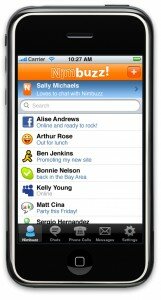
nimbuzz-iphone-contactlist_email

It has taken quite a few rejections with Apple, but today we are finally announcing the ultimate iPhone VoIP app with our latest Nimbuzz update on the App Store! (see press release below)

Quick feature highlight of the new app, focused on bridging the 3G VoIP gap on the iPhone – anywhere:

With free Wi-Fi calls to instant messaging buddies already available, we added a full dial-pad, and the ability to make VoIP calls to landlines and mobile phones with Skype Out, and via our 10 VoIP partners including Gizmo5, Vyke, SIPgate and A1.
You can even see the available Skype Out credit you have directly on the dial-pad!

If Wi-Fi is unavailable you can make VoIP calls to Nimbuzz buddies using Nimbuzz Dial-Up VoIP in over 50 countries. Dial-Up VoIP? What this means is that Nimbuzz dials a local access number that connects to anywhere in the world via Nimbuzz VoIP servers. So you can call your Nimbuzz buddies anywhere for the same cost of a domestic call.

Turn iPod Touch into an iPhone! Make calls over Wi-Fi via Skype Out or via VoIP provider.

Upgraded interface with much improved usability and the awesome landscape-mode chat.

About Nimbuzz
Nimbuzz is a mobile social messenger combining instant messaging, (geo) presence, and VoIP across popular communities, including Skype, Windows Live Messenger, Yahoo! Messenger, ICQ, Google Talk, AIM, and social networks including Facebook and MySpace. The free application is available on the mobile, web and PC, for instant messaging, location sharing, (group) calling, file sharing, and chat rooms.
From one contact list users can call, chat, message and more, with all their friends in one place. Nimbuzz is a feature rich mass market product for the hyper-connected lifestyle.
Nimbuzz Facts:
o   Signed global manufacturer partnerships with Toshiba, RIM, and Spice Mobiles!
o   1 new user in less than 4 seconds – or well over 20,000 new users a day.
o   95% would recommend Nimbuzz to a friend (based on 10/08 user survey with 15,000 respondents).
o   Only mobile social messaging aggregator to ever win the prestigious Red Herring Global 100 award.
o   We also won Best Mobile, Best VoIP and Best IM app at the Top Mobile 20 awards!!!

nimbuzz-iphone-contactlist_email

Overall I have only tried two of these types of apps and by far this beats the other in so many more ways. I like the skype out calls which is easily managable and the fact that this app has  Popular communities, including Skype, Windows Live Messenger, Yahoo! Messenger, ICQ, Google Talk, AIM, and social networks such as Facebook and MySpace are already supported with call and chat options makes it even better than others. Oh and did I mention that it has integrated Twitter into the chat options also. ;)

Voicemail Forwarder Cracked, Official iBluetooth 1.0.8 Crack

March 18, 2009 :: Posted by - SoSly :: Category - News

======================================================

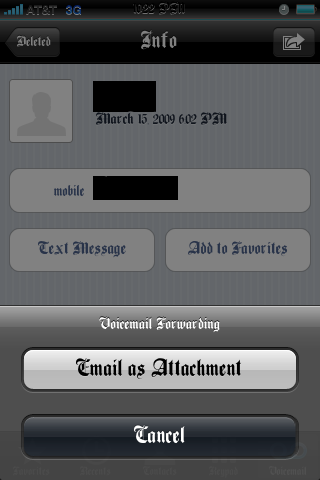
Instead of just being able to listen to voicemails on your iphone, you can now share those important messages with a single tap of your phone. Voicemail forwarder gives you a new button that fires up an email with the current voicemail attached to it. You can then send the email as normail to any recipient. Download the crack below:

img_00011

Note: This application does not put an icon on springboard it is automatically activated after you copy the files to mobile substrate and respring. It also does not work with iphones that do not have visual voicemail active.

Download the crack ***HERE***

  • open the zip folder and copy the two files that are in the zip folder to library/MobileSubstrate/DynamicLibraries/
  • Set Permissions to 777
  • Respring and ejoy 8)

Surprise!!!! Don’t forge to say thanks ;)

=====================================================

Alright guys the fix for iBluetooth I posted earlier works for the new 1.0.8 but i would recommend installing this. Our friend HunterX cracked it and it should work like a charm. Download Below:


***iBluetooth_1.0.8***

  • Install iBluetooth from cydia
  • Drag and Drop iBluetooth_ to root/applications/iBluetooth/
  • Enjoy Official crack

Note: Get the .deb file ***HERE*** if you know how to install it, although it might be in chinese so I would recommend doing the above crack.

iHome v 0.3 Beta, iBluetooth Update Cracked

March 18, 2009 :: Posted by - SoSly :: Category - News

==================================================

There is a new app called iHome which lets you have total control of your home screen using the touch screen. It lets you set shortcuts such as sliding up or sideways lets you open whatever you have set as the shorcut. It’s kind of hard to explain so you’ll have to watch the video or try it out yourself. Remember guys it is still in beta so it may work fine or it may blow your phone up :) just kidding. Its a nice piece of software i’m using it and it works fine.

Download iHome ***HERE***

Install with the instructions below:


- Copy iHome.app into /Applications and set permissions 777
- Copy iHome.dylib into /Library/MobileSubstrate/DynamicLibraries and set permissions 777
- Respring or Reboot. (Reboot Recommended)

====================================================

There is a new iBluetooth update v1.0.8 and it has fixed some bugs such as the “stack error” and image resolution being crappy. I purchased the app so I am definately enjoying this update and I recommend you guys do too. Below is a list from medevil.net with the fixes:

- Stack error on start.
- Sending Image (low quality, small size).
- Licensing issue

Added new:
- Vibrating toggle. So you can disable the vibration on incoming items.

Power issues also should be gone, but i will investigate more on this issue, so don’t write an email for this (or, if you really want to do email, then use “Power Issue” as a subject and write at [email protected]).

Payments will be re-enabled in the next days, so please don’t email about this.

Note: I’ve actually been working on the fix for ibluetooth and realized everything was the same except for one line name that was changed to ribt which is by the unique id numbers for your phone. Anyhow try the ol crack below for 1.0.8 and it should work.

*****iBluetooth 1.0.8*****

  • Download the crack
  • update to 1.0.8 through cydia
  • Put the downloaded file in root/applications/iBluetooth.app
  • Reboot and it should work

If you have already paid for the license and you get a “demo” license, please exit iBluetooth, setup your wifi connection to use OpenDNS and retry again. If you still have license issue please email at [email protected] with the email you used to purchase iBluetooth.

OpenDNS iPhone Guide:

Open System Preferences and select Wi-Fi.

Click the Accessory button on the right for the selected wifi network.

Input one of the OpenDNS server: 208.67.222.222 or 208.67.220.220.

You’re done, now open iBluetooth, WRITE YOUR EMAIL and get your license!.