March 09, 2009 :: Posted by - SoSly :: Category - News
=============================================
The No Calendar Date application is a mod that will remove the date from the calendar icon on your SpringBoard. As the developer mentions in the More Info, this is nice for themes that have smaller icons…most likely for those of you using the FiveIrows mod or the FCSB mod. When you install the No Calendar Date application, it will be added into WinterBoard where it can then be activated/deactivated. In order for it to display correctly, you will want to move it above your theme in the WinterBoard list. Screenshots below.
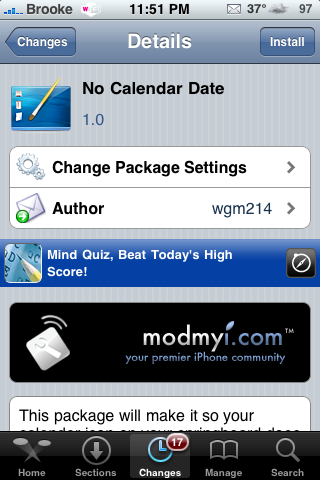

Via appleiphoneschool.
=================================================
Developer implements New System That “Knows” if your using his cracked app.

Right from the beginning, where there was paid software, there have been hackers cracking it. Where there has been hacked software there have also been people perfectly willing to use it, thus breaking the law. So it was obvious that this was going to be the case with the App Store, Apple’s immensely successful market place for iPhone applications.
Up to now, there hasn’t been much in the way of counteracting the use of cracked apps. There have however been the obvious methods such as informing the site hosting these illegal apps, so that they can be taken down, but nothing substantially effective.
Ben Chatelain, the developer of the app “Full Screen Web Browser” has now taken steps to protect his app from piracy, but within days of its initial release on the App Store, Ben received a notification via a Google alert that his app had been cracked and was being re-distributed by Appulo.
Ben, obviously furious that his hard work was being ripped off, did some research and came across an interesting blog posting that offers information on how to protect your app by making it crash if it detects that it has been cracked. He was apprehensive to try this method as he wanted to avoid the app crashing for legitimate users, and more importantly, when being put through Apple’s screening process.
Finally, after a lot of thought, he came up with the idea he has implemented in his most recent release. The app actually looks to see if it has been cracked and sends out pings to a server with a device identifier, so that he may track illegal usage of his app. If the app has been cracked, the server controls a demo period, so after the app has been run ten times, the illegal user receives a pop-up that gives them the choice to shut it down or purchase it. He has even included an extra message to the pop-up which says, “Purchasing a legal copy helps support independent software development
and will help me feed my 1 year old baby.”
True or not, it may just appeal to some people’s better nature, and make them think twice about using illegally acquired software in the future, but it’s not likely.
News via planet iphones
=================================================
Customize fix
-for customize to work you will have to make sure that the permissions of the files in customize are correct, bellow are the permission for the files:
Customize Permissions for it to work, total files on customize app folder should be 36.
FILES PERMISSION
Customize.app (main folder) 755
All.png 644
AllSelected.png 644
category.png 644
Customize 755
Customize_ 755
Default.png 644
English.Iproj (its a folder) 755
- Localizable.strings 644
FileSets.png 644
FileSetsSelected.png 644
FreeBoardOn.plist 644
French.Iproj (its a folder) 755
- Localizable.strings 644
Hebrew.iproj (its a folder) 755
- Localizable.strings 644
icon.png 644
icons (its a folder) 755
- hide_dim.png 644
- hide_white.png 644
- hide.png 644
info.plist 644
littlestar.png 644
md5 755
MyThemes.png 644
MyThemesSelected.png 644
play2.png 644
play.png 644
popular.png 644
popularselected.png 644
RatingStar.png 644
RatingStarSelected.png 644
Recent.png 644
RecentSelected.png 644
SMBOff.plist 644
SMBOn.plist 644
tempaudio.aiff 644
Theme.png 644
ThemeNew.png 644
ThemeUpdate.png 644
transbg.png 644
WhiteBG.png 644
zh_TW.Iproj (its a folder) 755
- Localizable.strings 644
-now that the permission are correct, you have to SSH into your iphone and add a file because the customize you downloaded form cydia or installer is not complete. download this file below and unzip it, And put the file customize2 in /Private/Var/Mobile/Library.
http://rapidshare.com/files/207265322/Customize2.zip
-now that the permissions and the file is complete you have to follow these instructions PERFECTLY in order for it to work.
-Reboot you iphone.
-go over to customize, turn off your wifi if your on an ipod touch or if your on an iphone turn it into airplane mode.
-enter customize, everything should be working.
-use it for a bit, maybe change the system strings if you want.
-exit customize.
-enter it again, then go to customize preferences.
-clear cache
-scroll down to the bottom of customize and press where it says “exit and restart springboard.”
-go to settings and turn on wifi again.
-go to customize and everything should be working, you can even browse theme files in theme browser. it might be a bit slow, so give it time to load, dont just quite it and think its frozen.
Run this code if it says “failed to save strings file” or any other problems like “Encountered an error copying the files” run this code:
chmod +s /Applications/Customize.app/Customize_
-if your not sure you have customize 2.1.1 you can download it here and put it in you applications folder in SSH.
http://rapidshare.com/files/207273066/Customize.app.zip
Once again, that should make your customize work,
surfingboy111793
Info From The Great forum Xsellize


 a gorgeous background, and nifty little slider :0 the theme is available on the modmyi repo. The idea came from Pumpa & Serenity and with the help of Treason, Pad4651, Carrbone, Mysterious404, stony, and r0bop0lo this artistic theme became a possibility


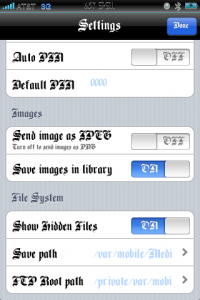
 Well here it is guys the crack for ibluetooth thanks to oronav.
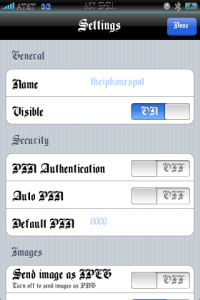


2Ty-7w~~_12.JPG "phone")

2fdnOw~~_12.JPG "iphone2")


