March 04, 2009 :: Posted by - SoSly :: Category - News
======================================================
Finally some news about irealsms. Check it out guys
New Features:
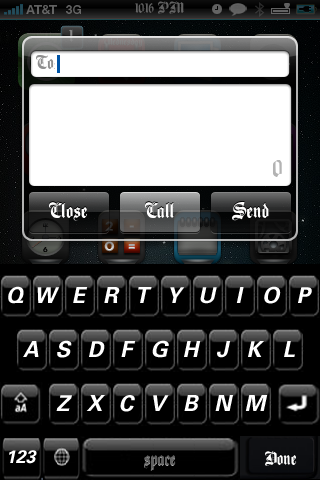
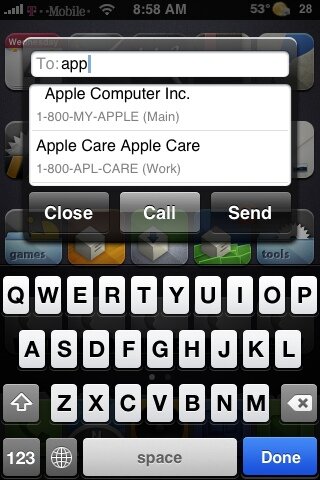
QuickSend is A simple tap of the VOLUME UP key gives you the ability to compose a new text message from anywhere(including the lockscreen), from any app, without having to launch the main app and without exiting your current app. It also gives you the added option to call a contact so it doubles as quick way to access your contacts for a phone call as well.. LIke quickgold does.
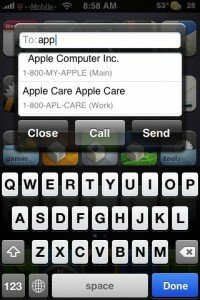
As you can see this takes its simple UI from QuickReply, with the choice to choose a contact from your contact list, all you have to do is type in half a name and you get a scrollable list of contacts in which to choose from. It also supports adding multiple contacts for sending a text to more than one person.
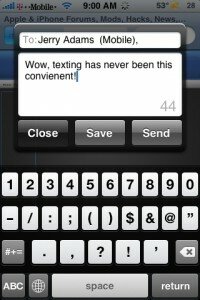
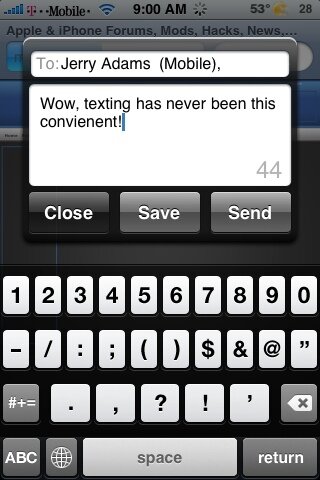
After you start typing in a message, the CALL button turns into a SAVE button, which you can save you message to drafts for sending later or you can press the home key to hide quickSend without clearing text you have entered so far. Upon pressing Volume Up, your message will still be there and you can continue where you left off. It also has a character counter in the corner as well.
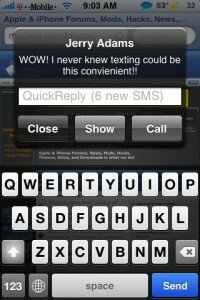
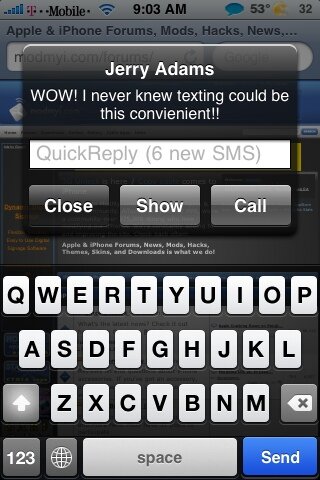
There is also a CALL button, so you can call the sender as opposed to replying. By tapping SHOW you can also launch iRealSMS main app if you want to view the entire conversation or wish to use other features such as forward or what have you.
As you can also see, before you type in any text, there is a ghost image within the text field showing exactly how many new text messages you have waiting. You can answer them one by one.. or lets say you unlock you phone and you have 6 messages waiting, and you dont want to answer or even view them now… a simple press of the home button will close all the messages and keep them marked as new/unread.
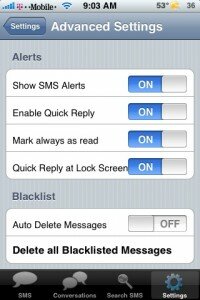
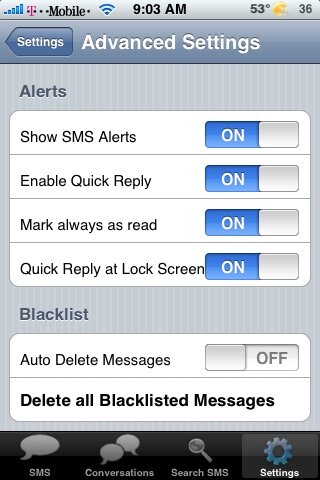
All of these features are also available in the lockscreen.(when using either feature from the lockscreen the phone will automatically go back to sleep after hitting the send key, this is intentional behavior) But you have to enable it via the settings tab if you wish to be able to quickreply in lockscreen. (A helpful hint: When you do either from the lockscreen the lockscreen defaults to sleep after 5 seconds… to overide this, doubletap the home key the way you would to bring up the iPod controls and this will give you a 1 minute sleep time.)
As you may also have noticed the BLACKLIST feature! Currently it only will blacklist SMS messages(in which it will not show any kind of notifications on incoming texts coming from the designated contacts. But I believe future updates will also blacklist calls as well.
Thats it! Hope you all like it. Should be available later today!
News via xsellize forums