
Mjoy Ipa, Use Pocket Tunes to listen to sirius/xm radio, Agile Messnger
===================================================
Download ***MJoy***
Note: You must create an mjoy account over at Mjoy.com
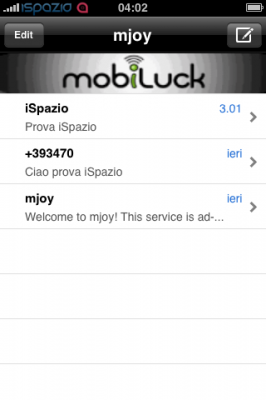
This app lets you login to your mjoy account and send free txt messages on your iphone, Apple pulled it off the appstore because it literally lets you send free txt messages and it competes with at&t’s plans.
Download ***Pocket Tunes 5.20***
For more info on pocket tunes and clearer instructions on using sirius/xm on pocket tunes go to their official site http://www.normsoft.com/products/iphone/pockettunes/

Installation For Sirius
As of version 5.2 of Pocket Tunes Radio, you can play Sirius Internet Radio. We added support for Web-based stations and this allows you to play stations that normally require you to be using a PC rather than a mobile device.
Here are the steps to do that:
**Note: You must have a paid subscription to Sirius Internet Radio to use this with Pocket Tunes Radio
Go to the “Web” tab in Pocket Tunes Radio and enter www.sirius.com
- Enter the username and password you use to access your Sirius channels on-line.
- Enter the appropriate security characters and tap “Sign In”
You are then taken to the top level listing of the Sirius stations available on-line.
You then see the sub-listings for the selection you made, in this case Music
Tap on the station you want to play. In this case we will tap on “Classic Vinyl”
Now the station loads, you will see the “Loading Audio” message.
- You can leave the window up or press “Hide” to dismiss it. Either way the station will load
- Press “Now Playing” to go back to the main screen.
The station should start playing shortly and if you go to “Now Playing” you should see it listed there
Tapping the “Add to Favorites” icon will add the station to the “Web” section of your Favorites. You can then load the station with one tap. Due to the unique way we support this type of station, Pocket Tunes will go to the Web tab but it will load the station automatically.
Installation For XM
Open Pocket Tunes Radio and tap on “Web”
Enter this web address: http://mobile.musicdock.com
- Enter your email address for your XM Radio on-line account
- Enter your Password
- Tap the “Remember Me” box so that you do not have to log in again
tap “Login”
You are now presented with a list of stations by Genre
- This is a good time to tap the “+” sign to sasve this main page to your Web favorites, that way you can easily get to it with one tap.
- Scroll through the list until you find a station you want, then tap the link for it.
You will then see a pop up that says “Loading Audio”
- You can leave the window up or press “Hide” to dismiss it. Either way the station will load
- Press “Now Playing” to go back to the main screen.
You will now see the XM station playing on the main screen, and of course you should be hearing it as well.
- Tap the “Add to Favorites” icon to add the station to your favorites. this allows a single tap to load the station next time you want to play it.
When a Web Based station like an XM station is added to Favorites, it is placed in the new “Web” section of the Pocket Tunes Radio Favorites.
- Note that when you select a station from here, it will automatically load the station but unlike other favorites, the web tab will be opened in Pocket Tunes Radio. However the station will automatically load, there is nothing you need to do once you have selected the station fro your Favorites.
=================================================
Download ***Agile Messenger***
Agile Messenger is the worlds most feature rich and user friendly all-in-one MSN®, AIM®, Yahoo!®, ICQ® & GoogleTalk® instant messaging client for your iPhone!
Send instant text and picture messages to anyone on your MSN®, AIM®, Yahoo!®, ICQ® & GoogleTalk® contact list directly from your iPhone!


April 10th, 2009 at 2:59 pm
FANTASTIC!
December 7th, 2009 at 8:47 am
Hello could anyone tell me their review on a fantastic download torrent service. What free service would you recommend?