
HapticPro Cracked
April 05, 2009 :: Posted by - SoSly :: Category - News
=================================================
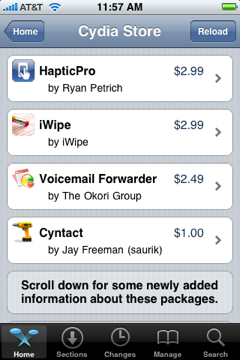
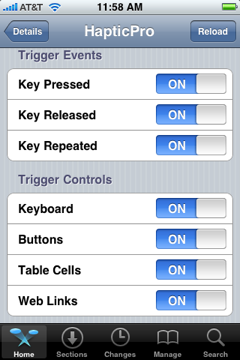
- Download Files ***HERE***
- Unzip Folder and extract the files inside.
- Now ssh/iphonebrowse and copy the folder named HapticPro you Downloaded to root/library/
- Now ssh/iphonebrowse the files that are in the MobileSubstrate folder you downloaded which should be HapticPro.dylib & HapticPro.plist to root/library/mobilesubstrate/DynamicLibraries/
Note: I don’t know if you should set permissions but I did anyways to be safe, I would set permissions to the files in the HapticPro Folder to 777 and the HapticPro.dylib to 777.
Big thanks to mritel for the files and Carrbone for the instructions over at xsellize forums.
April 5th, 2009 at 11:50 pm
how do you set permissions to 777?
April 6th, 2009 at 12:01 am
You have to ssh into your iphone and right click on the files you want to set permissions to and the click properties and check all of the boxes. Or you can install mobile finder from cydia and set permissions through there.
April 6th, 2009 at 3:56 am
I can't seem to get this to work. I ssh Haptic folder to /Root?Library and set permission to 777 and ssh Hapticpro.dlyb and hapticpro.plist and set permissions to 777 and can't find it in settings… am i doing something wrong?
April 6th, 2009 at 4:02 am
I can't seem to get this to work. I ssh Haptic folder to /Root?Library and set permission to 777 and ssh Hapticpro.dlyb and hapticpro.plist and set permissions to 777 and can't find it in settings… am i doing something wrong?
April 6th, 2009 at 4:09 am
ok when your in your phone go to root/ then you should see a lot of folders, go into the library folder and copy the haptic pro folder in there then after you do that in the same library folder you will see mobileubstrate. Go in mobilesubstrate/dynamiclibraries/ then drop files in here permissions are not an issue but after that respring your phone
April 6th, 2009 at 6:16 am
i have done it and same thing, nothing happening… i do not see haptic pro in settings menu
April 6th, 2009 at 12:17 am
I will look into it asap
April 6th, 2009 at 12:05 pm
no haptic pro icon coming on springboard though the app is working fine…how do i get that??
also how to remove the application?
April 6th, 2009 at 6:38 pm
xsellize.com has a new version out or something… finally worked out for me…
http://www.xsellize.com/showthread.php?t=31961
here is the link, dont know if you want to update your tutorial…
laser… there should not be an icon on the springboard… it should be under settings under the wallpaper setting
April 6th, 2009 at 6:39 pm
they also have a deb file if that is any easier… just a heads up
April 6th, 2009 at 7:22 pm
Thanks gom33 I will update the post
April 9th, 2009 at 8:41 am
is this version 1.0.2??
December 18th, 2009 at 10:06 pm
This worked. It appears right in the iPhone settings menu. But alas, there is no feedback on the keyboard. Otherwise though, it works for everything else.