
Haptic Pro 1.0.6 Cracked
.
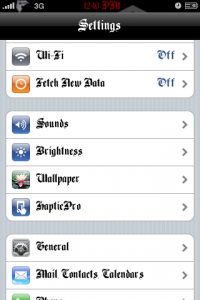
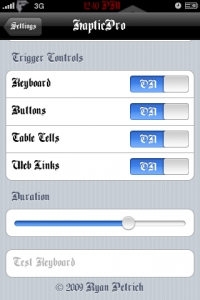
As you guys may now there are a lot of add ons that make your iPhone vibrate every time you press a key, icon, web link, etc. So far from what I know Haptic Pro is one of the best out there so far
Instructions On how to install below:
Download the .deb file ***HERE***
- Download ***HapticPro1.0.6***
- After you unzip the folder go into the haptic pro folder and you should see 3 different folders which are named spcifically to where you have to copy the file inside the folder to, such as the stuff in the library folder goes into the library folder in your iphone.
- Now Open the library folder and you should see another one called HapticPro, Copy the Haptic Pro Folder to root/library/
- Now Open the MobileSubstrate Folder and copy the .dylib & plist to root/library/mobilesubstrate/dynamiclibraries/
- Now open the usr folder and copy the HapticPro Folder into root/usr
- Respring and Enjoy
Note: I didn’t set permissions to any folder or files and it worked but if you get errors such as settings not saving then go back and set the permissions to each folder and all the files in the folders to 777.
April 19th, 2009 at 7:04 pm
ok installed and all was good prior to install. A quick glimpse shows i have /Library/HapticPro and /Library/Hapticpro, copied all files to the former and to dynamiclib… Now I have 0 vibration. UninRein and still nothing. Changed permissions and alas still nothing. I added the secret prefs and i get clicks on my icons so i know its working, just not the vib part. Anyone any ideas?
April 19th, 2009 at 7:22 pm
*Ok this is what you have to do. Copy the HapticPro folder to library.
*now copy the plist and the .dylib file to root/library/mobilesubstrate/dynamilibraries/
*now copy the HapticPro folder that is in user to root/usr/ respring and then reboot and you should get the settings menu
April 20th, 2009 at 3:38 am
I get the settings menu and everything just fine. I've had that up it just wont vibrate. I have chmod'd and such. Just screwed it looks like. It was working til i tried to go to 1.0.6
April 20th, 2009 at 11:35 am
Try uninstalling everything and deleting every file that you have installed or ssh’d over to your iphone. After that reboot and copy the files back to your iphone and all should work well, I think you don’t even have to set permissions
August 14th, 2009 at 8:44 pm
What are you using to ssh the files over??? I cant figure out how to with winscp or putty:(
August 14th, 2009 at 10:13 pm
just install haptic pro through the xsellize repo using cydia, it is much easier.