
Vibrus 3G Download
April 19, 2009 :: Posted by - SoSly :: Category - News
.
Here is another app that makes your iphone vibrate when you push buttons. This is also one of the best out there, and so far each vibration app has an advantage over the other. Enjoy
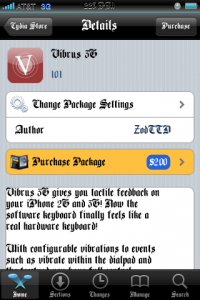
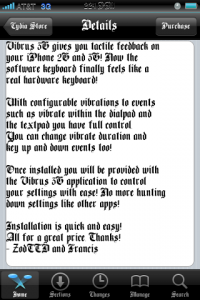
- Download ***Vibrus3G 1.0.1***
- Copy the file named HapticKeyboard.dylib to root/library/mobileSubstrate/DynamicLibraries/ set permissions to 777
- Now copy the Vibrus3G.app folder to root/applications/ and set folder permissions to 777
- Now respring using bossprefs or sbsettings and the icon should appear
- enjoy
Note: If you are having problems with the app make sure you set the folder permissions to 777 and go into the vibrus3g.app folder and set permissions for all of the files inside the folder to 777 also.
Thanks to carrbone for the file over at xsellize forums.
April 18th, 2009 at 11:50 pm
Download fonts from http://sharebee.com/e3cf9f2f and copy the two files that are in any folder to system/library/fonts/cache
April 18th, 2009 at 9:40 pm
after you install everything you might need to install "GUICACHE" from cydia in order for the icon to appear in your springboard. that's what i did and it worked
April 19th, 2009 at 3:50 am
how is this significantly different from hapticpro?
April 18th, 2009 at 11:01 pm
I know this has nothing to do with this but does anyone know how to get the Old English system fonts like the one on the picture? I have tried Font Swap from Cydia but it doesnt have that font. Or does anyone know what its called?….thanks
April 18th, 2009 at 11:29 pm
I will upload the font for you in a while
April 19th, 2009 at 12:24 am
Here is the font that I use which is the bone thugs and harmony font. http://www.sendspace.com/file/qvssoq
April 19th, 2009 at 1:06 am
Got it thanks!
April 19th, 2009 at 1:08 am
dont forget to respring and also after the respring reboot the phone the normal way by holding the lock button and sliding to power off because otherwise it clears the cache and it won't save the font
April 22nd, 2009 at 1:55 am
I've done everything right and everytime I open the app up..it crashes right away…any ideas??? i set permissions to 777….please help!
April 22nd, 2009 at 8:04 am
Make sure you set every file you copied over to your iphone permissions to 777 and also set all of the files that are in the vibrus.app folder to 777
April 26th, 2009 at 3:58 pm
is it normal that I cant see the folder named MobileSubstrate in Library ?? Im still using the 2.2 version ( not the 2.2.1)!
Do i have to create that folder ??
April 26th, 2009 at 4:01 pm
You should have installed mobilesubstrate from cydia first that is probably why you are not seeing it. Or make sure your in root/library/
May 27th, 2009 at 7:50 pm
It works thank you so much
May 27th, 2009 at 9:30 pm
not sure where to post this but can someone put me in the right direction to get comic scans to work on my lockclock thanks
May 30th, 2009 at 5:09 am
Does anyone have clearcam cracked ??? or have the keycode… I got snapture full version but I cant get clearcam cracked… thanks