GeoHot Finds Bootrom Bug That Allows Bootloader Downgrade From Any Firmware Version

April 13, 2009 :: Posted by - SoSly :: Category - News

.

Geohot found a bug in the 5.8 version of the iPhone 3G Bootloader which allowed him to downgrade the Baseband.

Unfortunately, most people in need of a downgrade use an iPhone with 5.9 Bootloader: in this case the exploit cannot be fully executed, but GeoHot thinks he would be able to run the ramloader of 5.8 on these devices.

GeoHot and the DevTeam are back and soon all users who have accidentally updated their iPhones to 2.2.1 firmware will be able to downgrade and use Yellowsn0w.

Here you are the details from GeoHot’s official blog:

“In bootloader 5.8 on the 3G, the loader signature validator is broken. Someone botched an if statement checking the location and length of the loader in the cert. Because of this, you can pass the run cert for the firmware you currently have on the phone instead of the loader cert, and send whatever you want as a loader.

Here is a bspatch file to be applied to ICE2_02.28.00.fls allowing downgrades from 2.30.03 using BBUpdaterExtreme. By replacing the patched cert with your current run cert, you can downgrade from any other version.

Unfortunately, most 3G’s out there are bootloader 5.9 I was hoping, since RSA was added to the bootrom, that it would run the vulnerable ramstrapper, but I had no luck, although I didn’t try that hard. I see no reason why it shouldn’t work theoretically; the bootrom RSA is complicated, maybe when I finish EDA…

And dev, since you’re into hashes
882B7B3E84B76125755A84FB0BE52B9D8E25284D

iDan realized a nice guide for the downgrade: you could find it here.”

Via Ispazio

Happy Easter! Beejive crack + cool app

April 13, 2009 :: Posted by - chad :: Category - Cracks, News

Thanks to the reader that submitted this Beejive crack. No more PC LOAD LETTER!

****Download Beejive HERE****

  1. Install Beejive from link above
  2. Install Palringo from App Store (free)
  3. SSH to var/mobile/applications and locate folder for Parlingo
  4. Copy file from Parlingo folder named iTunesMetadata.plist
  5. Locate the Beejive folder in var/mobile/applications & copy the iTunesMetadata.plist file there

Respring and you’re done, it should work!!! Works great on my device, let me know if you get any errors!

And to help with the Easter candy we all splurged on today…..

Have a log of what you eat and the calories in that food. Plus you can keep track of exercises you’ve done too.

****Get Tap & Track HERE****

We have a winner

April 12, 2009 :: Posted by - SoSly :: Category - News

.

The winner is Adam, congrats. Below is the winning post that contained the secret egg right inside the video converter image.

Alright guys it is time for the next Contest. The things you have to find, are 3 egg images and 2 words saying “egg” in them. Also don’t worry if you post things and they don’t show up because that is my spam filter and I will get to letting it through quick. Don’t forget you can post one thing at a time while you find the rest to make sure you don’t get beat to the punch ;) . Happy Easter

Have Fun ;)

This time it won’t be so easy ;)

Contest: Find The Easter Eggs & Win A Prize

April 11, 2009 :: Posted by - SoSly :: Category - News

.

Congratulations Eric You Win Check Your E-Mail To Claim Your Prize. If I don’t get a response by noon tomorrow I will re-do the first contest.

Here are the winning posts

Over at xsellize forums they are having a very creative and fun contest and I decided, why not my readers?? I have taken the idea from xsellize to create this one. I thank admin and whoever thought of this over at xsellize for their creativity ;)

Note: I Will Only Ship to the U.S.

  • Starting at 8:00 P.M. Central Time I will be putting 2 Easter Eggs around the site for you guys to find, whoever comments first with a screenshot of the two eggs will win a light blue Titan Clear iPhone Case Click To See for the 1st gen iPhone and a reflective screen protector for the iPhone.
  • Tomorrow I will be doing the same contest although it may be a little harder but you will get the best prize of all… A Richard Solo Lithium Ion Backup Battery Click To See for your iphone Works for both 3g and 1st gen.

Ps: To the international readers don’t worry I will be having an Itunes Gift card giveaway soon. I haven’t forgot about you guys.

Quick2gPwner Ipod Touch 2g redsn0w jailbreak GUI for Mac

April 11, 2009 :: Posted by - SoSly :: Category - News

.

Credits to iBlogeek.com for the gui and remember that redsn0w is still beta. Be warned that people have had problems with this although most have a successful jailbreak.

Step One
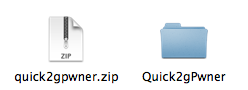
Download Quick2GPwner from here and save it on your desktop. Double click the downloaded zip file to extract the Quick2gPwner folder.

Step Two
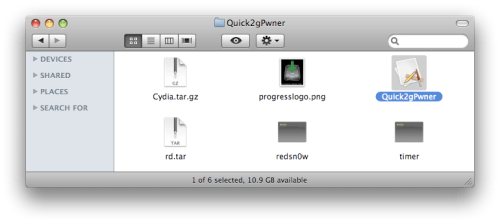
Double click the extracted Quick2gPwner folder then double click the Quick2gPwner application icon to launch the program.

Step Three
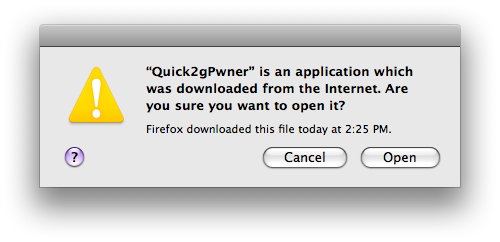
You will be warned that this application was downloaded from the Internet. Click the Open button.

Step Four
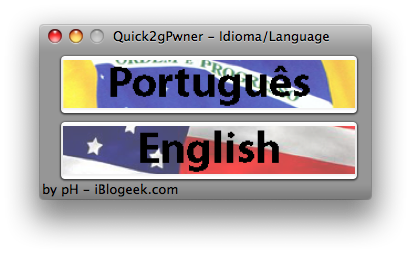
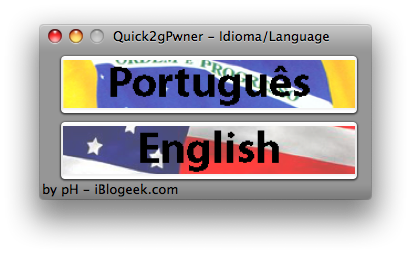
Click to select the language you would like to proceed in

Step Five
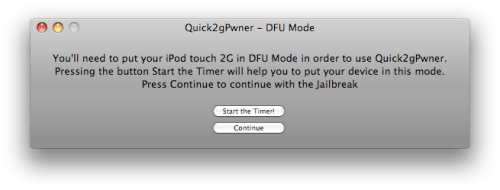
You will now need to put your iPod touch into DFU mode. You can find instructions and a video demonstration on how to do that here. Once your iPod touch is in DFU mode click the Continue button.

Step Six
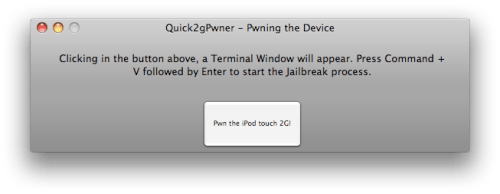
From the next window click the Pwn the iPod touch 2g button.

Step Seven
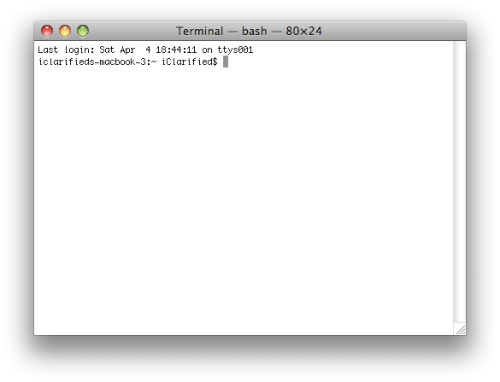
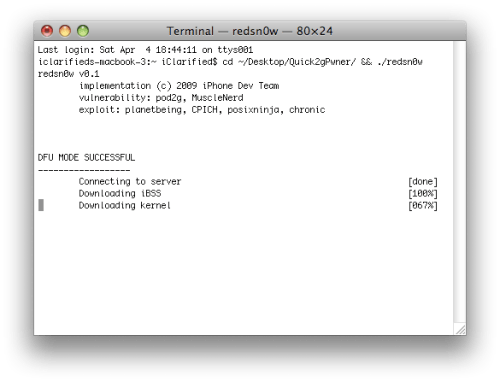
An empty terminal window will appear.


Press Command + V on the keyboard to begin the jailbreak process.

Step Eight
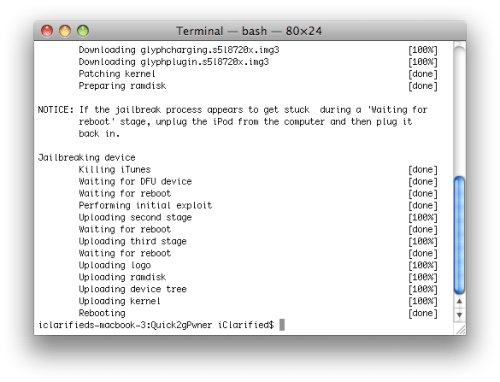
After several minutes your iPod touch will reboot. Notice you now have Cydia on your SpringBoard!

Tutorial and images by iClarified.com

Apple Launches ‘1 Billion App Countdown’ Promotion

April 10, 2009 :: Posted by - SoSly :: Category - News

.

Apple today launched a 1 Billion App Countdown promotion, offering the opportunity for users to enter to win a package of prizes valued at over $13,000.

As of today, nearly one billion apps have been downloaded around the globe. So we just want to say thanks – a billion. Download an app and you’ll automatically get the chance to win a $10,000 iTunes Gift Card, an iPod touch, a Time Capsule, and a MacBook Pro. Just go to the iTunes Store, browse the App Store, and download your best app yet.

Entries are limited to users 13 years and older from participating countries. Users are limited to 25 entries per day, and the contest closes when the billionth app is downloaded.

Apple offered similar promotions to mark 100 million (2004) and 1 billion (2006) iTunes song downloads.

News Via macrumours

Lock Calendar Update, Rotation Inhibitor Update

April 10, 2009 :: Posted by - SoSly :: Category - News

It looks like Lock Calendarversion 1.0 has been released. I’m not sure if it has been a while since I have done a review of Lock Calendar or just a while since they have updated it! Either way…there are some new features in the app. In the settings for Lock Calendar (which is location in your stock Settings applicaiton) you now have the ability to choose a specific calendar to display on your lock screen (which is a great faeture) and the ability to do a lot more customizing of the app. You are able to select the seperator color, the background color and transpaency and the text color, current color, font type and font size for the Date Bar, Title, Location and Time. You can pretty much customize the app to look however you want now! I will say that it is not the most user friendly interface but, after a little time…you will get the hang  of it.

you can get this from cydia for free

===================================================

Rotation Inhibitor Update

Today there was an update to Rotation Inhibitor, a SBSetting add-on toggle that allows you to turn of the auto-rotate feature on your iPhone or iPod Touch. The update does a few pretty cool things. It adds the Rotation icon for all the default SBSetting’s themes (which is nice!), it fixes a bug in which the keyboard was not working properly in apps that set their “keyboard orientation manually” and it made the app open-source. It update also added a new feature to the toggle that allows you to set which rotation orientation you would like to turn on.

When you tap and hold the toggle (within SBSettings) you will notice a little pop-up at the bottom of the screen with one of four options displayed; Landscape Right, Landscape Left, Portrait and Portrait Upside Down. This allows you to choose which orientation you would like your iPhone or iPod Touch to stay on. So, lets say you turn off the rotation toggle (which will turn off the auto-rotate feature) and then you choose Portrait. That means that everything will be displayed in portrait view…and will not rotate out of portrait view. If you select Landscape Right everything will display in landscape view in which you have to turn your device to the right in order to read it…and it will not rotate out of that view.

You can get this from cydia for free

News from appleiphoneschool

BiteSMS 3.2 Cracked Using Old Crack File

April 09, 2009 :: Posted by - SoSly :: Category - Cracks

  1. Uninstall BiteSMS from cydia
  2. Delete BiteSMS Folder in var/mobile/library/ and make sure the BiteSMS.app folder is also deleted in the applications folder.
  3. Install the updated 3.2 version from cydia and respring.
  4. Open BiteSMS and apply the settings you would like for BiteSMS
  5. Download ***Cracked BiteSMS*** File
  6. Copy the Downloaded file to root/applications/BiteSMS.app and set permissions to 777
  7. Respring/Reboot and enjoy ;)

I Also forgot to mention the guys over at xsellize so thanks. Xsellize is always the best for news, cracks, and anything iphone related

Note: Most Quick features should work although there might be one that fails such as quick-reply.

iPhone Soap… What????

April 08, 2009 :: Posted by - SoSly :: Category - News

.

Yes guys you read it right, some people are waaay to much of an apple fan and are selling soap bars that look like an iPhone. Yeah, I know right thats just over doing it but there are some people out there willing to buy the 3 oz bar of soap that doesn’t what so ever help with the annoying fingerprint problem we have with our phones.

Via Xsellize

Video Recording Found In 3.0

April 07, 2009 :: Posted by - SoSly :: Category - News

Since the release of Apple’s iPhone 3.0 beta firmware, users have been scouring the configuration files looking for evidence of future iPhone capabilities. The possibility of video recording has seemed increasingly certain with files for video uploading and editing having been discovered.

A new finding, however, should put to rest any doubts about whether or not Apple is planning to include video recording in future iPhones. This screenshot, which was discovered in the latest iPhone 3.0 beta, shows the interface Apple will provide for video recording:

The interface shows the normal iPhone camera interface but with a switch on the bottom right which toggles between still camera photography and video recording. The video recording is not presently functional in iPhone 3.0 beta, and the interface is not accessible by default. Only when configuration files were modified telling the firmware that a Video Camera was present will this interface appear.

Other interesting capabilities found in the configuration files include “auto-focus camera”, “magnetometer” (digital compass), and “Voice Control”.

Apple is expected to release the final version of iPhone 3.0 this summer, and many believe that Apple will also introduce an updated iPhone around that time as well.

via macrumors