
iWep Hacking Application for iPhone in Beta
.
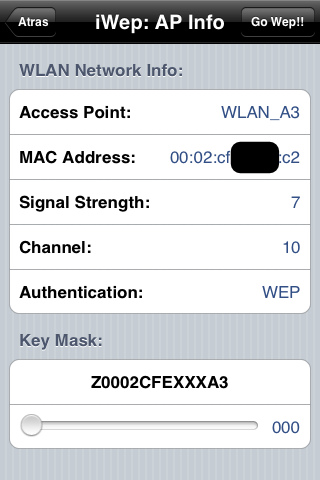
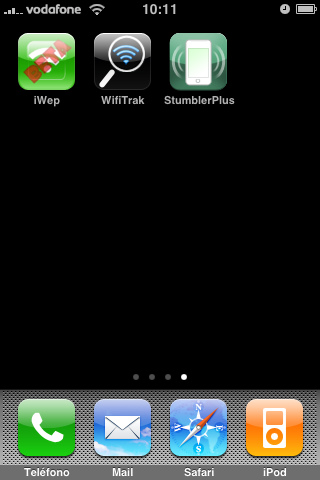
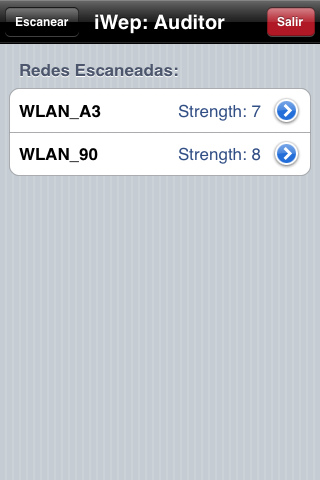
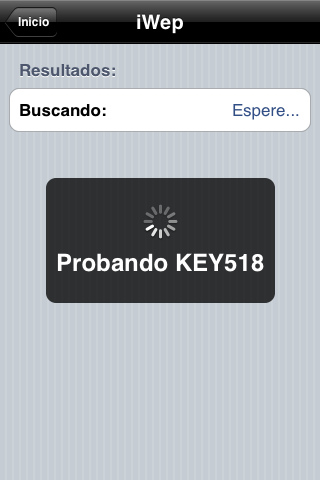
an early beta of iWep, a wireless hacking application for iPhones, is now available for testing.
The application developed by Wazowski requires the MobileInstalltion Patch and the libpcap and libnet libraries to run the application.
The current implementation of the application requires the network to be named WLAN_XX and the BSSID to begin with 00:02:CF as is apparently common in Spain.
Future updates will bring improved stability of the application, increase the speed of search, increase the type of networks to scan, develop method to pause and restart the search, and create networks and historical keys found.
You can download Iwep Beta ***HERE***
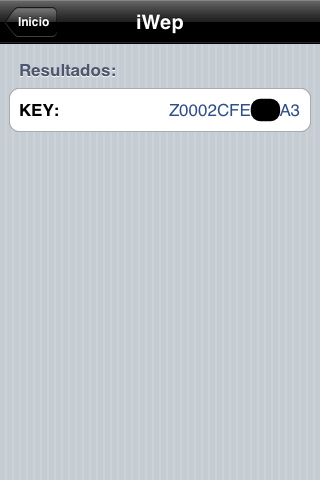
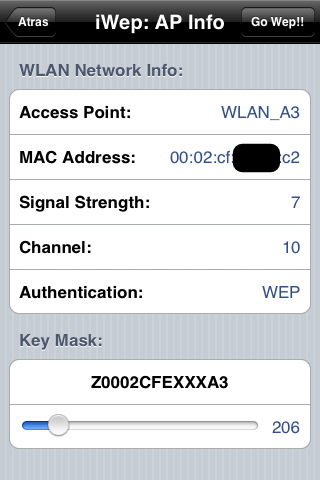
HOW TO INSTALL:
To install applications. MobileInstalation IPA need to amend, we need to have to Jailbreak the iPhone with Cydia installed.
The easy way to modify the MobileInstalation is via Cydia and an application that whatever we are amending our version including 2.2.
1. Run Cydia.
2. Click on the icon “Manage” from the menu below (which looks like a book)
3. Click “Sources”
4. Click on the button “Edit” at the top right
5. Now there is a button at the top left that says “Add”, kebabs
6. Leaves a window for adding an address and add this address: http://iphone.org.hk/apt/
7. And click on “Add Source”.
8. After installing this source click on the “Sections” in the menu below (it is a circle with an arrow)
9. To put down “Tweaks” and skewers to enter.
10. Wanted “MobileInstallation Patch” and install
11. IMPORTANT: restarting the iPhone (hold the start button and reboot)
12. Once we restarted the iPhone to iTunes and the iTunes Store we download an application or Games
Now you can install applications or games. IPA simply by double clicking on the file being installed in the section on the iTunes “Applications” under the library and go to sync the iPhone.
INSTALLATION:
- Connect your iPhone to your PC and start iTunes if it does not do it alone.
- Once connected and detected by iTunes, select the Applications section of your library.
- Drag the file “iWepBeta.ipa” previously downloaded to the iTunes window applications.
- Finally, make sure the application is selected in the window of iPhone applications. We can see DEVICES-> Name your iPhone/iPod-> Applications. If you are not selected “iWep” do it yourself.
- When selected, you only have to synchronize.
- If all went well, at this point, you should have installed “iWep” on your iPhone / iPod.
SPECIFICATIONS:
The main purpose of the publication of the Beta version of the application is to try to debug the application errorers possible. Therefore it is urged that the judgments that are reported in this thread.
(1) [iWep] iPhone / iPodTouch Beta v0.1
(2) Only allow networking with WLAN_XX type BSSID 00:02: CF
(3) The processing time is between 1.5 seconds KEYS.
Status:
2009 – 05 – 08:
(1) Blog of the aplicaicon: http://iwazowski.blogspot.com/
2009 – 04 – 30:
(1) packaging the first beta version of the application.
FUTURE UPDATES LIST (TO-DO):
- Improved stability of the application.
- Increase the speed of search.
- Increase the type of networks to scan.
- Develop method to pause and restart the search.
- Create networks and historical keys found.
May 19th, 2009 at 12:37 am
i installed it, but when i click on the bubble on my iPhone.
it pops up for about 2 seconds, then closes back to the home screen.
May 24th, 2009 at 3:54 am
Same here
August 10th, 2009 at 12:16 am
Yep I installed everything and it pops up for a few seconds and then closes?
Perhaps it won’t work with 3.0
March 1st, 2010 at 2:53 pm
There’s a new thing you can install on your itouch/iphone that can work with: 3.0/3.0.1/3.1/3.1.1/3.1.2./3.1.3 Firmware.
Name: Installed Patch
Source: iphone.org.hk
It’s a Tweak hope it helps.