
Change the Theme on an iPhone 3GS without Jailbreaking

I know some of you are bummed that you can’t jailbreak your iPhone 3GS. Well, if you are craving a new theme, you’re in luck…Apple gave you an option. You can invert your iPhone so that it is white on black instead of black on white. Apple says it is for people who have difficulty seeing black on white or to make it easier to see at night. I say, they are secretly coming over to the dark side! If you would like to change your iPhone’s theme so that it is White on Black just head over to your stock Settings application, the General Option, the Accessibility option and you will see a White on Black feature….just turn that guy On.
When you turn it on, it does change EVERYTHING. All your application will now be inverted as well as your Photos (they will look like negatives). It is pretty crazy! This feature is only available on the iPhone 3GS. Check out the images below…yes, images, screenshots do not show-up in the White on Black mode.
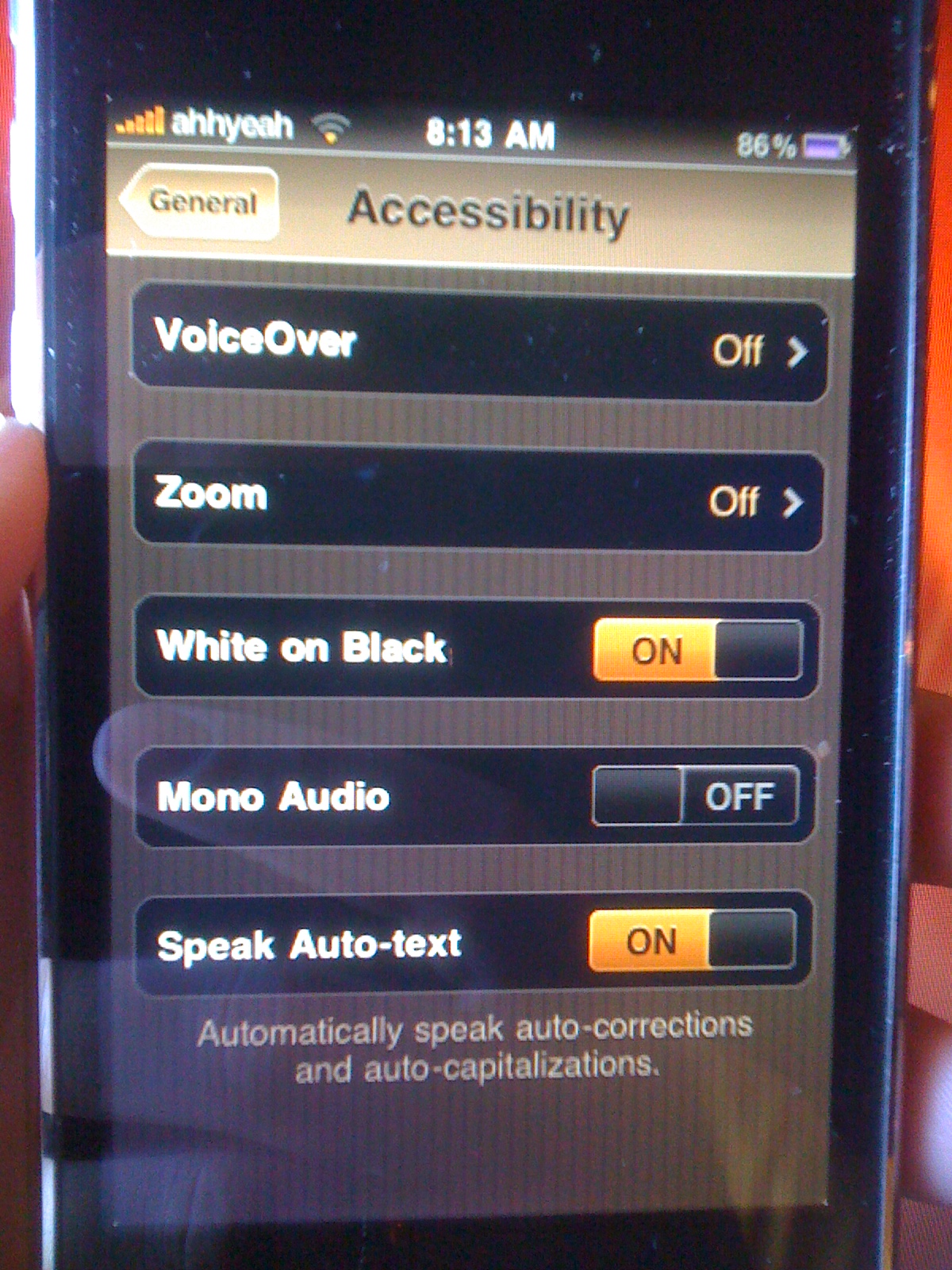


Via AppleiPhoneSchool.com
June 30th, 2009 at 3:13 pm
I don't think that anybody will use this "feature" as a theme…
June 30th, 2009 at 4:25 pm
is it a way to unlock this or port on the older versions of iPh?
July 1st, 2009 at 6:56 pm
Most useless feature in iPhone imho…
July 16th, 2009 at 9:27 pm
But does it damage your screen or battery life in any way?
February 25th, 2010 at 10:36 am
And why in the name of god would anyone want a theme that looks as crap as that…seriously!