
Battery Control Mod
August 15, 2009 :: Posted by - SoSly :: Category - News
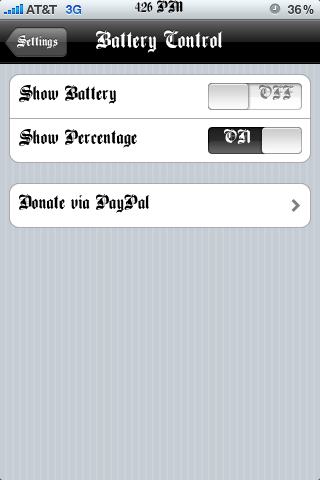
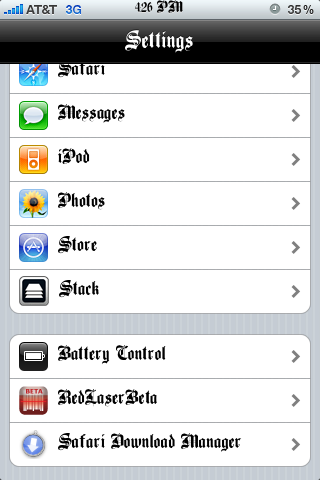
Ever since I got my iPhone 3G S I have been wondering how to make the battery disappear from the top right corner of my screen. I like using the battery percentage option instead of the battery but I never could do what I wanted, I either had to use both the percentage and the battery on the status bar or just used the battery icon on the status bar. Thanks to Battery Control I can now just use the percentage option to view how much juice my iPhone has left and not have the ugly battery icon taking up space. Battery Control is available via the modmyi source, after installing open up settings and scroll down and you will see Battery Control:

August 15th, 2009 at 5:43 pm
hey what font is that???
August 15th, 2009 at 6:16 pm
It is the bone thugs and harmony font here i uploaded it for you http://www.sendspace.com/file/9×87xu just copy both files in the folder to system/library/fonts. Just make sure you backup your original font just in case you want to go back. After you copy them respring and reboot by sliding to power off not hard rebooting otherwise the font won't save
August 15th, 2009 at 6:16 pm
It is the bone thugs and harmony font here i uploaded it for you http://www.sendspace.com/file/9×87xu just copy both files in the folder to system/library/fonts. Just make sure you backup your original font just in case you want to go back. After you copy them respring and reboot by sliding to power off not hard rebooting otherwise the font won't save