First Images Of New iPod Touch??

August 15, 2009 :: Posted by - SoSly :: Category - News

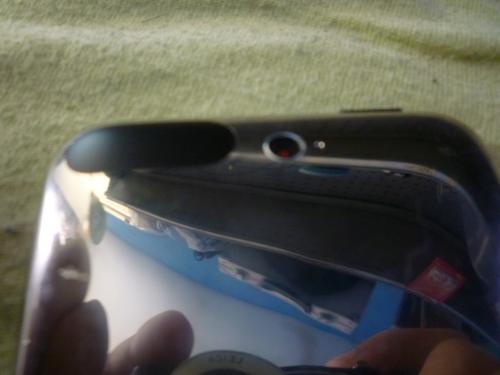
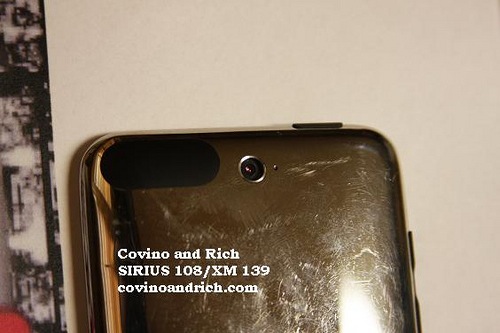
There has been a lot of speculation on what the new ipod touch is going to look like. Most rumors say that the new iPod touch will have a camera for sure and maybe a microphone. Below are some pics of the rumored unreleased ipod touch with a camera and a built in microphone. Do not take the pictures as real, these are more than likely fake as i’m sure Apple won’t just let a super secret project slip out into the public like this:

iPhone 3GS Camera Snaps Pics Before You Take Them

August 15, 2009 :: Posted by - SoSly :: Category - News

Does the iPhone 3GS camera constantly buffer live video data, in effect pre-caching the images you want before you take them? Birdhouse developer Adam Lisagore thinks so, and says so via his Lonely Sandwich blog:

from the moment you launch the Camera app, data is not only streaming to the viewer, but being cached to memory at full resolution, much like a TiVo with a live broadcast. Where there’s been latency in previous versions of the iPhone hardware/software due to processing limitations, those limitations have been overcome in the iPhone 3GS, closing the gap between intention and result by processing the streaming input from a microsecond before the shutter was released. In essence, the iPhone is constantly storing the picture you want before you even take it.

Daring Fireball confirms this, and after-the-fact, it lines up with a lot of our experiences here at TiPb as well.

Via theiphoneblog.com

No More Keyboard Theme’s for OS 3.0

August 15, 2009 :: Posted by - SoSly :: Category - News

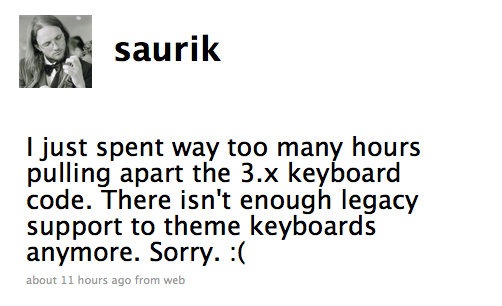
Saurik tweeted that there will be no more support for themeing keyboards on os 3.0 using winterboard. It is a sad day for us all, as themeing the keyboard is what made our iPhone’s look so much better.

Saurik No Theme

Battery Control Mod

August 15, 2009 :: Posted by - SoSly :: Category - News

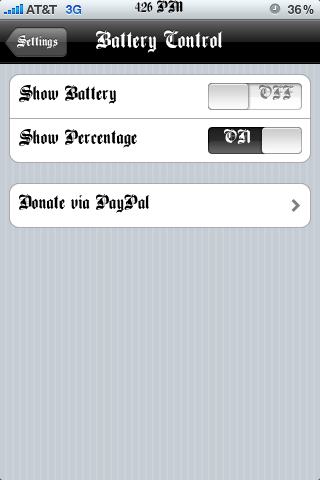
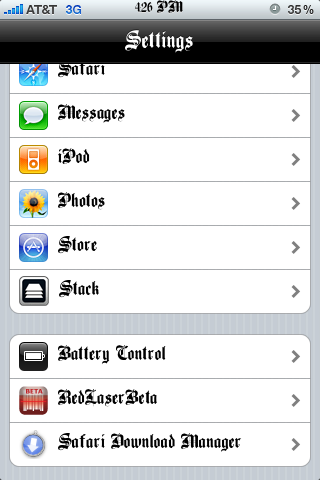
Ever since I got my iPhone 3G S I have been wondering how to make the battery disappear from the top right corner of my screen. I like using the battery percentage option instead of the battery but I never could do what I wanted, I either had to use both the percentage and the battery on the status bar or just used the battery icon on the status bar. Thanks to Battery Control I can now just use the percentage option to view how much juice my iPhone has left and not have the ugly battery icon taking up space. Battery Control is available via the modmyi source, after installing open up settings and scroll down and you will see Battery Control:

Battery Control1 Battery Control2 Battery Control3

Apple Annual Music Event Rumored To Be Early Spt.

August 13, 2009 :: Posted by - SoSly :: Category - News

Citing “multiple music industry sources,” MediaMemo reports that Apple is planning an iPod-centric keynote event for the week of Sept. 7, consistent with the timing of previous years’ events.

Apple typically holds music and iPod related events to make new announcements every September. Last year, the “Let’s Rock” event was held Sept. 9, while the 2007 “The Beat Goes On” keynote was Sept. 5, and the 2006 “It’s Showtime” event was held Sept. 12. Apple has not yet confirmed the date of its keynote this year.

The MediaMemo report speculates that Apple’s rumored “Cocktail” album concept could play a part at the event.

“Given that Apple has tipped off music industry executives, it’s a fair bet that the event will incorporate music in some way,” the report states. “Perhaps it will show off the new “Cocktail” format that Apple Read more…

UAV Controlled With iPhone

August 13, 2009 :: Posted by - SoSly :: Category - News

What does a former US Navy F/A-18 Hornet pilot do with her time now that she heads MIT’s Humans and Automation Lab? The short answer is “really cool stuff,” and the long answer is even better.

During her tenure as a pilot, Professor Cummings became frustrated with the Hornet’s cockpit. “I spent whole time complaining – who was the moron who designed this thing?” she told Wired. At MIT, she and her students were inspired to consider a replacement for the huge controllers that US soldiers use to operate Raven unmanned aerial vehicles. Just six weeks and $5,000 later, they launched a working test flight of a small robotic crafted controlled by an iPhone.

The app they’ve created relays GPS coordinates to the robot, which then travels from origin to destination on its own. Wired notes that the phone in the video is not jailbroken and the app in question was created like any other. It’s very cool indeed. Now if they could only design something to get my kids to the bus stop on time.

via tuaw.com

Sidekick Data Plan No Longer Available For Unlocked iPhones

August 13, 2009 :: Posted by - SoSly :: Category - News

Over the past week, some T-Mobile iPhone customers noticed that their data service suddenly stopped working. Users with unlocked iPhones had been paying $1 a day for unlimited data and text messaging using the Sidekick data plan. It was a great value.

Customers who contacted T-Mobile support received mixed answers. Representatives stated that service was down in their area or that they needed to upgrade to their normal data plan.

Yesterday, T-Mobile sent a tweet on their official Twitter account that they would no longer service iPhone customers using the prepaid Sidekick plan. So just like AT&T cutting off prepaid GoPhone service to iPhone customers, T-Mobile has now eliminated an affordable data option for unlocked iPhones. At this time, it appears that Android-specific data plans remain unaffected.

TUAW has contacted T-Mobile for an official statement on the matter but we have not heard anything back yet.

Via tuaw.com

Apple Shoots Secret Commercial For Unknown Product

August 13, 2009 :: Posted by - SoSly :: Category - News

Apple this week shot a commercial for an unreleased product; a Texas company alleges the iPhone maker infringed on its patents; and Microsoft files a trademark for its new retail logo.

Apple’s secret commercial

Apple filmed a commercial Tuesday for a new, unreleased product in Truckee, Calif., at the restaurant Jax at the Tracks.

Because it is a secret upcoming product, Apple kept a tight lid on the production: No information or photographs were available, according to local paper the Sierra Sun. The restaurant’s owner, Bud Haley, said the spot was picked by a location scout.

“Apple found us, they’re trying to show us as a hip and cool spot for the 20-something crowd,” he said.

Via Appleinsider.com

MivTones OS 3.0 Cracked

August 12, 2009 :: Posted by - SoSly :: Category - Cracks

Delete folder /private/var/mobile/Library/MiVTones

Install MiVTones from Cydia -> Open App one hit :D

for Windows Download
Download MiVTones Patch
and run it -> Respring Enjoy…lol

for MAC Download Download DiskAid install
Download http://www.mediafire.com/?z50mlmmnzyo ->

Replace MiVTones to Applications/MiVTones.app/
Replace mt.db to /private/var/mobile/Library/MiVTones/

Open MiVTones -> Options (i) Enable MiVTones …

Or

Quote:
http://www.mirrorcreator.com/files/5…atch.zip_links

Add some Videos m4v,mp4 to /private/var/mobile/Media/VideoTone/Video
Show videos after add Categories->Folder->MiVTones Videos -> press + to add videos !

thanks to xoloman for the crack

Attachment Saver 1.0

August 12, 2009 :: Posted by - SoSly :: Category - Cracks

pic via modmyi.com

Ever been frustrated by the iPhone Mail app’s inability to view attachments of certain types? Ever been found yourself needing to save an attachment to disk somewhere so you could use it outside Mail.app? AttachmentSaver to the rescue.

AttachmenSaver is a nifty little extension to the iPhone’s Mail app that allows you to save attachments so you can access and view them using your favorite file manager (iFile recommended). It unlocks the ability to download *all* attachments of any type, whether supported by Mail or not, and save them into a folder on disk. For those emails with multiple attachments, it even conveniently provides the option to save all attachments in that particular email, accessible via the action menu in the toolbar (the one that usually contains the Reply/Forward buttons).

Download Cracked Deb HERE or HERE

Terminal Install Instructions:
- Download the above .deb file
- SSH into your iPhone and copy the deb to var/mobile, then open mobileterminal and run dpkg -i attachmentsaver.deb
- Respring iPhone or restart iphone
- Done.

or

Auto Install Instructions:
- Download the above .deb file
- SSH into your iPhone and place it in var/root/Media/Cydia/AutoInstall (if AutoInstall doesnt exist, create it)
- Reboot your iPhone (Power Off, Power back on)
- Respring iPhone
- Done.

Thanks to 3rdeye for the file