New iPod Touch vs. Zune HD

September 07, 2009 :: Posted by - SoSly :: Category - News

While we anxiously await the arrival of the next event in which Apple verrranno presented the new iPod Touch 3G, let’s take a look at the competition by listing the features of Microsoft’s Zune HD planned for 15 September.

The device has an OLED screen and multi-touch 3.3-inch 480 × 272 pixels risuluzione to 16:9.

Integrates an FM radio receiver, and supports the ‘Out With 2 HD video and two graphics processors ARM core, or the video output in high definition (720p) for watching movies, TV shows and more. The device is also equipped with WiFi connectivity to listen to streaming audio from free hotspots. Further more, there are videos, images, social networks and the ability to use the Windows Market Place (the App Store to Microsoft).

Too many people believe that the Zune HD will be able to compete with the iPod Touch mainly because of the hardware. In fact the Zune HD will be based on the nVidia Tegra processor which ensures maximum performance with very little power consumption, just like the OLED screen.

In light of this, will the implementation of a camera in the next iPod Touch be sufficient to overcome the competition? What other features might Apple surprise us with?

Via isapzio.net

Charge Your iPhone While Riding Your Bike

September 07, 2009 :: Posted by - SoSly :: Category - News

Yes you read it right, you can charge your iPhone during a bike ride with the new Biologic FreeCharge. The Biologic FreeCharge is a gadget created by Dahon, an American firm specializing in producing bicycles in which allow you to recharge your iPhone or iPod with the energy produced by cycling.

The operation is very similar to the dynamo, a mechanism that is still used today on bikes to power the front light of any bike. It is said that three hours worth of cycling will fully recharge your iphone.

With this gadget you can charge any USB device as the output of the device is a standard USB port. Biologic FreeCharge will be available in March 2010 for about $ 100.

Via ispazio.net

AT&T MMS Being Activated Slowly

September 07, 2009 :: Posted by - SoSly :: Category - News

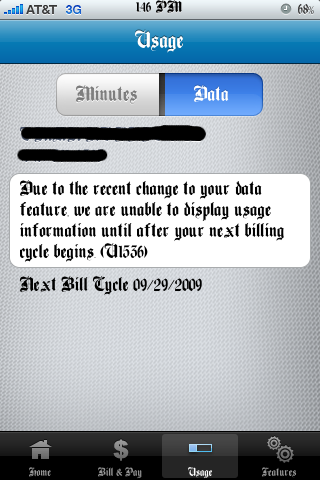
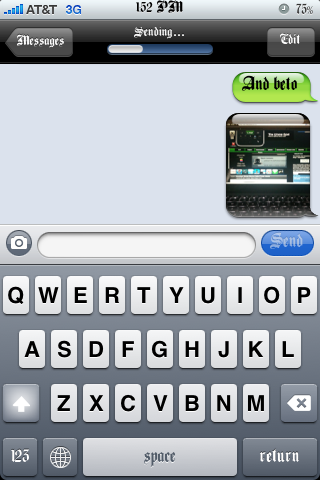
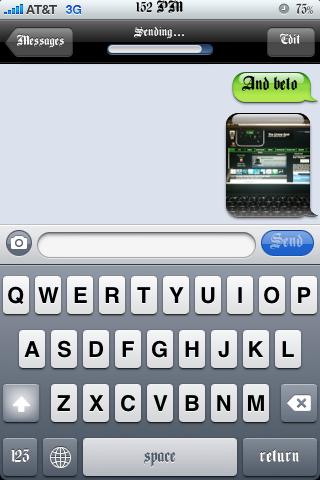
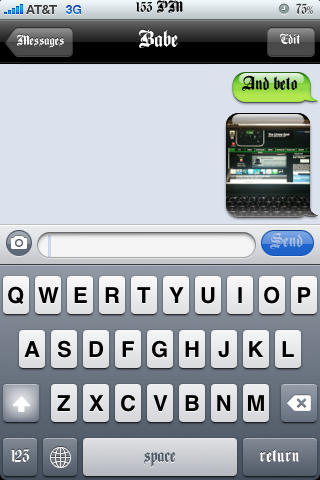
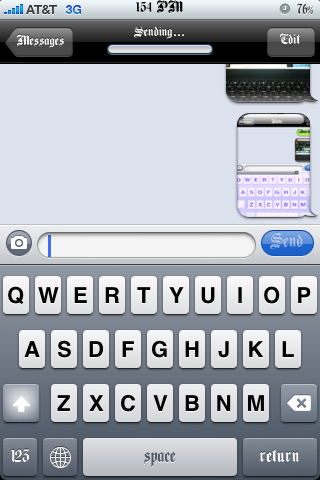
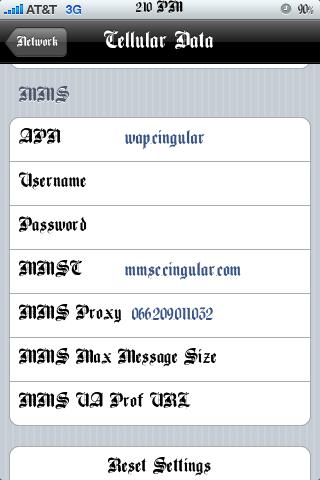
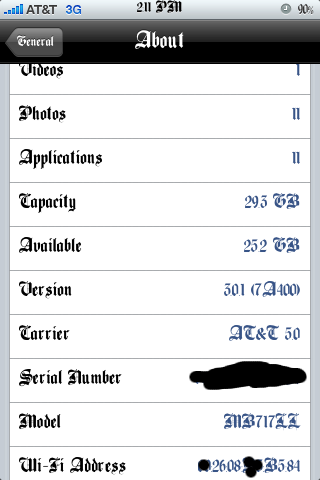
All over the web your seeing that people’s mms is working and here I am again adding on to that talk. I recently saw that some AT&T users were happily sending mms. I have never tried to get mms to work for me as I know I won’t be a big user but I decided to give it a shot just to see if I could get it to work. What I did was download this updated 5.0 ipcc file HERE, the ipcc file  is an update to your AT&T carrier file, you may check your version in the about section on your iPhone, it should say 4.0. I then tried to update my iPhones carrier settings by holding shift+update and then tried to click the ipcc file but it wouldn’t so I used THIS TUTORIAL for my mac so that I could choose the ipcc file. I ended up updating the ipcc to 5.0 and i got some extra settings in General/Network which said cellular data network. I then entered mms settings people said had worked for them and then my hopes were shot down as mms didn’t work at all. I woke up this morning and tried to send an mms which I didn’t expect to work and whadda-ya-know message sent. I checked my att account using the mywireless app from the appstore and I saw that my data plan had been changed or something so I called att and they said everything was fine and that my iphone unlimited messaging plan had been changed to regular messaging unlimited, I didn’t care to annoy them as my mms was working. End of story is that i’m positive they may be activating MMS all around the U.S. Slowly but surely.

iPhoneMMS iPhoneMMS2 iPhoneMMS3

iPhoneMMS4 iPhoneMMS5 iPhoneMMS6

iPhoneMMS7

Goodbye Soccer Moms, Hello iPhone Moms

September 06, 2009 :: Posted by - SoSly :: Category - News

Image from becksliverman

An interesting article in the Pioneer Press this weekend illustrates how the “soccer mom” is rapidly being replaced by the “iPhone mom.”

Quote:
When Laurie Jesch-Kulseth gets a craving for fennel while at the supermarket with her two young kids, she doesn’t just grab a batch of the tasty herb and head for the register. She whips out her iPhone, searches the Web for a good recipe incorporating fennel, fetches the extra ingredients and has a family dinner on the table within hours. Ah, the power.

Indeed, the iPhone has revolutionized the convenience with which we lead our lives. But the article inadvertently exposes a reality that many of us may be noticing in our own lives – that the moms we know or call our own typically use their iPhone in the most bare-bones way possible.

The matriarchs chronicled by Laurie Jesch-Kulseth in this Pioneer Press piece showcase how the iPhone helps moms stay organized, check the weather, make shopping lists, program “ICE” into their phones, etc. It really doesn’t get any cooler than that for the new generation of “iPhone moms.” And I, for one Read more…

Early Screenshots from EA’s FIFA 10

September 06, 2009 :: Posted by - SoSly :: Category - News

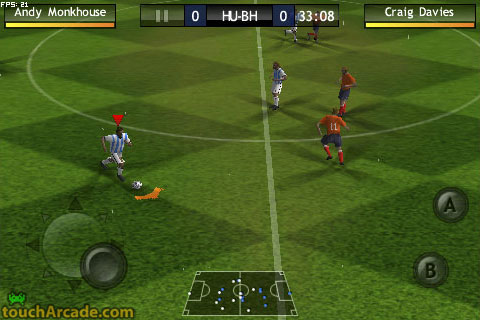
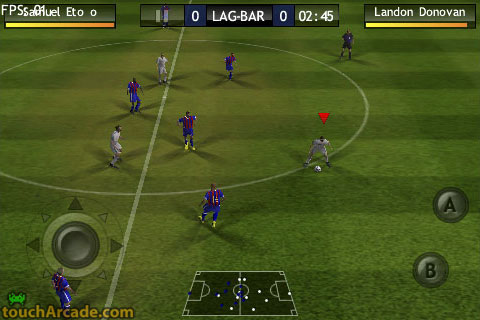
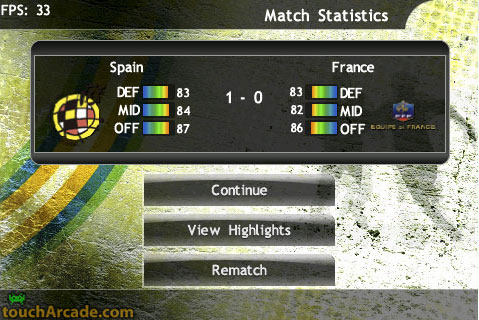
We received some early screenshots from EA’s upcoming FIFA 10 soccer game for the iPhone. FIFA was announced by EA along with a laundry list of other titles back in March, but we’ve heard few details since.
Click the image to open in full size.

The screenshots reveal an analog stick on the left side for player control and A/B buttons on the right side for actions. PocketGamer had some hands on time with an early version of the game and revealed that additional combos by touching and sliding from one button to another, and that specific players can be selected by simply tapping on them.

via toucharcade.com

Catch A Satellite On Your iPhone This Weekend

September 06, 2009 :: Posted by - SoSly :: Category - News

As summer draws to a close for much of the northern hemisphere, try to get outside for some (hopefully) clear skies and a little star gazing.

We’ve taken a good look at many of the star gazing apps available for the Mac and the iPhone, and I thought it would be fun to try the ‘next step’, an iPhone app that finds passing satellites and the International Space Station. There are a lot of websites that give you this information, but having it in an app is even nicer.

I’ve just tried Satellite Visibility [iTunes link], a US$2.99 app that does the job and worked for me the first time out. You tell the app where you are, or let the phone GPS determine your location. You then get a list of all the brighter manmade objects hurtling around the earth that you can see over the next couple days.

If you click on one, you get detailed info on when it appears, when it falls into the earth’s shadow, and what direction to look. In addition, you get little sky maps that show where the object will be in a graphic format.

It was partly cloudy here in Arizona last night, but I did locate the International Space Read more…

AnyRing 2.0 Cracked – Set Any Song From Your iPod Library As Your Ringtone

September 05, 2009 :: Posted by - SoSly :: Category - Cracks

AnyRing via Cydia is a great app for all those who love to have different ringtones. iPhone doesn’t allow you to set ringtones directly from your iPod

playlist unlike Nokia and other Mobile Handsets, but with AnyRing you can choose any song from your ipod library and set it as a ringtone and whats even better is that you can set what part of the song you want your ringtone to play.

Thanks to Studguy for the crack:

Download RockExtensions Cracked HERE

Download Anyring Cracked HERE (Rapidshare, Sendspace, Megaupload, Hotfile)

  • Rename the downloaded rockextensions to rock.deb
  • Copy the file to var/mobile on your iphone
  • Open up mobile terminal on your iphone and do the following
  • Type in su (press return)
  • Type in alpine (press return)
  • Type in dpkg -i rock.deb (press return)

On to the next deb file:

  • Rename the downloaded anyring.deb to ring.deb
  • Copy the file to var/mobile on your iPhone
  • Open up mobile terminal on your iPhone and do the following
  • Type in su (press return)
  • Type in alpine (press return)
  • Type in dpkg -i ring.deb
  • Reboot your iPhone and enjoy using all your songs as ringtones

Note: If you already have rockextensions cracked installed then you don’t have to install the first deb just install the anyring.deb and also thanks to studguy.

Loopt The First Constantly Connected Third-Party iPhone App

September 05, 2009 :: Posted by - SoSly :: Category - News

Loopt

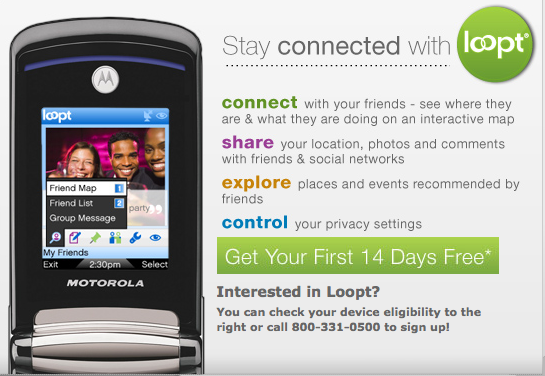
With users’ permission, the social networking iPhone application Loopt will report the phone’s current location even when the software isn’t running, based on a new agreement with AT&T.

In a report from Silicon Alley Insider, Loopt cofounder Sam Altman said the always-connected feature has been the most requested from users. The service allows people to track where their friends are at any given moment, a task difficult to constantly maintain on the iPhone, which doesn’t currently allow third-party applications to run in the background.

Ordinarily, closing the application would cease any connections, but the new AT&T-sanctioned feature comes with a price: The always-on capability will add $3.99 to a monthly AT&T bill, after the 14-day trial. The initial trial will be open to 5,000 users.

According to the report, the new deal doesn’t change the policy on third-party apps — think of it more like a service than the entire Loopt application running in the background. It says that the application Read more…

DirecTV NFL Mobile: The most expensive free app

September 04, 2009 :: Posted by - SoSly :: Category - News

DirecTV, which I love dearly and which supplies signal to eight screens in my house, has just announced the NFL Mobile app [iTunes link] which doesn’t go live until September 13th (although you can download it now). Once working, the app will let you watch live streams of all NFL Sunday Ticket football games, including the Red Zone channel. The Red Zone channel changes from game to game as the ball gets inside an opponent’s 20 yard line while a narrator explains just what’s going on. 

The app also will display scores, statistics for players and teams, as well as video clips and highlights from each game. So far there has been no word as to whether video streaming will be available on 3G as well as Wi-Fi, but we’ll know soon enough.

This is wonderful news for football fans who are already jonesing during pre-season, but it’s not all hearts and flowers. For the privilege of using this free app, you need to plunk down $379.95 for programming. The NFL Season Ticket will run you $299.95 but that’s not good enough to run the app. Read more…

MMS Available to iPhone 3G & iPhone 3GS Customers On September 25

September 04, 2009 :: Posted by - SoSly :: Category - News

After months of speculation, AT&T has finally announced that MMS will be available to their iPhone 3G and iPhone 3GS customers on September 25.
Unfortunately, there is still no news as to when tethering will be available as there was no mention of it in the press release, so looks like AT&T customers will have to wait even longer for that feature.

As you might know, AT&T was one of the carriers that did not offer MMS and tethering feature to their customers, which was included in iPhone OS 3.0.
AT&T has explained the reason for the delay in rolling out the feature:

” We know many of our iPhone customers are eager for an update on our rollout schedule for Multimedia Messaging Service (MMS). We’ve been working for the past several months to prepare our systems and network to ensure the best possible experience with MMS when it launches – and that launch date is: September 25 for iPhone 3G and 3GS customers. MMS will be enabled through a software update on that day.We know that iPhone users will embrace MMS. The unique capabilities and high usage of the iPhone’s multimedia capabilities required us to work on our network MMS architecture to carry the expected record volumes of MMS traffic and ensure an excellent experience Read more…