September 01, 2009 :: Posted by - SoSly :: Category - Cracks
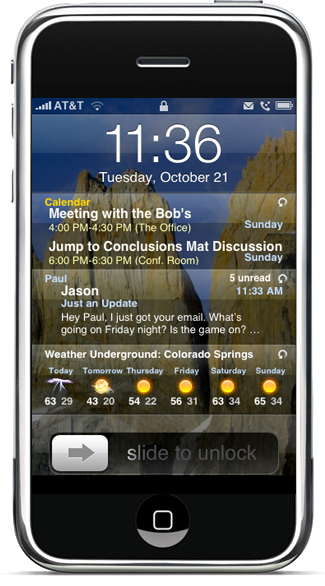
Need to know where your next meeting is? Do you have any new email? What about a quick glimpse at your SMS/Text messages or weather? Want to catch the latest news, but Safari is too slow? IntelliScreen allows you to glimpse at your critical data on your iPhone “Slide to Unlock” screen!
Features:
- View Calendar, Email, Text Messages, News, Sports, and Weather from your iPhone “Slide To Unlock” screen
- Taskbar Icons for Missed Email, SMS, and Phone calls
- QuickView
- View/Mark Read/Mark Unread/Delete your Emails and SMS from the Lock Screen
- 2 IntelliScreens
- Double Tap the Clock Area to goto Page 2
- Hide IntelliScreen with a Swipe to the left on the Clock Area
- Swipe Right to get it back
- Customizable Alert Reminders
- Don’t forget about a missed call, unread email, unread SMS, or repeating Calendar Alerts
- Vibrate, Sound, or Flash Alerting with Alert Quiet Time
Thanks to Studguy, you guys already know. Install instructions are below:
Download Intellishared 2.96.3 Cracked HERE
Download Intelliscreen 2.95.4 Cracked HERE
- Renamed Intellishared to ishared.deb
- Copy the file to var/mobile on your iPhone
- Open up mobile terminal and do the following exactly
- Type in su (press return)
- Type in alpine (press return)
- Type in dpkg -i ishared.deb (press return)
Do not respring or reboot just push the home button after doing the above then do the following:
- Rename Intelliscreen deb to iscreen.deb
- Copy the file to var/mobile
- Open up mobile terminal and do the following
- Type in dpkg -i iscreen.deb (press return)
- Reboot or Respring and Enjoy
Additional Notes:
- No need to install Rock Extensions, RockApp or create RockID (if its already installed then no problems either)
- Even if intelliscreen and intellishared are installed you can use the above commands to update the packages
- If you are having problems uninstall previous version of intelliscreen and intellishared, reboot and then install from above packages.
- If you are using SBSettings, disable “Use Status Bar” option in Intelliscreen to avoid conflicts.
- Disable/Uninstall applications like LockInfo to avoid conflicts.


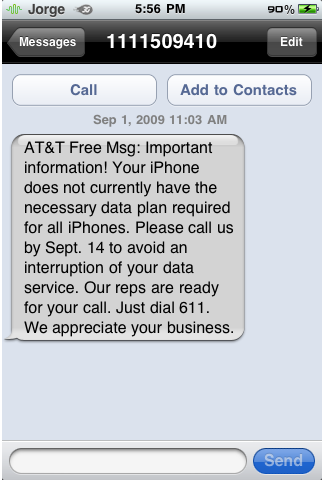
 Bad news for users biteSMS.