
iFile 1.1.0-1 Cracked
October 20, 2009 :: Posted by - SoSly :: Category - Cracked .deb's, Cracks
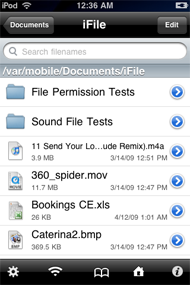
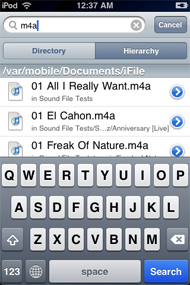
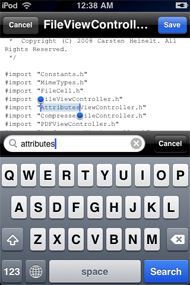
Download:

Thanks to Studguy1 over at xsellize for the crack and soh20 for the original .deb file. More info on this ifile update at the original website HERE. Installation instructions below:
- Install file-cmds, zip, unzip, p7zip, gzip, bzip2, unrar packages from Cydia To make sure ifile works properly
- Rename the downloaded deb to ifile.deb
- Copy the file to var/mobile on your iphone
- Open up mobile terminal on your iphone and do the following
- Type in su (press return)
- Type in alpine (press return)
- Type in dpkg -i ifile.deb (press return)
- Reboot or respring and enjoy
Tags: deb, dpkg, ifile, iphone, mobile terminal, press, Type
November 9th, 2009 at 8:58 pm
Is it just me, or is the image viewer in v1.1.0-1 painfully slow? Much slower than in v1.0.1-1, and almost unusable…
December 4th, 2009 at 11:46 am
Best App ever, thankyou.
January 7th, 2010 at 2:40 am
Ridiculously easy and really useful.
Thanks for cracking this app.
January 9th, 2010 at 9:55 pm
Thanks for posting this. Keep up the great work.
February 6th, 2010 at 7:12 am
wat would u rate this out of 10
coz i dont know if i should install this
February 6th, 2010 at 3:13 pm
10 because it lets you do everything you do on your compute without the computer though .. Set permissions, rename winterboard icons, install downloaded debs easy..
February 6th, 2010 at 7:17 pm
sosly
to install this i need to add evrything
file-cmds, zip, unzip, p7zip, gzip, bzip2, unrar
then add ifile and install it
February 7th, 2010 at 2:16 am
Yeah it should install automatically after you install ifile and open up ifile
May 12th, 2010 at 5:33 pm
o hai
if you want you can just put the .deb file into var/root/media/cydia/autoinstall
restart ur device and ta dah :/
June 1st, 2010 at 4:02 pm
when is search for any of the folloeing: “file-cmds, zip, unzip, p7zip, gzip, bzip2, unrar” on cydia, nothing shows up?
June 1st, 2010 at 7:51 pm
Just install it through the repo, http://theiphonespotrepo.net/apt and install ifile through iphonespot apps section.