
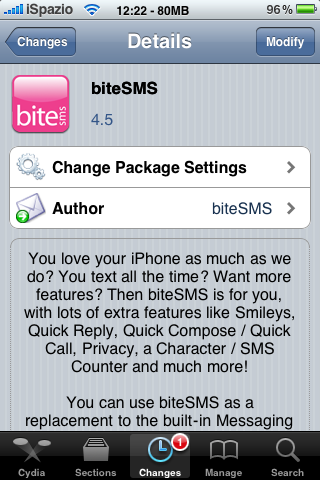
Update: BiteSMS 4.5 Cracked
December 28, 2009 :: Posted by - SoSly :: Category - Cracked .deb's, Cracks
Download:

Thanks to studguy1 for this crack.
Install Instructions:
- After downloading the deb above rename it to bite.deb
- Copy the file to var/mobile on your iphone, install using ifile or do the following
- Open up mobile terminal on your iphone and do the following
- Type in su (press return)
- Type in alpine (press return)
- Type in dpkg -i bite.deb (press return)
- Reboot or respring and enjoy
Tags: deb, iphone, mobile terminal, press, return, Type
December 28th, 2009 at 12:06 pm
If I already have 4.4 cracked, how do I upgrade? Just like a fresh install? Thanks so much.
December 28th, 2009 at 3:29 pm
I upgraded easily through Rock. The only thing I noticed new is the Sms Alert toggle in sbsettings. Working great! Thanks
December 28th, 2009 at 4:53 pm
or you can just install the same way as i posted above, it will automatically update the installed version.
December 29th, 2009 at 12:16 am
I think the search function is new also. Thanx for these cracked verisons of bitesms! You guys on the iphonespot is really helping me out:) thanx ever so much!
February 8th, 2010 at 6:27 pm
so how do i get to var/mobile
ps i tried it using iphone explorer and once i typed the code in the end it dont work
February 8th, 2010 at 7:04 pm
What you do is have mobile terminal installed on your iphone, you then using iphone explorer or iphone browser to copy the deb file to var/mobile on your iphone using one of the two programs, just drag and drop the deb to the phone then on your iphone open mobile terminal and do the instructions above.
February 9th, 2010 at 3:01 am
I may just be the least technologically adept, but because itunes will not allow much interaction through the iphone, how do you go about moving the file from computer to iPhone? Is there a video available with step-by-step instructions?
February 13th, 2010 at 7:49 am
Nice job! Haha I could do it all on my iPod with no computer, because I have safari download manager and iFile. I can’t though, because I’m out of space on the system, and I think bosstool fixes that, but it won’t run on my firmware. I’m in a pickle.
February 15th, 2010 at 12:33 am
Thank you so much for this sort (but effective) tutorial. Works like a dream!
February 28th, 2010 at 11:05 am
spiegazione esauriente e chiara, grazie!