gpSPhone 6.0.1 for 3.0

July 09, 2009 :: Posted by - SoSly :: Category - Cracks

I must say that this runs beautifully on the iPhone 3G S, this is the deal breaker

Download links for deb file below:
Links removed as I do realize that zodttd works hard and has given us so much more on our iphones, he is one of the reasons we jailbreak. Everyone if you like the app then go buy it and if you can’t even do that as some people are cheap then donate a dollar or two. Im sorry if this makes some of my readers mad but I like to think of myself as a respectable person, especially if the man comes and comments on my site.

Note: You have to ssh into your iphone or use diskaid and such to do this.

Easy way to install this deb: Read more…

MyWi Patch

July 09, 2009 :: Posted by - SoSly :: Category - Cracks

Create a WiFi HotSpot with a press of a finger! Wherever you are – you can connect your laptop or other mobile device to your iPhone easily!

Quote:
Features:
- Create WiFi Hotspot to connect mutiple laptops or mobile devices to share your iPhone’s internet connection
- 40 bit and 104 bit WEP Security to prevent others from accessing your WiFi HotSpot
- Ability to enable USB and Bluetooth Tethering on your iPhone as well
- Broadcasts the Network Name (SSID) – no need to fuss with creating an adhoc network on your laptop
- Uses less battery and much faster then PdaNet due to native routing
- Shows up and down bandwith usage


NOTE: MyWi does not support the iPhone 2G. Please see your carrier contract for eligibility and/or additional fees.

Download: http://www.2shared.com/file/6611426/…e/MyWiApp.html

I found this on rapidshare, no idea who uploaded this.
Now hosted on 2shared since stopid RS is not allowing more downloads.

New . deb links below:

http://www.mediafire.com/download.php?mulwlqduyny

Easier way to install:
1. Add the repo: http://repo.sinfuliphone.com
2. Go to sections and tap the Sinful Iphone section.
3. Go to MyWi Crack and install it. (after you install you might be prompted to respring. When respring, if your iphone gets stays on the wheel when it resprings longer then it should just hold the home button untill your iphone starts up.
4. Open up the application and tap sign in.
5. Use this to sign in:
Code:

RockId: [email protected]
Rock Pass: cracked

6. Close App and Reboot.

thanks to masked1

WARNING:
Install this as fast as possible, maby there will be a fix for this patch soon.
(if there comes a fix, maby we can patch it again since i own the orginal version, but i dont know if that will work, and remember i didnt made this patch)

its a edit of the timestamp patch for the iDA navigation.

Instructions: Read more…

Cyntact Updated To 3.0

July 07, 2009 :: Posted by - SoSly :: Category - Cracks

  • Download ****Cyntact 3.0****
  • Copy the two files cyntact.plist and cyntact.dylib to root/library/mobilesubstrate/dymamiclibraries/

Note: This seems to only work on firmware 3.0 with the older iphone 3g and 2g models. The 3gs is having problems with this.

Thanks to carrbone at xsellize

Supreme Preferences 3.0 v1b6 Leaked

July 07, 2009 :: Posted by - SoSly :: Category - Cracks

Warning- this is a beta and you install this at your own risk, I will not be responsible for any software conflicts or problems you have with your iPhone/ipod

REQUIREMENTS:
OS 3.0
Mobile Substrate
WinterBoard
WebViewController
NO MMPFlip installed (this RUINS Supreme Preferences 3.0)

Hacktivate your iPhone 3GS after Geohot’s Purplera1n

July 07, 2009 :: Posted by - SoSly :: Category - Cracks

So you used purplera1n and jailbroke your iPhone 3GS but you still see the emergency screen huh? We just have to hacktivate your iPhone and then we can unlock your iPhone using ultrasn0w!

Lets get started :

1) Make sure you used purplera1n and jailbroke your iPhone 3GS. If you see the Emergency calls screen, you may follow the next few steps.

2) Download this lockdownd file.

3) Download iPhoneBroswer for Windows. You may try PhoneView/DiskAid for your Mac.

4) Launch iPhoneBrowser and navigate to usr/libexec folder as shown in the picture below. (If you don’t see the following screen, that means your iPhone is not jailbroken yet. You may try plugging back your iPhone to your computer. If that doesn’t work, it is time to run purplera1n again.) Read more…

iPhone 3G S Jailbreak PurpleRa1n for Mac

July 06, 2009 :: Posted by - SoSly :: Category - Cracks

Our friend Geo Hot and some friends of his from chronic dev have finally released the purplera1n jailbreak for mac. The jailbreak is so simple, just click once and your jailbroken. I’m surpised it doesn’t use much more than 20 mbs. If you can’t wait to jailbreak your beloved iphone 3gs than go ahead and use purplera1in, I do warn people that it is in beta and if you aren’t sure about it then your best bet is to wait for the updated iPhone dev team jailbreak tools as you can always be positive that their work will be the most complete and safe.

JAILBREAK BELOW AT:

http://purplera1n.com/

Choose your OS & make it rain

GeoHot Improves iPhone 3GS Jailbreak (Now Vista Compatible)

July 05, 2009 :: Posted by - SoSly :: Category - Cracks

Vista, Windows 7, International, 64-bit support
Less flakiness in the payload
Cydia tar cleaned up
Improved logging with slightly more useful errors
New kernel patches, codesign errors gone. Props posixninja
Added vm_map +x, passed vm_check
No winterboard yet, but now that ball is in Saurik’s court :-)
Still in beta, use caution
purplera1n

Happy 4th everyone!!!

Via http://iphonejtag.blogspot.com/2009/07/purplera1n-rc2.html

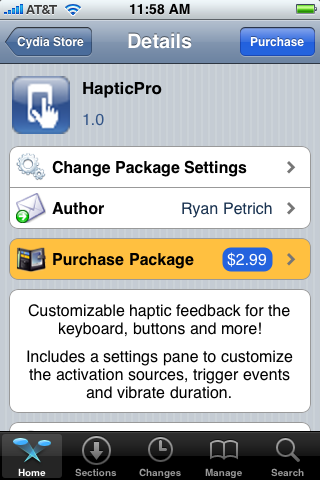
Haptic Pro 3.0 Download

July 04, 2009 :: Posted by - SoSly :: Category - Cracks

  • Download ***HapticPro 3.0***

  • Copy the folder named HapticPro that is inside the library folder to root/library/
  • Copy the .dylib file and .plist  to root/library/mobilesubtrate/DynamicLibraries/ set permissions to 777
  • Copy the HapticPro folder  to root/usr/include and set permissions to 777
  • enjoy haptic pro 3.0

Thanks to Burn05 over at xsellize for the upload

iPhone 3G S Jailbreak Released by Geo Hot

July 03, 2009 :: Posted by - SoSly :: Category - Cracks

This is via geo hot’s blog

I make it ra1n

Yes, this is what you’ve all been waiting for. A jailbreak for the iPhone 3GS. And it’s awesome. To get started right now, go to purplera1n.com. Download it. Make sure you have windows(but not 7), the latest iTunes installed, and an iPhone 3GS with 3.0 firmware. Connect your iPhone normally. Click “make it ra1n”. Wait. On bootup, run Freeze, the purplera1n installer app. Hopefully you’ll figure out what to do from there. Best tutorial gets linked to from purplera1n site. This tool is beta. Make sure to have everything backed up before running. Also if Cydia doesn’t show up after running Freeze, reboot.

If you need help email purplera1n.support at gmail and attach your purplera1n.log file. Or call the purplera1n support hotline @ (650) 265-1210 Mac version is coming shortly.

Normally I don’t make tools for the general public, and rather wait for the dev team to do it. But guys, whats up with waiting until 3.1? That isn’t how the game is played. We release, Apple fixes, we find new holes. It isn’t worth waiting because you might have the “last” hole in the iPhone. What last hole…this isn’t golf. I’ll find a new one next week. Also your purplera1nyday files ensure that you can always get back to a jailbroken state, so if you have it it’s just a matter of tools.

Props to chronic dev for their help, and to kroo for writing v2 of Freeze. And props to Saurik for making an awesome package set. Note the binary size of purplera1n, it’s smaller than C++ hello world. No 20MB thing that needs to be torrented. And no IPSW to download. This is how jailbreak should be!

Follow me on twitter @ geohot

Fix For Low Quality Tmobile MMS Images

July 02, 2009 :: Posted by - SoSly :: Category - Cracks, News

download the approppiate file, the first is for epc.tmobile.com as the internet apn and wap as MMS apn.

the second file is for the internet2.voicestream.com as the internet apn and wap as MMS apn

***Ipcc settings for epc.tmobile.com***

***Ipcc settings for internet2.voicestream.com***

all credit goes to ironicirony over on modmyi

just download, unzip, upload via itunes and enjoy your hi-res pics!

EDIT:
To be able to install ipcc in the latest version of itunes:

Mac – open a terminal and type in..
defaults write com.apple.iTunes carrier-testing -bool TRUE

Windows – goto- Start, then run Or at command prompt:
Type :
“C:\Program Files\iTunes\iTunes.exe” /setPrefInt carrier-testing 1
(with the quotes and then push enter)

after that all you need to do it shift + update (alt +update for mac) in iTunes and select the correct ipcc file

Thanks to colmiak for the info at xsellize.