
3G S Users Say No To RockYourPhone 2

September 11, 2009 :: Posted by - SoSly :: Category - News

Rockyourphone

RockYourPhone has released their v2 client. Now, I have not looked at this client yet. Let me state that I am not bashing rock your phone and have not made a determination yet whether or not it is great or terrible. What I can tell you is that if you are on a 3gs you should not install this until a 3.1 jailbreak is released.

As I already posted, the 3gs can no longer be restored to 3.0 or 3.0.1 anymore. If you update to 3.1 on your 3gs you may never be able to jailbreak again.

Rock your phone installs its own extensions and modifies a lot of system files. It is not installing just “an app”. They replace mobile substrate with their own version and the two may or may not work well side by side. Some thumb C function injection is likely to be broken. In normal cases, a simple restore would solve whatever issues you run into, but as things stand, you cant restore. So again, a very strong warning. If you are on a 3gs, do not install RYP2 at this time. If you want to test it, use a 2g, 3g, or wait for 3.1 jailbreak.

Note: this warning also applies to other software, but most stuff in cydia community sources can be repaired fairly easily without a restore using SSH.

Via thebigboss.org
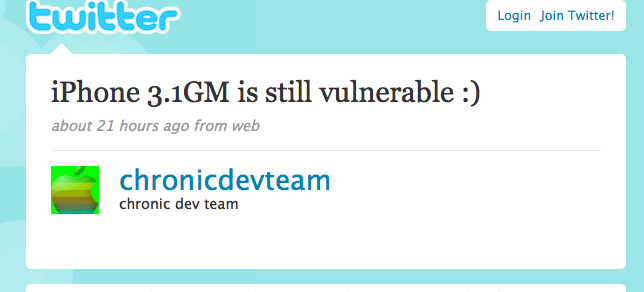
3G S Users Cannot Restore To 3.0, 3.1 Is Still Vulnerable

September 10, 2009 :: Posted by - SoSly :: Category - News

So as of today, Apple has stopped signing 3.0 and 3.0.1 restore files. That means that if you have a 3GS iPhone you cannot restore any firmware other than 3.1. If you are happily jailbroken today and something goes wrong you are pretty much screwed.  Here is a summary:

1) If you have an iPhone 3g or 2g, you are fine and should be able to restore.

2) If you have a 3gs, you can only restore 3.1 (and kiss your jailbreak good bye). If you did not get an IBSS/IBEC signature before now and you restore, you may never be able to jailbreak again.

3) If you have an iPhone 3GS and you used Cydia to save your TSS or did purplera1n or similar a while back and saved your IBEC, then you will be able to restore in the near future, but you must wait for someone smart to write a utility that will let you do it.  Chances are good that such a utility will come out in a couple days. If you can be patient and wait, do so. No one wrote this utility prior to this because we were not sure if Apple would actually stop signing 3.0 – only that they *could*.

It looks like an exploit has already been found in 3.1 firmware so it sounds like a jailbreak will be possible, but again, hold out for a bit.

3.1 Still Vulnerable

Via thebigboss.org

Apple’s iPhone OS 3.1 Feature List

September 10, 2009 :: Posted by - SoSly :: Category - News

Below is Apple’s list of new features for iPhone OS 3.1 :

The free iPhone OS 3.1 Software Update includes some great new features, as well as all the features from previous updates. iPhone OS 3.1 gives you Genius recommendations for apps, lets you download ringtones wirelessly, offers a new way to organize apps on your iPhone, and more.

Genius Recommendations for Apps:
Get recommendations for apps you might like based on apps you’ve already downloaded.

Added by Brooke… The Genius section will be located in the App Store application in the Features option. At the top of the Features page it will now have tabs for New, What’s Hot and Genius.

Genius Mixes:
Have iTunes create up to 12 playlists based on what’s already in your library. You don’t even have to choose a sample song.1

Download Ringtones Wirelessly:
Choose from thousands of iPhone ringtones on the iTunes Store and buy them with a tap.

Added by Brooke… There will be over 30,000 ringtones available from all 4 of the major music labels. They ringtones will be sold for a $1.29 (USD) each.

Organize Apps in iTunes:
Use iTunes on your computer to drag apps onto virtual Home screens, then sync them to your iPhone.

iPhone OS 3.1 also includes these features and updates:
* Improved syncing for music, movies, TV shows, podcasts, and photos1
* iTunes U content organization1
* Redeem iTunes Gift Cards, codes, and certificates in the App Store
* Display available iTunes account credits in the App Store and iTunes Store
* Save video from Mail and MMS into Camera Roll
* Option to “Save as new clip” when trimming a video on iPhone 3GS
* Better iPhone 3G Wi-Fi performance when Bluetooth is turned on
* Remotely lock iPhone with a passcode via MobileMe
* Use Voice Control on iPhone 3GS with Bluetooth headsets
* Paste phone numbers into the keypad
* Option to use Home button to turn on accessibility features on iPhone 3GS
* Warn when visiting fraudulent websites in Safari (anti-phishing)
* Improved Exchange calendar syncing and invitation handling
* Fixes issue that cause some app icons to display incorrectly

Via appleiphoneschool.com

Saurik Creates New Ecid Grabber Using Cydia For Easier 3G S Jailbreak

September 08, 2009 :: Posted by - SoSly :: Category - News

Following the update of Cydia, you may have noticed a new “Home Page” through which Saurik promises a “simpler life” with regard to the future Jailbreak your device. What happens when you accept?

IMG_0282 IMG_0283 IMG_0284

In the past, we provided several guides in order to save the ECID of your iPhone or certificate that will allow you to install a custom firmware even if Apple will change the process of checking the authenticity of the software.

In principle, the process to save the ECID is simple but now Cydia unable to do so automatically, by clicking a button. Your certificate will be saved to the server which will be Saurik’s “warehouse” for all users.

When the DevTeam releases their new jailbreak software it will send a request to the server and if your Saurik ECID is present, the jailbreak release will take place without any problem.

In this way Apple can never stop in any way, the Jailbreak your iPhone 3GS.

Via ispazio.net