Apple confirms it banned iPhone porn app

September 24, 2009 :: Posted by - Thomas :: Category - News

Porn App

And here comes the ban of the apparently very popular iPhone porn app, while not too unexpected, the reason behind it took a while to completely come out.

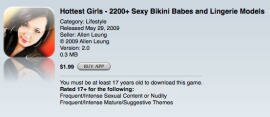
Thursday saw the first softcore porn app arrive for the iPhone, only to disappear hours later. Many, including myself, thought Apple had approved and then banned the app, but a note on the developer’s Web site indicated that he asked for the app to be removed.

The developer’s note read:

“The Hottest Girls app is temporarily sold out. The server usage is extremely high because of the popularity of this app. Thus, by not distributing the app, we can prevent our servers from crashing. Customer satisfaction is more important to us than profits. Those who already have the app will still be able to use our app. To answer the question on everyone’s mind: Yes, the topless images will still be there when it is sold again.”
Read more…

12mail: Short video messaging arrives on iPhone

September 24, 2009 :: Posted by - Thomas :: Category - News

12mail

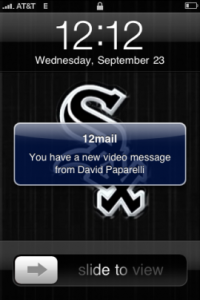
12seconds.tv, a micro video messaging service dubbed by some as “Twitter for video,” is bringing the same short format to private video messaging in its second iPhone app, 12Mail.

The basic gist of the app, released this week, is that you can record a video, up to 12 seconds, and send it off to one of your friends. Your friend then gets a push notification and can watch it. Read more…

Starbucks reveals iPhone apps

September 24, 2009 :: Posted by - Thomas :: Category - News

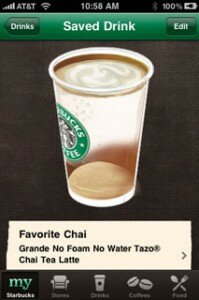
Starbucks App

Extra-hot venti with whip white chocolate mocha?

Yeah, there’s an app for that.

Starbucks has introduced two new applications for the iPhone and iPod touch that will allow users to order and pay for coffee beverages directly from the device.

The myStarbucks application allows you to customize your favorite drink, remember friends’ or coworkers’ preferred drinks and locate nearby Starbucks stores to order them. The app allows you to share your concoction with others (hey, intern!).

Read more…

Apple OKs first porn star apps for the iPhone

September 24, 2009 :: Posted by - Thomas :: Category - News

“Apple has approved the first two iPhone apps dedicated to the careers of popular (or, ahem, so we’re told) porn stars”, reports Cnet earlier today. Developed by GrindHouse Mobile and the stars, these apps set a precedent as the first time that Apple has the allowed the porn industry into the store in such an obvious way. While more “in-your-face” then some of the already available apps, the content of these new apps is still rather tame (meaning no nudity), although GrindHouse did admit that the original version was “a little too ‘hot’ for Apple’s compliance department.” and had to be redone to the current ones. Read more…

The In-App Purchase: A big failure?

September 22, 2009 :: Posted by - SoSly :: Category - News

Probably will not sound like a totally unexpected news but according to the opinion of the big companies to Purchase In-App is a real failure.

Immagine 18

Was to be expected because usually users who purchase an application are not very responsive to spend more money to get them to function in more than a level pack add-on. The AppStore has accustomed us well, at best, with regular updates and free (read Pocket God) by which the Purchase In-App can not reach that level of satisfaction necessary to motivate developers.

Pangea Software, with one million copies sold in riddles, said that only 20-25 people a day using the in-app purchase and expectations were much larger.

Have you been using the in-app purchase feature.

Via ispazio.net

Three New iPhone Ads Make debut On Prime-Time Tv

September 22, 2009 :: Posted by - SoSly :: Category - News

Were you watching the two-hour season premiere of House last night on Fox? Maybe you were watching one of the other prime-time shows, but if you had your eyes on the screen during some of the commercial breaks, you probably saw at least one of the three new iPhone ads that hit the airwaves last night.

Each of the new ads highlights a total of six apps, up from the three that were formerly the focus of the older ads. The first ad I saw last night, “Dine,” looks at Zagat to Go, QuickOffice, TripCase, New York Subway 09, Epicurious Recipes & Shopping List, and Gap Style Mixer. [Note: all app links will open the iTunes App Store]

The next ad I viewed was “Nature,” featuring iXpenseIt, Daily Finance, Guitar Toolkit, Lonely Planet Mandarin Phrasebook, iBird Explorer Plus, and the ever-popular Pizza Hut app. I didn’t get a chance to see the third advertisement, “Pass,” until I visited the Apple website this morning. It’s a 30-second quick look at Fandango, G-Park, VocabWiz College Vocabulary, 365 Crosswords, Classics, and ABC Animals.

I’m happy to see that Apple is maintaining focus on the number and variety of apps in the App Store, instead of resorting to the narcissistic, touchy-feely, celebrity-filled tripe that T-Mobile has been using for their Android-based MyTouch 3G ads.

Via tuaw.com

UnlimTones

September 20, 2009 :: Posted by - SoSly :: Category - News

UnlimTones is an app that downloads ringtones directly on your iphone. I believe this app is use audiko.net to get the ringtones, which by far is the best free ringtone service for the iPhone. Check out the video and instructions below to start downloading your custom ringtones now:

Download UnlimTones HERE

  • Rename the downloaded deb to tones.deb
  • Copy the .deb to var/mobile on your iPhone
  • Open up mobile terminal and do the following
  • Type in su (press return)
  • Type in alpine (press return)
  • Type in dpkg -i tones.deb (press return)
  • Reboot or Respring and enjoy

Thanks to eni9889 at xsellize for the app. He will be updating this soon so you can also add his repo

  • http://i4iphones.info/cydia/

to install it through cydia and always be up to date.

UDID Faker 1.01

September 18, 2009 :: Posted by - SoSly :: Category - Cracked .deb's, Cracks

Udidfaker1 Udid faker

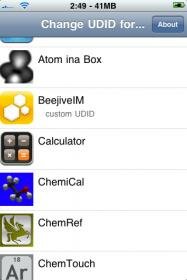
Finally a faker for us users who are  paranoid about giving our sensitive iphone data out to people. With the udid faker you can fake your udid. UDID stands for Unique Data Item Description and is used mainly by appstore apps to see who is using the app and to tell if your udid is using a cracked app or not, even cydia apps use it for registration so if an app is registered by udid you can ask a friend who bought a copy to give you his udid so that you can use it too. Thanks to Aulter and Reilly for this one. Below is the download and what they had to say about this: Read more…

Kirikae App Switcher

September 12, 2009 :: Posted by - SoSly :: Category - News

This is only for firmware 3.0 and above. This app lets you switch between apps running in the background, if you use backgrounder you will love this!!! To use the app double click the home button and you get a pop-up with a list of all your running apps.

You can download the app via cydia, it is in the bigboss repo or you can download it below:

Download here

  • Rename the .deb to kirikae.deb
  • Copy the file to var/mobile on your iphone
  • Open up mobile terminal and do the following
  • Type in su (press return)
  • Type in alpine (press return)
  • Type in dpkg -i kirikae.deb (press return)
  • Reboot or respring and enjoy

Catch A Satellite On Your iPhone This Weekend

September 06, 2009 :: Posted by - SoSly :: Category - News

As summer draws to a close for much of the northern hemisphere, try to get outside for some (hopefully) clear skies and a little star gazing.

We’ve taken a good look at many of the star gazing apps available for the Mac and the iPhone, and I thought it would be fun to try the ‘next step’, an iPhone app that finds passing satellites and the International Space Station. There are a lot of websites that give you this information, but having it in an app is even nicer.

I’ve just tried Satellite Visibility [iTunes link], a US$2.99 app that does the job and worked for me the first time out. You tell the app where you are, or let the phone GPS determine your location. You then get a list of all the brighter manmade objects hurtling around the earth that you can see over the next couple days.

If you click on one, you get detailed info on when it appears, when it falls into the earth’s shadow, and what direction to look. In addition, you get little sky maps that show where the object will be in a graphic format.

It was partly cloudy here in Arizona last night, but I did locate the International Space Read more…