Update: iFile 1.2.0-1 (timebomb fixed)

March 22, 2010 :: Posted by - SoSly :: Category - Cracked .deb's, Cracks
Download:

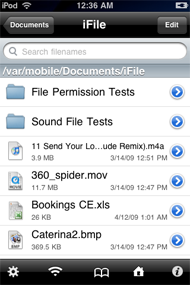
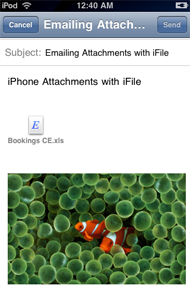
A File Manager and Viewer. iFile is a file manager runnning under user root. It allows fast navigation through the iPhone file system. You can directly view files of various types, e.g. movies, sound, text, HTML, Microsoft types, PDF, various compressed formats. For PDF files direct jumping to pages is possible. ZIP packing and compressed file unpacking is also supported. Files can be sent as email attachments. Text files and property lists can be edited. Folders and files can be bookmarked. In addition, files can be uploaded and downloaded from iFile’s built-in web server.

-More Info Click HERE

Easy Install: Add Theiphonespotrepo.net/apt to your cydia sources, search iFile, install from there. Read more…
iFile 1.2.0-1 Cracked

March 11, 2010 :: Posted by - SoSly :: Category - Cracked .deb's, Cracks

Download:

A File Manager and Viewer. iFile is a file manager runnning under user root. It allows fast navigation through the iPhone file system. You can directly view files of various types, e.g. movies, sound, text, HTML, Microsoft types, PDF, various compressed formats. For PDF files direct jumping to pages is possible. ZIP packing and compressed file unpacking is also supported. Files can be sent as email attachments. Text files and property lists can be edited. Folders and files can be bookmarked. In addition, files can be uploaded and downloaded from iFile’s built-in web server.

-More Info Click HERE

You can install this through TheiPhoneSpotRepo or download the deb file above and install manually.

To install easily add this source to cydia: theiphonespotrepo.net/apt

WARNING Vroom Paid Cydia App Is Fake

February 21, 2010 :: Posted by - SoSly :: Category - News

Today some developer released a “pay” package called “Vroom” which sounded too good to be true. Unfortunately, it is. Do not install this package. Not only does it not do what it claims, but it is also somewhat dangerous and will wear out your iPhone with limited use. Read below for details. (Note: Zodttd has removed this package from Cydia, but it may creep up somewhere else).

First, this package claims to speed up your iphone, increase your free memory by managing your daemons, and increase your battery usage. Sounds amazing right? Who wouldnt want this?

So what does it really do? It enables memory swap on your device.

What are the results of memory swap on your device? The free memory will appear to be better. That’s because it is using your disk as memory.  But that’s not all. This package is actually just a stolen file that is already on your device, renamed. So that means the “developer” decided to take a file off his iPhone, rename it, and sell it to you for $1.99.

Here is proof that the file is stolen. The original file is dynamic_pager that is provided by Apple in your /sbin folder. The new file from this app is called Vroom_data. Check out the md5sum of both proving that the files are identical: Read more…

ZoomIt SD: Allows Your iPhone To read/write To Sd Memory Cards

February 08, 2010 :: Posted by - SoSly :: Category - News

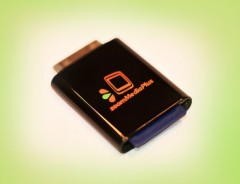
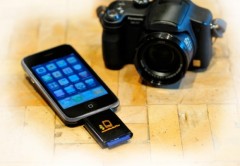
The accessory, goes along with the free app ZoomIt [iTunes Link]:

  • Copy or move files from the SD card to a Local File Manager;
  • Delete or rename a file in File Manager or SD card;
  • View a file in a format thats SDK3.0 compatible;
  • Interfacing with the photo album to move / copy pictures to / from SD card to iphone or iphone to sd card.
  • Interface with the iPhone camera to take a picture and store to SD card
  • Interfacing with Mail to share a file or a picture

Zoomit DS is expected to ship in April for $ 60, but until you can pre-order from the official site.

[Via ispazio.net] Translated by google

SDK Reveals That Next iPhone Will Take 720p Video?

February 03, 2010 :: Posted by - SoSly :: Category - News

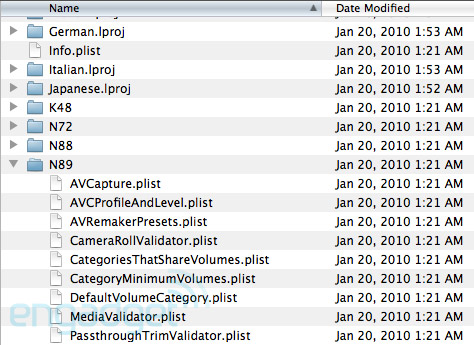
A file in the iPhone OS 3.2 SDK suggests that the next generation iPhone will support 720p video, according to an Engadget report.

Just recently we learned that the codename “N89″ likely refers to the upcoming 4th generation iPhone. Now a look at the MediaValidator.plist file reveals a few more interestings tidbits…
Read more…

Patent suit takes aim at Apple’s iTunes, MobileMe, QuickTime

December 15, 2009 :: Posted by - SoSly :: Category - News

Apple and 17 other companies were named in a new lawsuit filed this week over two patents related to accessing computer software from remote systems.

BetaNet has targeted Apple, along with Microsoft, IBM, Adobe, Kodak and others, over alleged infringement of two patents. U.S. Patent No. 5,222,134, awarded in 1993, is entitled “Secure System for Activating Personal Computer Software at Remote Locations,” while No. 5,103,476, of 1992, has the name “Secure System for Activating Personal Computer Software at Remote Locations.”
Read more…

Fool Proof Tutorial: Activate MMS 100% On Firmware 3.0

September 26, 2009 :: Posted by - SoSly :: Category - News

I have noticed a lot of people having trouble with mms working. I have written fool proof instructions to get your mms 100% working if you are using an iPhone 3G or a 3GS. If the following does not get your mms working I suggest you call AT&T and make sure they didn’t forget about unblocking mms on your account. Of course you can tell them a little white lie when they ask you if your on firmware 3.1.

Note: If you do the following be sure to uninstall any tethering hack you have installed on your jailbroken iphone. Whether it be the mms/tethering hack from cydia or just the downloaded mobile config files from websites. Uninstall all of them and the reset your network settings before doing the following.

The download below is the 5.5 ipcc carrier settings update AT&T pushed out today to enable mms. The file has been edited by stealthbravo over at modmyi for us users who are wanting to stay on firmware 3.0. The edited file adds the internet tethering option and cellular data network settings along with the correct mms settings. The official unedited file adds mms but you don’t get the tethering option or the ability to edit your cellular data that is why if your like me, you will use this very helpful file that adds the extra features.

  • Download Edited IPCC File HERE

After downloading the ipcc wait… You still have to do a few extra steps before using it because itunes doesn’t allow you to update your carrier settings using the ipcc file. Do the following exactly as stated: Read more…

Downgrade Your iPhone 3GS Using Sauriks Server

September 15, 2009 :: Posted by - SoSly :: Category - News
web server

Thanks to Saurik for all of his hard work. Below is his explanation from saurik.com on how to downgrade your iPhone 3G S and also how to continue using his server for future Apple firmware updates.

Bypassing the Overlord

To this end, I have constructed a server that duplicates the functionality exposed by Apple’s signature server, except using “on file” results rather than live requests.

All we need, then, is to make iTunes use it. Luckily, most operating systems also have the ability to locally define bypasses on specific hostnames through a file called hosts. Using this, we can redirect requests to Apple’s signature server to Cydia.

So, open the file C:\Windows\System32\drivers\etc\hosts (Windows) or /etc/hosts (Mac OS X) and add the following entry to the bottom of the file.

74.208.105.171 gs.apple.com

Now, when iTunes thinks it is talking to Apple, it is talking to Cydia Read more…

Saurik Explains His Ecid SHSH Storage Used By Cydia

September 15, 2009 :: Posted by - SoSly :: Category - News

IMG_0282 IMG_0283 IMG_0284

Caching Apple’s Signature Server

Please, for the love of all that is holy, do not e-mail me if you have problems. Instead, go to ModMyi.com, where there is a special forum called 3G[S] Downgrading, created for the purposes of this article.

Seriously: there is no way I could possibly hope to answer even the number of e-mails I’m currently receiving regarding this, and the article isn’t even out yet. There is this wonderful scene from Bruce Almighty where Bruce sees his e-mail inbox: that happens to me every day. :(

I have very little respect for Apple at this point: I make no secret of this fact. Apple, as a company, has turned into a corporate hypocracy, embodying the very ideals that it claims to be rebelling against. “Think Different”, as a slogan, has become a cold criticism of their own actions with regards to their product lines.

The Next Hope

Apple is not just a computer company: Apple is a movement. This concept was finally and truly cemented in the public mindset when Apple carved itself a lasting place in the history of marketing with its 1984 superbowl commercial for Macintosh.

Styled after the classic Orwellian distopia, 1984, this commercial was set in a future where all aspects of individuality had been stamped out by the overlords, constantly vigilant, watching from their television monitors.

This world, as well as everyone in it, was rendered in a blue and gray: some believe we are to see the overlords as IBM, well reknowned for their corporate beaurocracy, and soon to be hated for trying to control our very thoughts with their bland machinery.

Others, including the creative director of the commercial, Lee Clow, state that the commercial represents the abstract struggle of “the few against the many”: Apple’s Macintosh standing as a symbol of “empowerment”. [Wikipedia]

The True Enemy

However, as time grew on, Apple’s real stance on individual expression and “empowerment” in particular, became clear: they are staunchly against it. Apple’s insistence on controlling the experience of their products sounds very similar to the “garden of pure ideology” expoused by the Big Brother in their own commercial.

Today we celebrate the first glorious anniversary of the Information Purification Directives. We have created, for the first time in all history, a garden of pure ideology: where each worker may bloom, secure from the pests of any contradictory… thoughts.

Our Unification of Thoughts is more powerful a weapon than any fleet or army on Earth. We are one people: with one will, one resolve, one cause. Our enemies shall talk themselves to death and we will bury them with their own confusion. We shall prevail!

The Point of Jailbreaking

This is why many of us (upwards of 10% of all iPhone users, in fact) “jailbreak” our devices: we want choice. We believe that Apple has maintained its lead as the best mobile hardware platform provider, and Read more…

AT&T MMS Being Activated Slowly

September 07, 2009 :: Posted by - SoSly :: Category - News

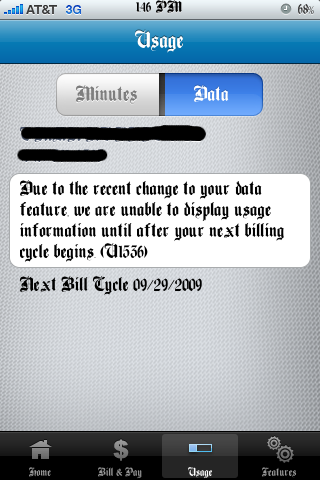
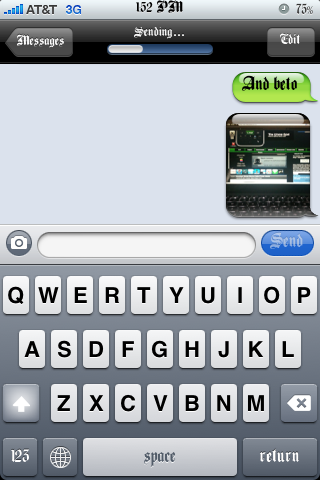
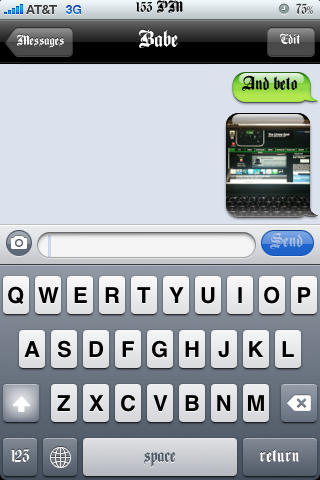
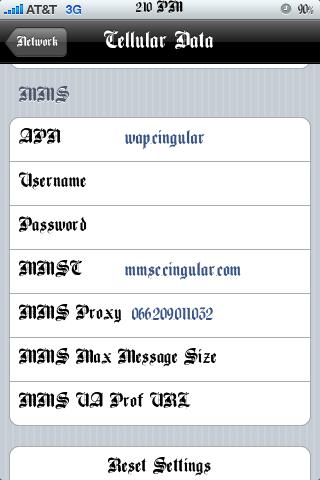
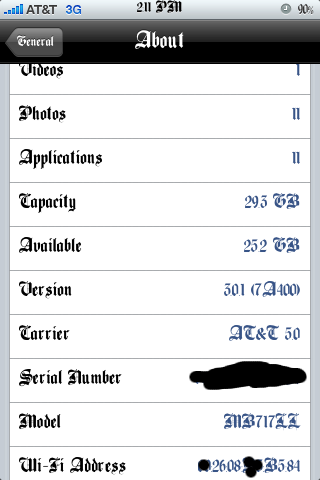
All over the web your seeing that people’s mms is working and here I am again adding on to that talk. I recently saw that some AT&T users were happily sending mms. I have never tried to get mms to work for me as I know I won’t be a big user but I decided to give it a shot just to see if I could get it to work. What I did was download this updated 5.0 ipcc file HERE, the ipcc file  is an update to your AT&T carrier file, you may check your version in the about section on your iPhone, it should say 4.0. I then tried to update my iPhones carrier settings by holding shift+update and then tried to click the ipcc file but it wouldn’t so I used THIS TUTORIAL for my mac so that I could choose the ipcc file. I ended up updating the ipcc to 5.0 and i got some extra settings in General/Network which said cellular data network. I then entered mms settings people said had worked for them and then my hopes were shot down as mms didn’t work at all. I woke up this morning and tried to send an mms which I didn’t expect to work and whadda-ya-know message sent. I checked my att account using the mywireless app from the appstore and I saw that my data plan had been changed or something so I called att and they said everything was fine and that my iphone unlimited messaging plan had been changed to regular messaging unlimited, I didn’t care to annoy them as my mms was working. End of story is that i’m positive they may be activating MMS all around the U.S. Slowly but surely.

iPhoneMMS iPhoneMMS2 iPhoneMMS3

iPhoneMMS4 iPhoneMMS5 iPhoneMMS6

iPhoneMMS7