Street Fighter IV Coming To The iPhone

February 15, 2010 :: Posted by - SoSly :: Category - News

Set to arrive in the App Store sometime next month, Street Fighter IV is no quick port, hastily tossed at the iPhone in the name of getting a mobile version out on the streets. Capcom has apparently taken the iPhone conversion of their brawler quite seriously. They’ve spent months perfecting the on-screen virtual control systems, alone, realizing that the game demands highly precise controls for true mastery. Read more…

Average iPhone User Consumes 273MB of Data Monthly

February 15, 2010 :: Posted by - SoSly :: Category - News

Consumer Reports published an analysis of the wireless bills of 100,000 customers and found that that the average iPhone owner uses almost twice as much data as users of most other smartphones, and five times the average amount used by Blackberry owners. And a small proportion ofiPhone users upload and download three or more times what the average iPhone owner uses, with one in twenty-five using upwards of a gigabyte per month. Read more…

iPhone Beats Nexus One in 3D Frame Rate Test

February 15, 2010 :: Posted by - SoSly :: Category - News

A test done by the UK mobile games house Distinctive Developments shows that the iPhone has much better 3D rendering capability than the Google/HTC Nexus One. As described by Engadget, the test showed that the iPhone was able to sustain a frame rate almost one and a half times faster despite the Google phone having a more powerful 1 GHz Snapdragon CPU. The main difference appears to be the lack of optimized code that takes advantage of the ARM processor core. Read more…

OS 3.0 Update Now Free for iPod Touch Owners??

February 15, 2010 :: Posted by - SoSly :: Category - News

Apple has reportedly started allowing older iPod touch owners to upgrade to iPhone OS 3 for no charge.

The information comes via PocketGamer’s Tracy Erickson,

Syncing a second generation iPod touch today with an older version of the software prompted me to accept the free upgrade. How exciting.

Just as when asked to download and install the latest firmware on an iPhone, iTunes simply asks for confirmation – no signing in to pay for the software.

If anyone can independently confirm this please let us know in the comments…

[Via iclarified.com]

Get Cheap Insurance for Your iPhone Using WHG

February 14, 2010 :: Posted by - SoSly :: Category - News

An iPhone can be an expensive investment, and given that its users generally carry their phones everywhere, damage from dropping, stepping on, running over and flushing iPhones are more common than warranty-related problems. And no warranty can protect you from theft. As a result many users have looked for third party insurance to try and protect themselves from loss.

Worth Avenue Group garnered a lot of attention at this year’s MacWorld with their booth featuring a man methodically smashing iPhones with a hammer. According to Chris Holt at Macworld.com, they claim to cover the iPhone comprehensively, whether it has been dropped, stolen, or submerged in water or beer. According to their website click HERE, 80% of iPhone failures are due to an accident of some kind, and accidents are not covered by AppleCare. Read more…

Tuaw: 4iThumbs Keyboard for iPhone Review

February 14, 2010 :: Posted by - SoSly :: Category - News

I stopped by the 4iThumbs booth to check out their product that would purportedly increase my (admittedly dismal) typing speed on the iPhone/iPod touch. It consists of a plastic overlay that puts small ridges between the letters of the standard iPhone keyboard, available in both portrait and landscape formats. The product comes with some tabs that you affix to the top and bottom of the device, and you can then slip the plastic overlay on and off. Read more…

Control Your iPhone Music Player from Your Computer

February 14, 2010 :: Posted by - SoSly :: Category - News

Bowtie for iPhone allows you to control your iPhone or iPod touch’s music player from your Mac or Windows PC.

Ever wanted to pause your iPhone while it’s docked on your great stereo system at the other side of your living room? Or perhaps just skip a song on your iPod touch in your pocket while you’re working in front of your computer? Bowtie for iPhone and iPod touch does all of that, and more.

You need either Bowtie for Mac or Bowtie Remote for Windows to use Bowtie for iPhone. Both applications are available free of charge at http://bowtieapp.com.

You can purchase Bowtie from the App Store for $0.99.

Read More

[Via iclarified.com]

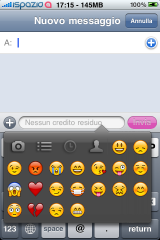
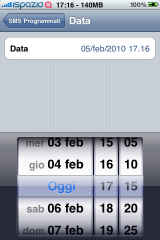
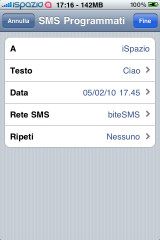
Update: biteSMS 4.6 Cracked

February 13, 2010 :: Posted by - SoSly :: Category - Cracked .deb's, Cracks

Download:

download

Thanks to studguy1 for the updated crack and all of the extra info on bite.

Notes:
- Remove all other SMS/QR/QS apps to avoid conflicts
- Best SMS app out there IMO, buy it if you like it. ($11.99 unlimited license)
- Features Documentation
- Changelog
- Homepage
- DEB installtion guide (using SSH)

Install Instructions:

  • After downloading the deb above rename it to bite.deb
  • Copy the file to var/mobile on your iphone, install using ifile or do the following
  • Open up mobile terminal on your iphone and do the following
  • Type in su (press return)
  • Type in alpine (press return)
  • Type in dpkg -i bite.deb (press return)
  • Reboot or respring and enjoy

Tuaw: Laser Pico Projector Review

February 12, 2010 :: Posted by - SoSly :: Category - News

I’m still skeptical about laser projectors — while the technology is impressive, the practicality is still a little limited. And unfortunately, Microvision’s demo of their SHOWWX projector here at Macworld 2010 didn’t do much to change my mind. It’s a nice little device — it’s almost exactly the size of the iPhone, and the rep told me that most of the unit is actually the battery — and there are some good applications for it. But for the consumer market that Microvision really wants, the $500 unit (that will go on sale in March) is still a little too small in terms of scale and usability. Read more…

Use Your iPhone/Ipod Touch As Flash Drive

February 12, 2010 :: Posted by - SoSly :: Category - News

There have been some other utilities that turn your iPhone/iPod touch into a flash drive, but this one is free and very easy to use. It’s called iPhone Explorer. You install the app on your Mac, or your PC (there’s an app for each platform) and you’re ready to go. You’ll see your iPhone appear when it’s plugged into your computer. You can view the folder structure, and drag and drop items to or from the iPhone to your desktop or back the other way. Read more…