iH8sn0w New Project Called Sn0wybreeze

October 03, 2009 :: Posted by - SoSly :: Category - News

Immagine 2

iH8sn0w, the creator of iREB, the utility that allows you to bypass certain errors returned from iTunes during / before restoring a firmware for our iPhone and iPod Touch, has now released an interesting tweet that informs us about the beginning a new project he’s working.

The name, sn0wybreeze, draws much Geohot issued by the tool and the Dev-Team, which allows you to jailbreak the phone in the iPhone 3G and 3GS or it may be just an alternative to these.

Via ispazio.net
iH8sn0w Releases iREB 3.1-3, Includes the 3.1 ShSh Grabber

October 02, 2009 :: Posted by - SoSly :: Category - News

ireb_313

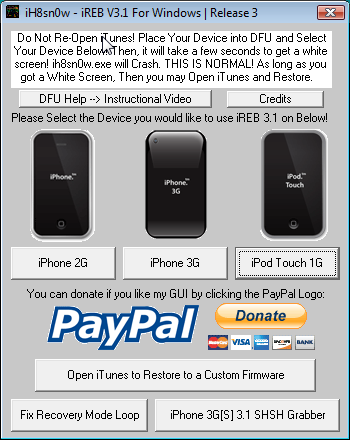
iH8sn0w has just released the new version of iREB for Windows. This is the 3.1-3 and above to be more stable contains a button that allows you to save your SHSH ECID for Firmware 3.1.

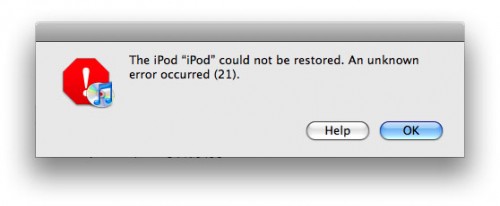
If you don’t know, the purpose of iREB is to exit from the mistakes 16xx and 21 of iTunes that usually appear during a restore of a pwned firmware. The iPhone 3GS 3.1 ShSh Grabber which is a bonus ensures the ability to run a future downgrade from 3.2 to 3.1.

Check Out The Official ih8sn0w website here to download this program.

iHateSn0w: Demos Easy Way To Get Your iPhone’s Ecid ShSh File From Apple Servers

September 30, 2009 :: Posted by - SoSly :: Category - News

iHateSn0w is currently working on another update to his iReb Program that allows people to save their 3.1 ecid signature so that they downgrade back to 3.1 when Apple releases another firmware update.

iREB: Correct Errors “16xx” & “21″ During A Restore

September 22, 2009 :: Posted by - SoSly :: Category - News

itunes-activation-9838-error

iH8sn0w has released a new update for iREB a new program for Windows and Mac that can solve the mistakes “16xx” and “21″ from iTunes that are displayed after a reset or a firmware downgrade.

The application is only compatible with EDGE iPhone, iPhone 3G and iPod Touch 1G and can be downloaded from here.

When you will be presented such an error will not have to do is start and follow the instructions on the screen. I recommend you download it and keep it somewhere in your computer .. It can come in useful!

Via ispazio.net