Proswitcher Updated To 1.1

January 25, 2010 :: Posted by - SoSly :: Category - News
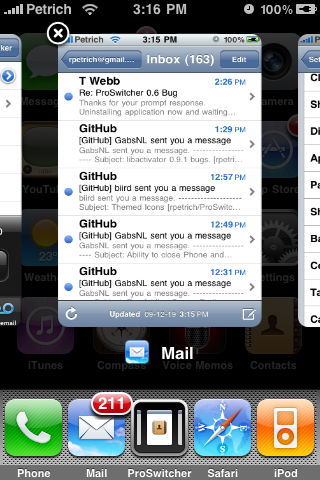
Ryan Petrich and Chpwn have released an update to their ProSwitcher utility to easily switch between background iPhone apps.

ProSwitcher 1.0 can be installed from the BigBoss Cydia Repository. It is a Palm Pre-styled application switcher which integrates with SpringBoard for a simple and smooth experience.

To force applications to run in the background you must use the Backgrounder application which can also be installed from Cydia.

What’s New In Version 1.1:
- Many bugs fixed
- Lock SpringBoard card
- Better LA support
- Improved settings
- Return of a few settings
- Check git commit logs for more!

[Via iclarified.com]
ProSwitcher 1.0 Released

December 25, 2009 :: Posted by - SoSly :: Category - News

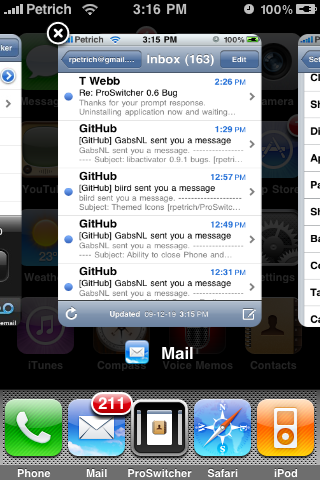
Ryan Petrich and Chpwn have released their ProSwitcher utility to easily switch between background iPhone apps.

ProSwitcher 1.0 can be installed from the BigBoss Cydia Repository. It is a Palm Pre-styled application switcher which integrates with SpringBoard for a simple and smooth experience.

To force applications to run in the background you must use the Backgrounder application which can also be installed from Cydia.

Via iclarified.com

ProSwitcher Another iPhone Multitasking Interface

December 08, 2009 :: Posted by - SoSly :: Category - News

Ryan Petrich showcased ProSwitcher for jailbroken iPhones

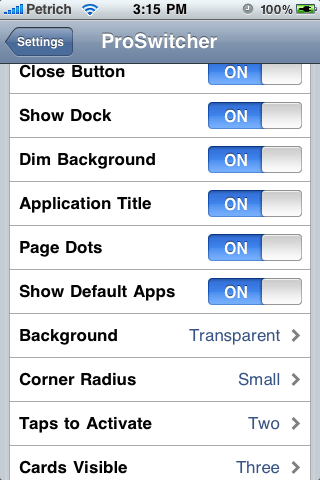
, ProSwitcher enables palm pre like multitasking for jailbroken iPhones. ProSwitcher app that shows exactly how simple power features can drastically improve the iPhone user experience. The basic idea behind ProSwitcher is you can switch between apps while automatically back grounding the app you leave. ProSwitcher integrates with Backgrounder similar to how Kirikae does it. ProSwitcher is highly customizable with the options to select background, dim back ground, swipe to close etc. Another handy feature is the ability to quit apps from within ProSwitcher. Just select the application that you want to quit with the customary finger  slide, then hit quit.

Via ihackintosh.com