QuickSmS Crack, Bitesms Final 3.1 Crack

February 26, 2009 :: Posted by - SoSly :: Category - Cracks

==========================================================

Edit:3 Second layer of quicksms cracked download windows script ****here**** for mac *****here***** and just run the bottom commands. no need for the dylib below. It will not crash anymore :) and

Easier Instructions: (Get your imei by dialing *#06# on your phone) On windows vista your going to download the new generator script and place it in your home folder

* Now go on the bottom left click on the windows logo/start
*go to accessories and click on command prompt
* you should see something similar to C:users\home>
*put this exactly after C:users\home>quicksms your-imei-here >license.dat
*after that you should go to your home folder in vista and look for the generated license.dat file.

Just drag and drop that to var/mobile/library/quicksms/ and replace the other license.dat file thats already there (I recommend you make a backup of your original before you overwrite) and don’t forget to set permissions to 777

THANK YOU Phoenix3200

Update

Edit:2 After you have successfully cracked quicksms and it keeps crashing Phoenix3200 has done it again.

Download this file *****HERE***** which is quicksms.dylib and put it in root/library/mobilesubstrate/dynamiclibraries/  and set permissions to 777. After that no more crashing as often or at all.

Big Thanks to Phoenix3200

Below are scripts to generate your key. Its a bit complicated but I got it working.

Download either crack for windows *****HERE***** or for mac *****HERE*****

In Windows, open a command shell (Start->Run->Cmd), navigate to where you downloaded the file, and run quicksms 000000000000000 >license.dat – except replace all those zeros with your 15-digit IMEI without spaces.

It should generate a file called license.dat in the same directory, which you need to place on your phone at /private/var/mobile/Library/QuickSMS. Make sure you change the owner to mobile and 0644 or permissions to 777.

Respring your phone, and you should be good!

==========================================================

Mac

I couldnt get it to work so i did this. After you download the zipped mac file extract it to your desktop.

  • open terminal
  • drag and drop the extracted file which is quicksms to the opened terminal window and it should read whatever-name-macbook:~ yourmacname$ /Users/yourname/Desktop/quicksms
  • (so type in your 15 digit imei after quicksms) like this /Users/yourname/Desktop/quicksms(1_space_between_Here)your-imei-here
  • push enter/return
  • you should see something like this in your terminal window

<?xml version=”1.0″ encoding=”UTF-8″?>
<!DOCTYPE plist PUBLIC “-//Apple//DTD PLIST 1.0//EN” “http://www.apple.com/DTDs/PropertyList-1.0.dtd”>
<plist version=”1.0″>
<dict>
<key>QuickSMS</key>
<string> Alot of random numbers which this is your key keep this window open</string>
</dict>
</plist>

  • now get into your iphone and go to this directory root/var/mobile/library/quicksms/ and copy your license.dat file to your computer make two copies just to have a backup.
  • open your license.dat file with text edit and you will see something like this

<?xml version=”1.0″ encoding=”UTF-8″?>
<!DOCTYPE plist PUBLIC “-//Apple//DTD PLIST 1.0//EN” “http://www.apple.com/DTDs/PropertyList-1.0.dtd”>
<plist version=”1.0″>
<dict>
<key>QuickSMS</key>
<string>a lot of random numbers which you will replace with the numbers in your mobile terminal windows</string>
</dict>
</plist>

  • now go to your terminal window and copy the random numbers in between the <string> words to the license.dat file you got from your phone and opened in text edit.
  • save your original license.dat file after you copy the random numbers from terminal. make sure you just click save not save as
  • copy modified license.dat file back to root/var/mobile/library/quicksms/ and overwrite the original (don’t worry you should have made a backup).
  • set permissions to 777 and respring.

ENJOY CRACKED QUICKSMS

========================================================

Bitesms 3.1

so there have been a lot of cracks and such out there but here is finally the last and the 3.1 final crack for bitesms. This is known to have finally got everything working, I would also like to say thanks to the crackers jakalope/hunterx.

Download *****Bitesms3.1Final*****

So there will be 2 files and this is where you will put them.

  • Bitesms goes into root/applications/bitesms.app/ (Note:Set permissions to 777)
  • Bitesms Dylib goes into root/library/mobilesubstrate/dynamiclibraries/ (Note:Set permissions to 777)

It should now work. Now sometimes it will read that it is not the full license but it is, and if your picky about that you can do thi. Also if it tells you license invalid go to var/mobile/Library/biteSMS/ find bitesms.db and delete it.

go to terminal and type in type su root
pass= alpine
type

apt-get install sqlite3

sqlite3 /private/var/mobile/Library/biteSMS/biteSMS.db

update licence set activation_token=”1111″, licence=NULL, licence_type=”full”;

Beatmeaker 1.3.2 Re-cracked to work, Motocross Ipa, Zen Bound Ipa, My SongBook Ipa, Vocoder Ipa

February 25, 2009 :: Posted by - SoSly :: Category - Cracks, News

===================================================

Our friend paniK has pleased us all again, he has manually re-cracked Beatmaker so it doesn’t crash on start up. Get Beatmaker Below

BeatMaker
Version: 1.3.2
Purchase Link: http://itunes.apple.com/WebObjects/MZStore…512415&mt=8
Cracked by: paniK Get it *****HERE***** or *****HERE*****

===================================================

MotoCross

Motocross features:
* 16 stunning levels with varied landscapes
* 4 new levels every month
* Accelerometer-based control
* Breath-taking jumps and driving maneuvers
* Appealing background music.

Get *****MOTOCROSS*****

==================================================

Big Thanks to Fifty6 for the last 3 Ipa’s

Vocoder

Get *****Vocoder*****

MySongbook

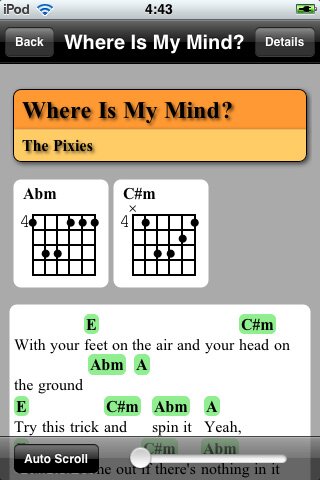
MySongbook is an app for finding, viewing and managing your song’s chords, just like a songbook. It uses the simple ChordPro format to display chords, and also offer limited support for plain-text mode for tabs.

Get *****MYSONGBOOK*****

Zen Bound

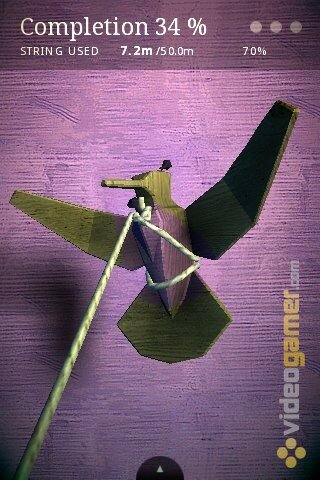
The premise of this game is pretty simple, bind up objects with rope. But, this is not an arcade game, there is no urgency to it. It’s a game that’s meant to torture you, slowly constricting your movements until you can’t take it any more. But, in a fun and challenging way!

Get *****Zen Bound*****

Stacks 2.2 Still Being Released, McoolPhone 1.1 Cracked, Dashboard for Iphone

February 24, 2009 :: Posted by - SoSly :: Category - Cracks, News

Just to clear things up, Stacks for iphone in fact has been discontinued but

“Note: I’m still planning on releasing Stack 2.2, some people seem to have got the wrong end of the stick. But it shan’t get any updates.”

Hopefully this clear things up so yes guys we will still be getting the new update just no more support after the release of stacks 2.2 :) thanks Steven you gave me a scare…

============================================================

From http://www.mcleaner.com/iphone_w/mcoolphone.shtml

“mCoolPhone is a super smart app which helps you use iPhone in a more convenient way.You just shake or flipover iPhone,the incoming call will be accepted,hang up or turn off ringer. This is especially useful when you are at meeting,dating,taking a nap or driving,etc. By the way, you can show it off in front of your friends!
From human mechanics,we adopt smart anylysis algorithm to effectively avoid misshandling during body movement.Please feel free to use it.
Note1: The latest version mCoolPhone v1.1 supports iPhone 2.0/2.1/2.2/2.2.1. New feature:
1. add “turn off ringer”(i.e, mute ringer) feature for Flip-Over and Over-Flipped state.
2. add “hangup new call” for shaking iphone.
3. fixed “answer new call in locked state”, more convenient now.
More features will be added in coming versions..
Note2: Updating is totally free to our customers. Once purchased,enjoys lifetime free upgrade”

GET ******mCoolPhone 1.1******

This is the deb file so you have to install it through terminal/putty. Below is how to install a .deb package.
place file in var/mobile
open terminal on iphone
type “su root” no quotes
type alpine for the password
type dpkg -i mCoolPhone_1.1_cracked_alzir.deb

Note: You can also rename mCoolPhone_1.1_cracked_alzir.deb to anything you want and make it a shorter name so that you don’t have to type in that long name.

=========================================================

Steven Troughton Is now working on a new project called dasboard. It looks like the widget on Mac OSX. I wouldn’t mind having quick access to notes and other items other than the clock that shows. Again if its coming from Steven than it will most likely be a big hit like stacks. Check the vid below

Ibluetooth Update!!!

February 23, 2009 :: Posted by - SoSly :: Category - News

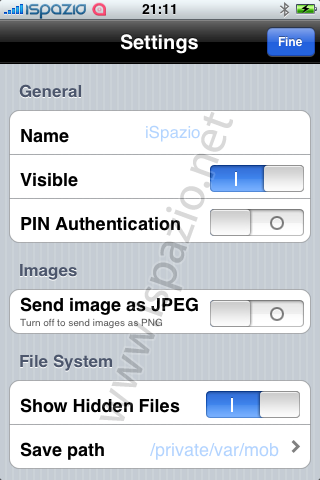
The guys over at ispazio have finally gave us an update for the long awaited bluetooth transfer app for iphone. The app called iBluetooth will allow us to have full access to the  bluetooth chip and it will give us the A2DP Profile meaning we will have the ability to start using our bluetooth stereo headphones, stereos, and start transferring files to other bluetooth enabled electronics. Below is a direct quote from the ispazio website. Thanks to Medevil the developer and the others helping.

“A New Status Update about iBluetooth, the application that will allow the file transfer through the iPhone Bluetooth. Actually, the application is in beta testing. iSpazio got it, and Medevil is fixing some of the bugs we found. When ALL (or, the most important) bugs will be fixed, the app will be released through the iSpazio Repository in Cydia.”

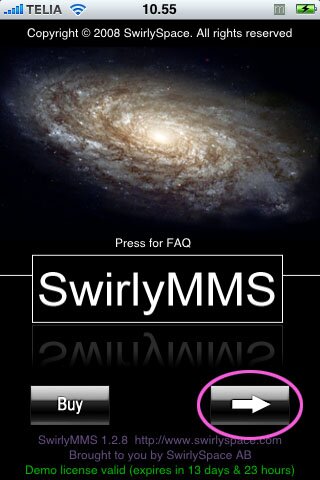
Finally get SwirlyMMS to work with iPhone!!!!!

February 23, 2009 :: Posted by - SoSly :: Category - News

=========================================================

So i found this via xsellize which pointed me to the swirlyspace support forums (Got to the official forum thread *****HERE*****. The user boostedbenz posted this

“GET THIS THROUGH YOUR HEADS…..THE STEPS I AM LISTING ARE THE STEPS THAT WORK…..IF YOU IGNORE ONE OF THEM NOTHING WILL WORK….

I WILL GO THROUGH THEM AGAIN

D/L SWIRLY
SET SWIRLY UP PER INSTRUCTIONS
CALL AT&T HAVE MMS ENABLED
-IF YOU ARE FAMILY USE THE UNLIM. FAMILY MMS
-IF YOU ARE PERSONAL HAVE THEM ADD PAY BY USE (DON’T WORRY IT CHARGES FOR DATA USE, BUT IPHONE’S HAVE A LOOPHOLE WHICH IS WE HAVE UNLIMITED DATA PLANS I HAVE NEVER BEEN CHARGED SO DON’T FREAK OUT ABOUT CHARGES)
HAVE WAP PUSH ENABLED (LISTEN TO ME…IGNORE AT&T OR ANYONE WHEN THEY SAY THIS ISN’T REQUIRED!!!!)
HAVE YOUR OTA SENT
HAVE YOUR VLR RESET
HOLD POWER BUTTON, WHILE STILL HOLDING POWER BUTTON SLIDE THE “SLIDE TO TURN OFF WIDGET”
WAIT 30 SECONDS
POWER PHONE BACK UP
ALL CHANGES WILL NOW TAKE EFFECT

OH YEAH AND BY THE WAY, TURN OFF YOUR WIFI AND MAKE SURE YOU ACTUALLY HAVE EDGE TURNED ON….BECAUSE THE e IS THERE MEANS SQUAT, IT’S ALWAYS ON IF WIFI OR 3G ISN’T….TO VERIFY THIS GO TO SAFARI AND MAKE SURE IT DOES NOT TELL YOU IT CAN’T LOAD THE PAGE BECAUSE THERE IS NO INTERNET

DO THAT
IN THAT ORDER
SWIRLY WILL WORK
IF NOT
YOU’RE A MORON AND DON’T DESERVE AN IPHONE GO GET TWO CANS AND A STRING

***LEGAL DISCAIMER – IF YOUR IPHONE NO LONGER WORKS AFTER FOLLOWING ANY OF MY SUGGESTIONS, MYSELF ANY OF MY COMPANIES OR AFFILIATES ASSUME NO RESPONSIBILITY AND ARE NOT LIABLE FOR ANY DAMAGES, REPAIRS OR COSTS INCURED****”

iHome Realease in Cydia (Touchscreen Home Button)

February 23, 2009 :: Posted by - SoSly :: Category - News

=============================================================

iHome is a touch screen home button for your iphone or ipod touch, its actually pretty cool and would be nice to try. Below is a video so try it out if you like it. You can get through cydia, just searcg for it.

Quick Tethered Jailbreak Ipod touch 2g (Windows)

February 23, 2009 :: Posted by - SoSly :: Category - Cracks, News

============================================================

AGAIN TRY THIS IF YOU REALLY WANT TO JAILBREAK YOUR IPOD 2G IM NOT RESPONSIBLE IF ANYTHING HAPPENS TO YOUR IPOD OR IF YOU HAVE TO RESTORE!!!

============================================================

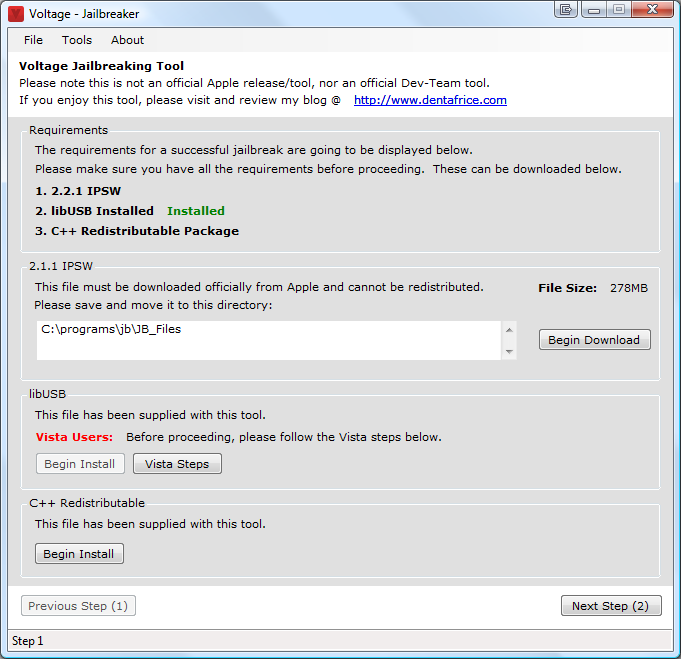
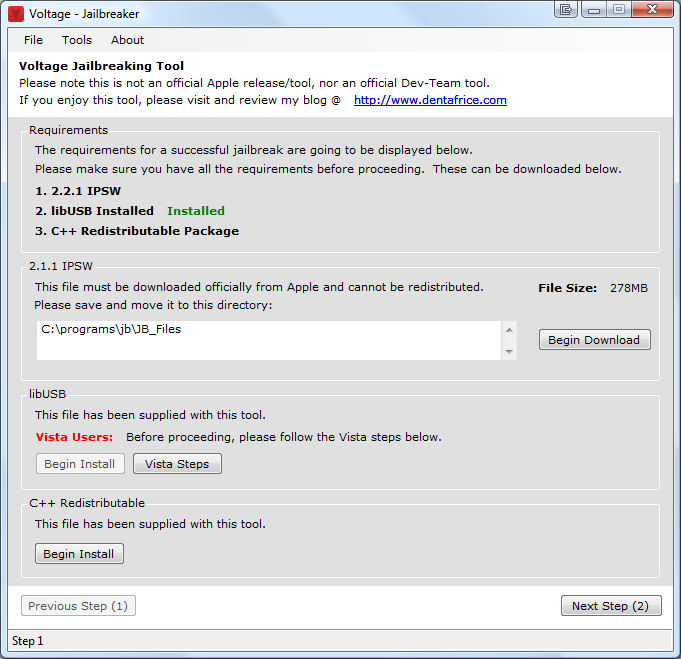
Hey fellas, so this voltage app has been out for quite a while but I was waiting for them to update it before i posted this. Anyhow Here are the instructions and where to get this. Go to the official developer’s thread HERE

Get *******VOLTAGE*******

Please follow all instructions carefully, it should be pretty self explanatory.
(Remember to read where to place your IPSW on the first step).

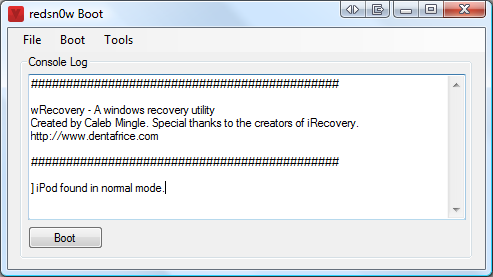
The booter tool is used after jailbreaking to boot your iPod in one click.

Changelog (started at v0.3)
v0.5: Added a check to see if Visual C++ is installed, if redsn0w.exe returns a blank status response, Visual C++ is not installed, problem with side by side.

v0.4: Added “browse” button to the application to search for the IPSW, no longer have to move firmware into the JB_Files folder.

v0.3: Updated 2.1.1 text to 2.2.1 typo as well as added DFU helper to Voltage – Booter

Adblock 2.2 Cracked, BiteSmS 3.1 Cracked .deb files

February 22, 2009 :: Posted by - SoSly :: Category - Cracks

===================================================

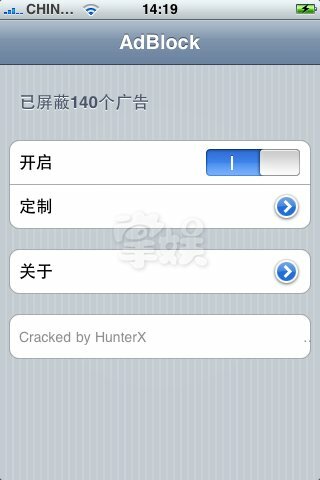
Adblock 2.2 and BiteSmS have been successfully cracked by our friend HunterX from cnpda forums. Thanks HunterX. Below are the .deb files you need to install through cydia, and if you don’t know how to install .deb files on your iphone go HERE .

**********ADBLOCK 2.2**********

**********BITESMS 3.1**********

====================================================

Stacks Discontinued

February 21, 2009 :: Posted by - SoSly :: Category - News

==============================================================

Earlier this week we got to see all of the new and cool features of the update to mobile stacks for the iphone im sad to say the project has been discontinued. The update was suppose to have cool things such as repositioning the stack on the dock by dragging it around,removal prompt, and themeable grid, etc….  The developer named steven says he is frustrated with the piracy of his app on the appstore that he has decided to stop working on stack and he will have it removed from cydia within a few days, SO YOU GUYS BETTER INSTALL IT AND COPY IT TO YOUR COMPUTER FOR BACK UP.

Here is a quote from Steven: “I have to work extra hard as it is on creating things for the App Store, but when people like paniK go ahead and make my software available to pirates and I watch sales vanish overnight, it means I have to spend much more time on marketing and development for my App Store apps to try and offset my losses, leaving no time for projects like Stack that earn me nothing.”

You can read his blog about the situation HERE

=============================================================

To your right you can donate 50 cents for all i care lets just try to keep stacks alive.

BiteSmS v3.1 Beta Preliminary Crack

February 21, 2009 :: Posted by - SoSly :: Category - Cracks

=============================================================

This is exceptionally difficult because this is preliminary. If you do not understand all of these steps, do not attempt this crack.

1. Download the following file: http://www.megaupload.com/?d=EM7KMPNT

2. Install a SQLite manager. You can even get one installed in Firefox.

3. Copy and 0755 the file you downloaded into /Applications/biteSMS.app/

4. Copy off of your phone the following file: /private/var/mobile/Library/biteSMS/biteSMS.db

5. Open the file in the SQLite manager, find the licence table, and change the licence entry from “123….” to “133…”

6. (Optional) Set activation_token to “1111″ and licence_type to “full”

7. Copy that file back on to your phone.

8. Enjoy until May 2012!


Thanks to Phoenix3200

==========================================================

These are the fixes and the bugs still in bitesms 3.1 beta.

  • Added support for language translations in Quick Reply.
  • Quick Reply is much improved, including scrolling for long messages. http://i44.tinypic.com/o109sl.jpg (sending…you can see both received text & reply)
  • Added ability to long press the “Send” button in Quick Reply to switch between Carrier and biteSMS (only when button is active).
  • We now disable the Quick Reply “Send” button during the sending process, see http://forums.bitesms.com/forums/1/topics/630?p…
  • Added new settings icon on the conversation list screen, and removed the little blue arrow settings icon.
  • Added new “About >” page on the settings screen, shows Version, License, Legal, Change Log, Features Help, Contacts (count), SMS Conversations (count) and Messages (count).
  • Fixed smileys layout issue (only applies for certain langauges), see http://forums.bitesms.com/forums/1/topics/590:#…
  • Fixed smileys issue, where if you forward a text with a smiley it thinks it’s an emoji (so distorts character counter).
  • Fixed smileys issue, where if you enter the ASCII for a smiley like :-) then rotate the screen, it thinks it’s an emoji (so distorts character counter).
  • Fixed the Settings->Privacy screen to automatically size the borders according to the help text (currently truncates the help text for some languages).

Still being worked on…..(but we thought we’d put out a Beta for the above in the meantime)

  • Conversation list “Text Messages” title in some languages or if unread messages overlaps the new settings icon
  • Add new feature to reset message counter on a given calendar day, see http://forums.bitesms.com/forums/2/topics/491
  • Fix fine line in bubble display, see http://forums.bitesms.com/forums/1/topics/498?p…
  • Fix bug where keyboard pop-up letters are hidden if you are in landscape mode when the Quick Reply is displayed.
  • Add support for ABContacts (App Store product) to support a call to biteSMS for a group SMS.
  • Fix up auto correct (truncates auto correct pop-up) for Chinese language keyboard.
  • Fix up bubble width to be like the native SMS application, see http://forums.bitesms.com/forums/1/topics/682?p…